Live TV Store

Best IPTV for iPhone & iPad – How to Watch Live TV on iOS in 2026
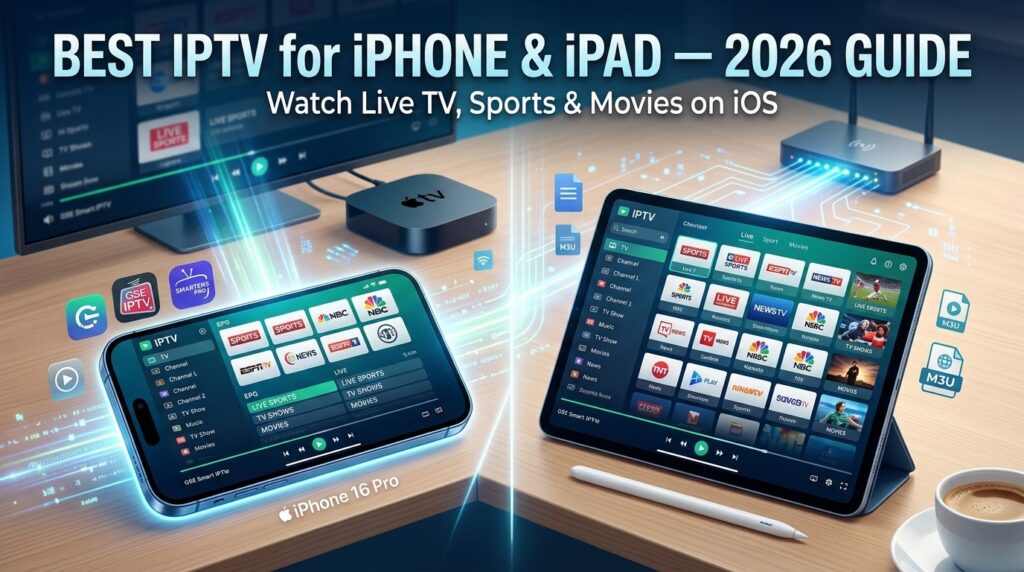
Best IPTV for iPhone & iPad - How to Watch Live TV on iOS in 2026

Best IPTV for iPhone & iPad – How to Watch Live TV on iOS in 2026 Want to watch live TV, sports, movies, or other IPTV content on your iPhone or iPad? In 2026, there are several IPTV player apps designed for Apple’s ecosystem that can make it easy to organise and stream your own […]

Best IPTV Service for Amazon Fire Stick 4K – Complete UK Guide 2026
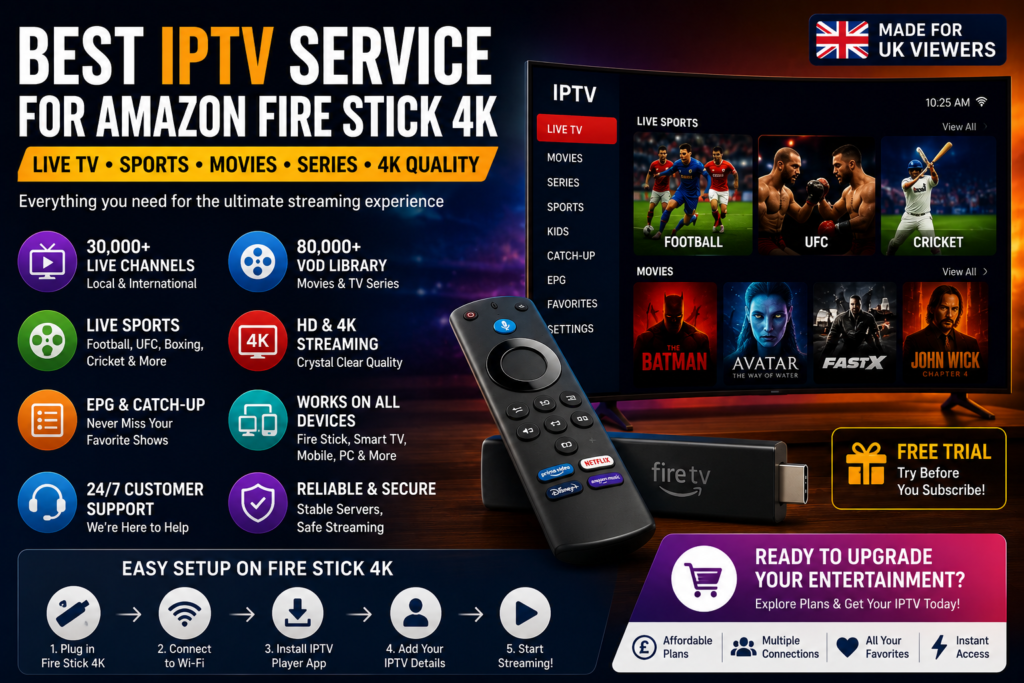
Best IPTV Service for Amazon Fire Stick 4K - Complete UK Guide 2026

Best IPTV Service for Amazon Fire Stick 4K – Complete UK Guide 2026 The Amazon Fire Stick 4K is one of the easiest ways to turn a compatible television into a flexible streaming setup. But the device itself doesn’t provide IPTV channels—you still need a compatible IPTV player and a subscription or playlist from a […]

Best IPTV Subscription UK for Live Sports & Movies – 2026 Guide
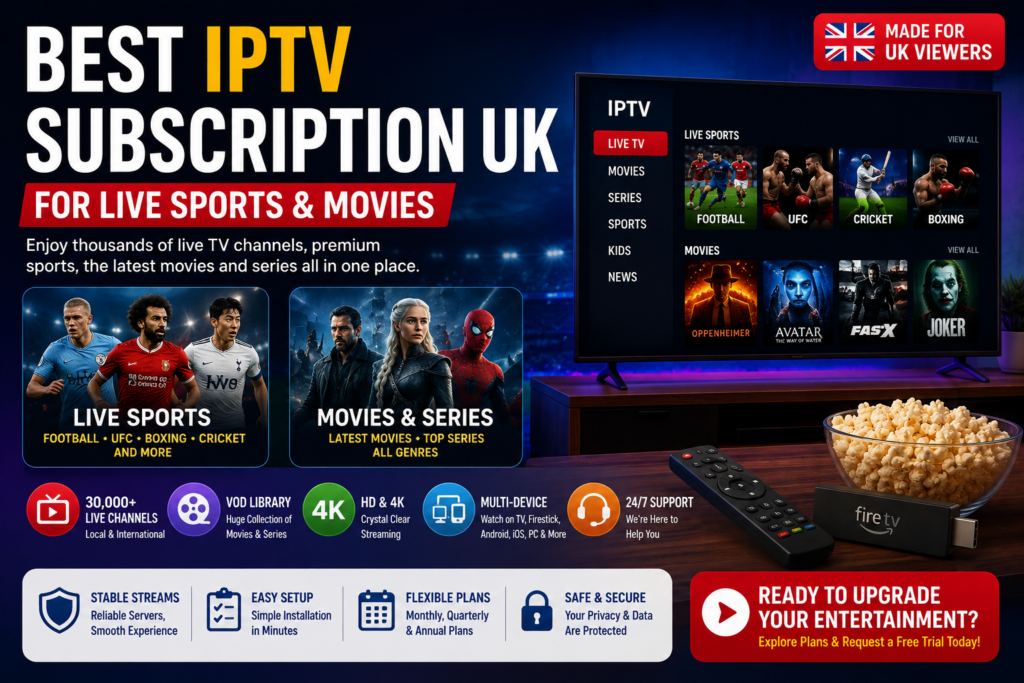
Best IPTV Subscription UK for Live Sports & Movies – 2026 Guide Finding the best IPTV subscription in the UK is harder than it should be. Almost every provider promises thousands of channels, live sports, movies, TV series and 4K streaming—but those promises don't always tell you what the actual viewing experience will be like when you're trying to watch a big football match or relax with a movie on a Friday night. A good IPTV subscription should offer more than an impressive channel number. Reliability, device compatibility, content organisation, video quality, customer support and overall value all matter. This guide explains what UK viewers should look for when choosing an IPTV subscription for live sports, movies and entertainment in 2026. If you're looking for an all-in-one option, Sky Glass IPTV Store combines live TV, sports, movies and TV series across a wide range of compatible devices. What Makes an IPTV Subscription Worth Paying For? The best IPTV subscription isn't necessarily the one advertising the most channels or the lowest price. A good service should provide a complete viewing experience that works reliably on the devices you actually use. Before subscribing, UK viewers should look at several important factors. Reliable Streaming Performance Reliable performance is one of the most important things to consider when choosing an IPTV service. A huge channel library is not particularly useful if streams constantly buffer during peak viewing hours. This becomes especially important when watching live sports, where interruptions during a football match, boxing event or other live programme can quickly ruin the experience. A reliable IPTV service should aim to provide: Stable streams Fast channel loading Consistent performance during busy hours Good organisation within the player Responsive support when problems occur Your own internet connection and device also play an important role. A weak Wi-Fi signal, older streaming device or overloaded home network can cause problems even when the IPTV service itself is functioning normally. Where available, testing a service before committing to a longer subscription can be a practical way to check compatibility and performance. Live Sports Coverage For many UK viewers, live sport is one of the main reasons for choosing an IPTV subscription. Depending on the service and authorised content availability, viewers may look for access to categories covering: Football Premier League Champions League Europa League International football Major tournaments UFC Boxing Cricket Basketball American football Other international sports The best IPTV experience for sports is not simply about having a large sports category. Stream consistency, picture quality and easy navigation also matter. Sports availability can vary depending on the service, location and applicable content rights, so viewers should always check what is included and make sure they access content they are authorised to watch. Movies and TV Series A good IPTV subscription can also bring live television and on-demand entertainment together in one place. For viewers who watch more than live TV, a strong VOD library can include: Movies TV series Action films Drama Comedy Documentaries Family entertainment Children's content International programmes The quality of the browsing experience matters here too. Categories, search features and favourites can make a large content library much easier to use. Device Compatibility Before buying an IPTV subscription, check whether it works with the devices already in your home. Popular IPTV-compatible devices include: Amazon Firestick Smart TVs Android TV Google TV Android phones and tablets iPhone and iPad Windows PCs Mac computers Dedicated IPTV devices Before subscribing, it is worth reviewing the Installation Guide to understand how the setup process works on your preferred device. Best IPTV for Live Sports in the UK What Should Sports Fans Look for in an IPTV Subscription? Sports fans often have different priorities from viewers who mainly watch movies or entertainment channels. If live sport is important to you, the first thing to consider is whether the service provides the sports categories and programming that match your viewing interests. The second is whether the service performs consistently during periods of high demand. Football and Major Sporting Events Football remains one of the biggest reasons UK viewers compare IPTV subscriptions. Many viewers want a convenient way to follow the competitions and teams they care about, including domestic football, European competitions and international tournaments. However, a good sports streaming experience depends on more than content availability. You should also consider: How quickly channels load How easy the sports section is to navigate Whether an EPG is available Picture quality Device performance Internet connection stability If football is your main interest, you can also explore the Watch Premier League Live with IPTV guide for more information about setting up a suitable streaming experience. Why Stream Stability Matters for Sports Live sport places different demands on streaming compared with on-demand content. When watching a movie, a streaming app can sometimes build a buffer in advance. Live television has less flexibility because the programme is happening in real time. A sudden drop in connection quality can therefore be more noticeable. For the best experience: Use a stable broadband connection Keep your streaming device close to a strong Wi-Fi signal where possible Consider Ethernet for fixed devices Close unnecessary downloads during major events Use a capable IPTV player Test your connection before important live events A reliable provider is important, but your home setup also contributes to the final experience. HD and 4K Sports Streaming Many viewers now look for HD or 4K quality when choosing an IPTV subscription. Higher resolutions can provide more detail, especially on larger TVs. However, 4K streaming also requires more bandwidth and a capable device. As a general guide, many households aim for: Around 10 Mbps or more for stable HD streaming Around 25 Mbps or more for higher-resolution streams such as 4K Actual requirements can vary depending on the stream, device, network conditions and other activity on your connection. Is IPTV a Good Choice for Movies and TV Series? For viewers who want more than live channels, IPTV can combine live television with a large library of movies and TV series. Instead of switching between multiple entertainment apps, some viewers prefer having live channels, movies and series available through one compatible IPTV player. Large VOD Libraries A strong VOD library gives viewers more flexibility over what and when they watch. Rather than waiting for a scheduled programme, users can browse available content categories and select something on demand. Depending on the service, categories may include: Hollywood films British programmes International movies Drama series Crime series Comedy Action Family entertainment Children's programming The actual size of a library is useful, but content organisation is equally important. A library containing thousands of titles should still be easy to search and browse. Catch-Up TV and EPG Features Useful IPTV features can make a major difference to everyday viewing. An Electronic Programme Guide, commonly called an EPG, helps viewers see: Current programmes Upcoming programmes Channel schedules Programme categories Some services and channels may also support catch-up functionality, depending on availability. These features can make IPTV feel closer to a traditional television experience while offering more flexibility across different devices. Watch Across Multiple Devices One of the biggest advantages of using an internet-based TV service is device flexibility. You may watch on a TV in the living room, then use a laptop or mobile device elsewhere when supported by your subscription. For example: Watch live TV on a Smart TV Use a Firestick in the bedroom Browse content on an Android phone Watch from a Windows laptop while travelling or working from home If you prefer using a computer, see How to Use IPTV on a PC or Laptop – Windows & Mac Guide for detailed setup information. Why Choose Sky Glass IPTV Store? Sky Glass IPTV Store is designed for viewers who want live television, sports, movies and entertainment in one subscription. Rather than focusing only on one type of content, the service is positioned as a complete entertainment solution for users across multiple devices. Depending on the selected plan and current service availability, Sky Glass IPTV Store offers features including: 30,000+ live channels A large VOD library Movies and TV series Sports and entertainment categories HD and 4K streaming options where available Catch-up features where supported Electronic Programme Guide access Multi-device compatibility Customer support Free trial availability where offered The value of a service like Sky Glass IPTV Store is not simply the number of channels available. The overall experience also depends on how easily you can find content, set up your device and get support if you need help. If you're ready to explore available options, visit the Sky Glass IPTV Store Home Page to learn more about the service. You can also visit the Buy IPTV Subscription page to review available subscription options and choose a plan that suits your viewing needs. New users should also review the Installation Guide before setting up their preferred device. What Should You Expect to Pay for IPTV in the UK? IPTV pricing can vary significantly depending on the subscription length, features, connection limits and service infrastructure. The cheapest option is not always the best value, and the most expensive option does not automatically provide the best experience. Subscription Length Most IPTV services offer different subscription periods, such as: 1 month 3 months 6 months 12 months Longer subscriptions often reduce the effective monthly price. For example, a monthly subscription can be useful for viewers who want maximum flexibility, while a longer subscription may offer better value for someone who already knows they want to use the service regularly. What Are You Actually Paying For? Behind every IPTV service is infrastructure that supports the viewing experience. Depending on the provider, this may include: Streaming infrastructure Server management Platform maintenance App compatibility Customer support Content organisation Technical troubleshooting These factors can affect overall reliability and user experience. Why the Cheapest Option Isn't Always Best A very low price can look attractive, especially when multiple providers appear to offer similar channel counts. However, viewers should also consider: Service reliability Customer support Compatibility Subscription terms Setup assistance Long-term service consistency The goal should be finding a service that offers good overall value rather than simply choosing the lowest number on the page. For a more detailed breakdown of subscription pricing, see How Much Does IPTV Cost in the UK? – Full Price Guide 2026. Best Devices for Watching IPTV The best IPTV device depends on your home setup and personal preferences. Amazon Firestick Amazon Firestick remains a popular choice because it can turn a compatible TV into a flexible streaming setup. Advantages include: Compact design Remote control navigation Easy portability App-based streaming Suitable for many home TVs For detailed player setup instructions, see How to Install IPTV Smarters Pro. Smart TVs Many viewers prefer watching IPTV directly on their television. Depending on compatibility, this can include: Samsung Smart TVs LG Smart TVs Android TVs Google TVs Other compatible platforms Smart TVs provide a convenient living-room experience without necessarily needing a separate computer. Smartphones and Tablets Mobile devices are useful for viewers who want flexibility. You can potentially use: Android phones Android tablets iPhone iPad A mobile device can be useful for travelling, testing a service or watching away from the main television. Windows and Mac Computers Computers provide another simple way to watch IPTV. They can be particularly useful for: Students Shared accommodation Home offices Secondary screens Testing an IPTV trial Travelling For complete setup instructions, see How to Use IPTV on a PC or Laptop – Windows & Mac Guide. MAG Boxes and Dedicated IPTV Devices Dedicated IPTV boxes remain popular with viewers who prefer a traditional TV-style setup. MAG devices can provide a focused streaming interface designed around television viewing. If you use this type of device, see How to Set Up IPTV on MAG Box – Complete UK Guide for detailed instructions. 8 Things to Check Before You Subscribe Choosing the best IPTV subscription becomes much easier when you know what to compare. 1. Check Device Compatibility Start with the devices you already own. Make sure the service can work with your: Firestick Smart TV Android device iPhone or iPad PC Mac Dedicated IPTV box There's little value in buying a subscription before confirming that your preferred setup is supported. 2. Look at Sports and Entertainment Categories Think about what you actually watch. A sports fan may care most about football and other live events, while another viewer may prioritise movies, TV series or international entertainment. Choose based on your real viewing habits. 3. Check Video Quality Look for clear information about available streaming quality. Depending on the content and device, this may include: SD HD Full HD 4K Remember that your internet speed and device performance can affect the quality you actually receive. 4. Check the Number of Simultaneous Connections This is important for households with multiple viewers. Some subscriptions may support only one active stream at a time, while others may offer additional connections. Check the subscription details before assuming multiple devices can stream simultaneously. 5. Check the EPG and User Experience A good Electronic Programme Guide can make a huge channel library easier to use. Look for: Clear categories Search functionality Favourites Programme information Easy navigation When thousands of channels are available, good organisation becomes especially important. 6. Look for a Trial Option A free or short trial can help you test: Device compatibility Stream loading Channel organisation Video quality Player app performance Your home internet connection Testing a service yourself can provide more useful information than relying only on advertising claims. 7. Check Customer Reviews Customer feedback can provide useful insight into the overall user experience. Look for information about: Setup experience Support Device compatibility Stream reliability General satisfaction You can explore the Reviews Store page to see customer feedback related to Sky Glass IPTV Store. 8. Check Installation Support The setup process should be clear, especially for users who are new to IPTV. A good provider should make it easy to understand: Which app to install How to enter credentials How to load channels How to solve common setup problems The Installation Guide can help new users understand the general setup process across compatible devices. Mistakes People Make When Buying an IPTV Subscription Choosing Based Only on Channel Numbers A service advertising an enormous channel number can sound impressive, but numbers alone don't tell the full story. A better question is whether the channels are: Well organised Relevant to your interests Easy to find Available through a usable interface Quality of experience matters as much as quantity. Choosing the Cheapest Provider Without Testing Price is important, but extremely cheap options can sometimes involve compromises. Before committing, consider testing: Stream performance Customer support App compatibility Device setup The best value is often a service that balances affordability with reliability. Ignoring Device Compatibility Some users purchase a subscription and only then discover that they need a different app or setup process for their device. Checking compatibility first can save time and frustration. Not Checking Support Options Even simple IPTV setups can occasionally require help. You may need assistance with: Login credentials Player installation Device compatibility Network troubleshooting Support availability should therefore be part of your buying decision. Assuming Every Buffering Problem Has the Same Cause Buffering can happen for several reasons, including: Slow broadband Weak Wi-Fi Network congestion An older device Player app issues Provider infrastructure The best solution depends on identifying the actual cause. For more troubleshooting help, see IPTV Not Working? Here's How to Fix the Most Common Problems. Should You Test an IPTV Service Before Subscribing? If a trial is available, testing the service before committing to a longer subscription can be useful. A short test allows you to check how the service performs with your specific combination of: Internet connection Device IPTV player Home network During a trial, try testing: Several live channels Different content categories Movies and VOD EPG functionality Channel loading speed Device navigation Testing during the time you normally watch television can also provide a more realistic picture of your experience. If you're considering Sky Glass IPTV Store, visit the Sky Glass IPTV Store Home Page or the Buy IPTV Subscription page to explore current subscription and trial options. Want to Sell IPTV Instead of Just Using It? Some readers may be interested in the business side of IPTV rather than simply choosing a subscription for personal use. An IPTV reseller model can involve managing customer accounts, subscription packages and client relationships through a reseller management system. This option may appeal to people interested in building a digital subscription business, but it requires understanding the platform, customer support responsibilities and applicable legal and commercial requirements. If you're interested in learning more about the business side, visit the IPTV Reseller Panel page for information about reseller opportunities and account management. Best IPTV Subscription UK – Frequently Asked Questions What is the best IPTV subscription in the UK? The best IPTV subscription depends on your personal viewing needs. A good choice should offer reliable streaming, compatible device support, useful content categories, an easy-to-use interface, clear subscription options and responsive customer support. Rather than choosing based only on channel numbers or price, compare the overall viewing experience. What IPTV is best for live sports? Sports viewers should prioritise reliable streaming performance, compatible devices, easy navigation and access to the sports content relevant to them. A stable internet connection and capable streaming device are also important for a smooth experience. Can I watch movies and TV series with IPTV? Many IPTV services include both live television and VOD content. Depending on the subscription, this can include movies, TV series and other on-demand entertainment alongside live channels. What internet speed do I need for IPTV? Around 10 Mbps is commonly used as a practical starting point for HD streaming, while 25 Mbps or more may be preferable for higher-resolution content such as 4K. Actual requirements can vary based on the stream, device and other network activity. Can I use IPTV on Firestick? Yes, compatible IPTV services can be used with Firestick through supported player apps and installation methods. Review the Installation Guide or How to Install IPTV Smarters Pro for device-specific instructions. Can I watch IPTV on multiple devices? This depends on your subscription and the number of simultaneous connections included with your plan. Always check whether your subscription allows multiple streams at the same time. Should I choose a monthly or yearly IPTV subscription? A monthly subscription offers more flexibility, while longer plans may provide a lower effective monthly cost. The best option depends on whether you want to test the service first or already know that you plan to use it long term. Is a free IPTV trial useful? Yes. Where available, a trial can help you test compatibility, stream performance, navigation and your overall experience before choosing a longer subscription.

Best IPTV Subscription UK for Live Sports & Movies – 2026 Guide Finding the best IPTV subscription in the UK is harder than it should be. Almost every provider promises thousands of channels, live sports, movies, TV series and 4K streaming—but those promises don’t always tell you what the actual viewing experience will be like […]

Buy IPTV in the UK: Everything You Need to Know Before You Subscribe
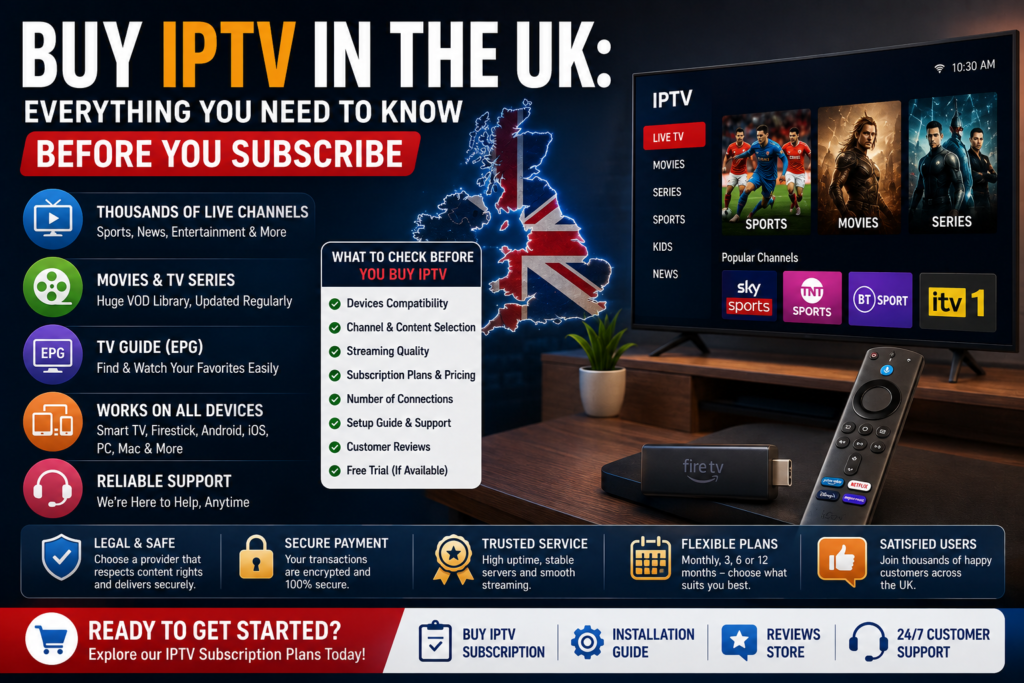
Buy IPTV in the UK Everything You Need to Know Before You Subscribe Buying IPTV in the UK can be confusing. There are hundreds of providers, dramatically different prices, huge promises about channels and streaming quality, and subscription plans that range from one month to a full year. The important question isn't simply, What's the cheapest IPTV subscription The better question is what are you actually getting for your money, and does the service fit the way you watch TV This guide explains everything you should know before buying IPTV in the UK, including how IPTV subscriptions work, what to check before subscribing, device compatibility, pricing, setup, free trials, and how to choose a provider that suits your needs. If you're exploring available options, you can also visit the Sky Glass IPTV Store homepage to review the service and available plans. What Does It Mean to Buy an IPTV Subscription IPTV stands for Internet Protocol Television. Instead of receiving television through a traditional satellite dish or cable connection, IPTV delivers television content through an internet connection. When you buy an IPTV subscription, you will typically receive login information that allows you to connect a compatible IPTV player or app to the service. Depending on the provider and subscription, this may include access to live TV, movies, TV series, programme guides and other streaming features. The login information may be provided in different formats. Two common options are Xtream Codes login details An M3U playlist URL Xtream Codes usually include a server URL, username and password. An M3U playlist is a link that contains information used by a compatible IPTV player to load available channels or content. If you're new to this side of IPTV, our guide What Is M3U Playlist and How to Use It for IPTV in the UK can help explain how M3U playlists work and how they are used with compatible IPTV players. It's important to understand that IPTV is a delivery technology. The channels, content, features and availability offered by a service depend on the individual provider and applicable rights. Before subscribing, always review the current package information and make sure the service meets your viewing requirements. 8 Things to Check Before Buying IPTV in the UK Choosing an IPTV provider involves more than comparing the number of channels advertised on a website. A service might look impressive on paper but still be unsuitable for your devices, internet connection or viewing habits. Here are the most important things to check before you buy IPTV in the UK. 1. Check What Devices the Service Supports The first thing to check is whether the IPTV service works on the devices you actually use. Popular IPTV devices include Amazon Firestick Fire TV Samsung Smart TVs LG Smart TVs Android TV Google TV Android phones and tablets iPhone and iPad Windows PCs MacBooks A service might support several devices, but the installation process can vary depending on the platform. For example, the app you use on a Firestick may be different from the app used on an LG Smart TV or Windows laptop. Before buying a subscription, make sure you know Which device you want to use Which IPTV player is compatible with that device Whether the provider supports your preferred connection method Whether setup instructions are available If you're unsure how to install IPTV on your device, the Installation Guide is a useful place to start. It can help you understand the basic setup process before choosing a subscription. 2. Check the Available Content and Features The next step is looking beyond the headline channel number. Different IPTV subscriptions may include different combinations of Live television Entertainment channels Sports programming Movies TV series Video-on-demand content Electronic Programme Guides Catch-up TV features The most important thing is to check whether the service includes the types of content you actually want to watch. For example, someone primarily interested in live football may have very different requirements from someone who mainly watches movies and TV series. A household with children may also prioritise different content categories. Don't assume that every service offering a large number of channels automatically includes every channel, event or programme you want. Check the current service information before subscribing. 3. Look at Streaming Quality Streaming quality is another important consideration when buying IPTV. Common streaming resolutions include Standard Definition HD Full HD 4K However, the quality you experience at home depends on more than the resolution advertised by a provider. Streaming performance can be affected by Your internet connection Wi-Fi signal strength Device performance The IPTV player you're using Network congestion Provider infrastructure For example, a modern streaming device connected through a strong wired connection may perform differently from an older device connected to weak Wi-Fi in another room. If you're planning to watch higher-resolution content, make sure your device and internet connection are suitable. Testing the service on your normal home network before committing to a longer subscription can also be helpful where a trial is available. 4. Check Subscription Length and Pricing IPTV subscriptions are commonly offered in several different durations. Typical options may include 1 month 3 months 6 months 12 months A longer subscription often has a lower effective monthly cost. However, a lower monthly price doesn't automatically mean a plan is the best choice for every customer. Before comparing prices, look at Total price Subscription length Effective monthly cost Included features Number of connections Device compatibility Support options If you want a more detailed breakdown of pricing, you can also read How Much Does IPTV Cost in the UK — Full Price Guide 2026. The best approach is to compare value rather than simply choosing the lowest advertised number. 5. Check How Many Devices or Connections Are Included This is something many first-time IPTV buyers misunderstand. There is an important difference between Installing IPTV on multiple devices and Watching IPTV on multiple devices at the same time. Some subscriptions may allow you to install the service on several devices but limit the number of simultaneous streams. This matters for households where multiple people may want to watch different content at the same time. Before subscribing, check How many simultaneous connections are included Whether additional connections are available Whether the subscription can be used across different device types For example, you might want IPTV on The living room TV A bedroom Firestick A laptop A phone Make sure the subscription structure matches how your household actually watches television. 6. Look for Clear Setup Instructions A good IPTV experience starts with a straightforward setup process. Before buying, check whether the provider offers Device installation guides App recommendations Login instructions Troubleshooting help Customer support This is particularly important if you're new to IPTV. The Installation Guide should be one of the first resources you check when comparing services. Knowing that there are clear instructions for your Firestick, Smart TV, phone or computer can make the setup process much easier. 7. Check Customer Support Technical issues can happen with any internet-based service. That's why support matters. Before subscribing, look for information about Available contact methods Setup assistance Troubleshooting help Response expectations Support resources Good documentation can often solve simple problems without needing to contact anyone. For more complicated issues, accessible customer support can make a significant difference. It's also useful to check whether the provider has detailed help articles. Guides covering topics such as app installation, login problems and connection troubleshooting can be valuable for new users. 8. Read Customer Reviews Customer reviews can provide useful insight into a service before you buy. Look for feedback about Setup experience Device compatibility Customer service Ease of use General satisfaction Reviews shouldn't be the only factor in your decision, but they can help you understand what existing customers have experienced. Before making a purchase, you can explore the Reviews Store page to see customer feedback and learn more about user experiences with the service. How Much Should You Expect to Pay for IPTV in the UK IPTV pricing can vary significantly depending on the provider and subscription. The final cost may depend on Subscription duration Number of simultaneous connections Available features Content library Device support Customer service Server infrastructure The best way to compare IPTV prices is to calculate the effective monthly cost rather than looking only at the headline price. For example, a one-month subscription may cost more per month than a 12-month subscription. However, a shorter plan may make more sense for someone who is trying IPTV for the first time or testing whether it works well with their device. A longer subscription may offer better value if you've already tested the service and are comfortable with the setup. For a detailed comparison of IPTV pricing structures, read How Much Does IPTV Cost in the UK — Full Price Guide 2026. When comparing providers, remember to ask What is included How long is the subscription How many connections are included What devices can I use Is support available Is there a trial or short-term option Price matters, but overall value is usually more important. Should You Buy Monthly or Yearly IPTV Choosing between a monthly and yearly IPTV subscription depends on how confident you are in the service and how you plan to use it. Monthly IPTV Plans Monthly subscriptions are often a good starting point for new users. They can be useful if you Have never used IPTV before Want to test compatibility Are unsure which device you prefer Want more flexibility Don't want to commit to a long subscription immediately The main disadvantage is that the effective monthly cost may be higher. However, the flexibility can make a short-term plan worthwhile for someone testing a new service. Longer IPTV Subscription Plans Longer subscriptions may include 3-month plans 6-month plans 12-month plans The main benefit is usually a lower effective monthly cost. A longer plan may make sense if You've already tested the service It works well on your devices Your internet connection is suitable You're happy with the available features You're comfortable with the provider The downside is the larger upfront commitment. For this reason, many users prefer to test a service before choosing a longer plan. You can review the currently available options on the Buy IPTV Subscription page and compare the subscription lengths that best match your viewing needs. Should You Use an IPTV Free Trial Before Subscribing If a provider offers a free trial, it can be a useful way to test the service before purchasing a longer subscription. A trial can help you evaluate Device compatibility App usability Channel organisation Streaming behaviour Your home internet connection For the most useful test, try the service under your normal viewing conditions. For example Test it during the evening Use the device you normally watch TV on Test your regular Wi-Fi connection Browse the categories you expect to use most often A trial may not predict every possible future streaming condition, but it can give you a better understanding of whether the setup works well for your home. If you're considering Sky Glass IPTV Store, check the current options available through the Buy IPTV Subscription page and review whether a trial is currently offered. What Devices Can You Use with IPTV in the UK One of IPTV's biggest advantages is device flexibility. Depending on the provider and app compatibility, IPTV can be used across many popular devices. IPTV for Firestick Amazon Firestick devices are popular for IPTV because they connect directly to a television and provide a simple remote-controlled interface. A typical setup involves Installing a compatible IPTV player Opening the app Entering your login details Loading the available channels Browsing content through the app The exact process can vary depending on the Firestick model and app. For step-by-step help, visit the Installation Guide. You can also read How to Install IPTV Smarters Pro — Complete Setup Guide for more detailed information about one popular IPTV player. IPTV for Smart TVs Many people prefer watching IPTV directly through their Smart TV. Popular platforms include Samsung Smart TV LG Smart TV Android TV Google TV The setup depends on the operating system and which compatible apps are available. Before buying a subscription, check whether your TV supports a suitable IPTV player. Some Smart TV platforms have more app options than others. If your TV has limited app support, an external device such as a Firestick or Android TV device may provide another option. IPTV on Phones and Tablets IPTV can also be used on mobile devices. Depending on compatibility, this may include Android phones Android tablets iPhone iPad Mobile devices can be useful for watching around the house or when using a supported internet connection away from your main TV setup. The setup process is usually straightforward install a compatible app, enter the provided credentials and allow the content to load. IPTV on Windows PCs and MacBooks You don't necessarily need a television to use IPTV. A Windows computer or Mac can also be used with compatible IPTV player applications. This can be particularly useful for Students Shared accommodation Secondary screens Home offices Testing a subscription before setting up a TV For a complete walkthrough, see How to Use IPTV on a PC or Laptop — Windows & Mac Guide. How to Set Up IPTV After You Subscribe The exact setup process depends on your provider and device, but the general process is usually straightforward. Step 1 Receive Your IPTV Login Details After subscribing, you may receive information such as Server URL Username Password M3U playlist URL Keep these details private and enter them exactly as provided. If something doesn't work, check for Typing errors Extra spaces Incorrect server addresses Expired login details Step 2 Choose a Compatible IPTV Player Your device will determine which app is most suitable. For example, different apps may be available for Firestick Android iPhone Smart TVs Windows Mac One commonly used option is IPTV Smarters Pro. For a complete installation walkthrough, see How to Install IPTV Smarters Pro — Complete Setup Guide. If you're unsure which player to use, check the provider's device instructions or the Installation Guide. Step 3 Enter Your Credentials Open the IPTV player and choose the appropriate login method. Depending on your subscription, this might involve Xtream Codes API M3U playlist URL Enter the details carefully. For Xtream Codes, this typically includes Server URL Username Password For an M3U setup, you may simply paste the provided playlist link into the appropriate field. Step 4 Allow Your Channel List to Load Once connected, the app may load different sections such as Live TV Movies Series Programme Guide Favourites Large channel lists can take some time to load depending on the app and device. Once everything has loaded, take a few minutes to explore the interface and mark your favourite channels for easier access later. Step 5 Start Watching After setup is complete, you can browse categories and choose available content. Before a major viewing session, it's a good idea to Check your internet connection Update your IPTV player Make sure your device has enough storage Restart the device if it has been running for a long time For device-specific instructions, visit the Installation Guide. Common Mistakes People Make When Buying IPTV First-time buyers often make a few avoidable mistakes. Knowing about them before subscribing can save time and frustration. Choosing Only Based on the Lowest Price The cheapest option isn't always the best value. When comparing IPTV subscriptions, consider Device support Features Setup guidance Customer support Connection limits Subscription flexibility A slightly more expensive service that works well with your devices and provides clear support may offer better value than the cheapest option available. Not Checking Device Compatibility Before purchasing, always confirm that the service can be used on your preferred device. Don't assume that Every IPTV app works on every Smart TV Every Firestick setup is identical Every subscription supports every login method Check compatibility first. The Installation Guide can help you understand which setup options may be available for your devices. Buying a Long Plan Without Testing A 12-month subscription may offer a lower monthly cost, but longer isn't always better for a first-time buyer. If possible, consider A trial A short-term plan Testing the service on your main device first Once you're comfortable with the setup and service, you can decide whether a longer subscription makes sense. Ignoring Setup Support Some users assume IPTV setup will be difficult and purchase a subscription without checking whether instructions are available. Before subscribing, look for Installation guides Device tutorials Troubleshooting articles App instructions Good setup information can make the process much easier. Expecting a VPN to Fix Every Streaming Problem A VPN can be useful for general online privacy and may affect how your internet traffic is routed, but it isn't a universal fix for IPTV problems. If you're experiencing buffering or connection issues, the cause could involve Wi-Fi signal Broadband connection Device performance IPTV app configuration Provider infrastructure Adding another layer to the connection doesn't automatically solve the underlying problem. For a balanced explanation, see VPN with IPTV — Does It Help or Hurt Streaming How to Choose the Right IPTV Provider in the UK Before buying IPTV, take a few minutes to compare providers properly. Ask yourself the following questions. Does It Work on My Devices Check your TV Firestick Phone Tablet Computer Make sure there is a compatible setup method. Does the Service Offer the Features I Need Consider whether you want Live TV Sports programming Movies Series EPG Catch-up features Focus on what you actually watch rather than simply choosing the service with the largest advertised number of channels. Is the Subscription Information Clear A provider should clearly explain Available plans Subscription length Pricing Device support Setup process Is Help Available Look for Installation resources Support options Troubleshooting information Are Customer Reviews Available Customer feedback can help you understand the experience of other users. You can review customer feedback through the Reviews Store page. Can You Test the Service Where available, a trial or short-term subscription can help reduce uncertainty before making a longer commitment. When comparing your options, you can explore the Sky Glass IPTV Store homepage, review the available Buy IPTV Subscription plans and check the Installation Guide to understand the setup process. Exploring IPTV Plans from Sky Glass IPTV Store When choosing an IPTV service, the most important thing is finding an option that matches your devices and viewing requirements. Sky Glass IPTV Store offers IPTV subscription options designed for compatible devices and provides access to a wide range of entertainment features. Before choosing a plan, review the current information to understand Available subscription durations Supported devices Current service features Setup options Customer support Trial availability The Buy IPTV Subscription page is the best place to review the current plans and compare subscription options. If you're unsure how to get started, the Installation Guide provides useful setup information for different devices. You can also visit the Reviews Store page to explore customer feedback and experiences. For a complete overview of the service and available information, visit the Sky Glass IPTV Store homepage. The best subscription isn't necessarily the one with the biggest number attached to it. It's the one that works properly with your devices, suits your viewing habits and provides the features you genuinely need. Frequently Asked Questions How Do I Buy an IPTV Subscription in the UK The process usually involves choosing a provider, selecting a subscription plan and completing the signup process. After your subscription is activated, you'll typically receive login details or playlist information that can be entered into a compatible IPTV player. Before buying, check device compatibility, subscription terms and available setup instructions. What Is the Best IPTV Subscription for the UK The best IPTV subscription depends on your individual needs. Consider Your preferred device Your budget Subscription length Number of simultaneous connections Features you want Setup support Instead of looking only for the lowest price or largest channel number, compare the complete service. How Much Does IPTV Cost in the UK IPTV pricing varies depending on the provider, subscription duration and included features. Monthly plans may have a higher effective monthly cost, while longer subscriptions can offer lower monthly pricing. For a detailed guide, read How Much Does IPTV Cost in the UK — Full Price Guide 2026. Can I Use IPTV on Firestick Yes, IPTV can be used on compatible Amazon Firestick devices with a suitable IPTV player and valid subscription credentials. The exact installation process depends on the app and device. For help, see the Installation Guide. Can I Use IPTV on a Smart TV It depends on your Smart TV platform and which IPTV player applications are supported. Samsung, LG, Android TV and Google TV devices may have different setup options. Always check compatibility before purchasing. What Happens After I Buy IPTV After subscribing, you will typically receive login details or a playlist link. You then Install a compatible IPTV player Choose the appropriate login method Enter your credentials Allow the channel list to load Start browsing available content For step-by-step help, visit the Installation Guide. Should I Choose a Monthly or Yearly IPTV Plan Monthly plans can be useful for flexibility and testing. Longer plans may offer a lower effective monthly cost. If you're new to a provider, consider testing the service or starting with a shorter plan before committing to a longer subscription. Can I Try IPTV Before Paying Trial availability depends on the provider. Where a trial is available, it can help you test Your device Your internet connection App compatibility The overall user experience Check the current options on the Buy IPTV Subscription page. What Should I Do If IPTV Is Not Working Start by checking Your internet connection Your login details The IPTV app Your device Available updates Restarting the app, device or router can sometimes solve simple issues. For more detailed troubleshooting, read IPTV Not Working Here's How to Fix the Most Common Problems. Buy IPTV in the UK with Confidence Buying IPTV in the UK should involve more than finding the cheapest subscription you can find online. Before subscribing, take time to check Device compatibility Subscription options Available features Setup instructions Customer support Customer reviews Trial availability If you're considering a subscription, start by exploring the Sky Glass IPTV Store and reviewing the available Buy IPTV Subscription options. If you need help setting up your device, visit the Installation Guide, and if you'd like to see customer feedback first, explore the Reviews Store. Choose the subscription that fits your devices and viewing needs, review the current service information carefully, and make sure you're comfortable with the setup before committing to a longer plan.

Buy IPTV in the UK: Everything You Need to Know Before You Subscribe Buying IPTV in the UK can be confusing. There are hundreds of providers, dramatically different prices, huge promises about channels and streaming quality, and subscription plans that range from one month to a full year. The important question isn’t simply, “What’s the […]

Watch Premier League Live with IPTV – Complete UK Streaming Guide 2026
Watch Premier League Live with IPTV - Complete UK Streaming Guide 2026

Watch Premier League Live with IPTV – Complete UK Streaming Guide 2026 Premier League football is one of the biggest reasons UK viewers look for flexible ways to watch live TV online. With matches spread across different broadcasters and viewing devices, many fans want a setup that lets them enjoy live football on their TV, […]

IPTV with Live Football – Watch Every Match Online
IPTV with Live Football – Watch Every Match Online Football fans have more ways to watch live matches than ever. Instead of relying exclusively on traditional cable or satellite packages, many viewers now use internet-based television services to access live sports on compatible TVs, streaming devices, phones and computers. IPTV with live football can be convenient because television content is delivered over an internet connection, allowing viewers to watch compatible sports channels on a range of devices. However, the channels and competitions available depend on the provider, your location and current broadcasting rights. Whether you want to follow Premier League fixtures, Champions League matches, La Liga, Serie A or international football, choosing the right service requires more than simply looking at the number of channels advertised. This guide explains how football IPTV works, what to look for in a service, how to watch matches on Firestick, Chromecast and Smart TV, how to reduce buffering, and what to know about football broadcasting rights. If you're researching an IPTV subscription, you can also explore the available options from Sky Glass IPTV Store and check its current device compatibility and content offering before choosing a plan. Important: IPTV is a technology used to deliver television over the internet. Whether a particular service can legally provide a specific football match depends on its licensing and broadcasting rights. Always use authorized services and applications. What Is IPTV with Live Football? What Is IPTV? IPTV stands for Internet Protocol Television. Unlike traditional cable or satellite television, IPTV delivers television programming through an internet connection. Depending on the service, IPTV can provide access to live television channels, sports, entertainment, news and other programming through compatible applications or devices. The viewing experience can vary considerably between providers. Some may offer dedicated applications, while others may support a web player or compatible IPTV player. What Does IPTV with Live Football Mean? IPTV with live football refers to an IPTV service or television package that includes sports channels carrying live football programming. This doesn't necessarily mean that one service provides every football competition or every match. Football broadcasting rights are divided between broadcasters and can vary significantly by country. For example, a service may carry channels showing certain Premier League matches but not necessarily every Champions League or La Liga fixture. That's why it's important to check the current channel lineup and broadcasting arrangements before subscribing. Why Are Football Fans Interested in IPTV? IPTV can appeal to football fans for several reasons: Internet-based viewing Support for multiple compatible devices Large-screen viewing Electronic Programme Guides (EPG) Access to sports-focused channels Flexible viewing locations Integration with Smart TVs and streaming devices For many viewers, the biggest advantage is being able to use a compatible service across the devices they already own. What Football Can You Watch With IPTV? The football available through IPTV depends on the provider's channel lineup and the broadcasting rights applicable in your country. Before choosing a service, identify the competitions you actually want to watch rather than assuming that every advertised sports package includes everything. Premier League The Premier League is one of the most popular football competitions among viewers searching for live football streaming. Depending on your country, different broadcasters may hold the rights to Premier League matches. Therefore, check which authorized sports channels are included with the service you're considering. If you're specifically interested in football-focused IPTV options, explore the available live football IPTV offering and verify the current channel lineup before subscribing. UEFA Champions League The UEFA Champions League attracts viewers from around the world, but its broadcasting rights differ between territories. If Champions League football is a priority, don't simply look for a service advertising "sports channels." Check whether it carries the authorized broadcaster or channel showing the competition in your region. You can also read our dedicated guide on Champions League live streaming for more information about watching Europe's premier club competition online. UEFA Europa League The Europa League is another major European competition with region-specific broadcasting arrangements. Availability can change between seasons, so viewers should check the current broadcaster and channel lineup rather than relying on outdated IPTV lists. La Liga Spanish football attracts a global audience, with clubs and matches generating strong international interest. If you follow La Liga, check whether the sports channels included with your chosen service carry the relevant broadcasts in your country. Serie A Italian Serie A is another popular competition among football fans. As with other leagues, the availability of matches depends on regional broadcasting agreements. A service that carries Serie A channels in one country may not provide the same coverage elsewhere. Bundesliga The Bundesliga provides another major European football option. When comparing IPTV services, check the actual sports channels and competitions available rather than judging a service only by its total channel count. FA Cup and Domestic Competitions Football fans may also want access to domestic cup competitions, including the FA Cup and other national competitions. Broadcasting arrangements can differ from those used for league football, so it's worth checking each competition separately. International Football Depending on the season, football fans may also look for: FIFA World Cup matches European Championship matches International friendlies World Cup qualifiers European qualifiers National-team competitions Again, availability depends on current rights and your location. How to Choose the Best IPTV for Live Football Choosing an IPTV service for football requires more research than simply selecting the package with the most channels. Here are the factors worth checking. Check Football Channel Availability First, determine whether the service actually carries the channels you need. If you mainly watch Premier League football, check for the relevant broadcaster. If you're more interested in Champions League or Spanish football, look for the channels responsible for those competitions in your region. A large channel count doesn't automatically mean better football coverage. Check Streaming Quality Picture quality is particularly important when watching football. Look for appropriate support for: SD HD Full HD 4K However, remember that advertised resolution doesn't guarantee that every channel will be available at that quality. Actual quality can depend on the original broadcast, encoding, internet connection, device and provider. Look for Stable Streaming Nobody wants a stream to stop during an important goal. Streaming stability can depend on several factors, including: Your internet connection Wi-Fi quality Router performance Network congestion Streaming device Provider infrastructure Be cautious about absolute claims such as "zero buffering." No internet-based service can guarantee perfect playback under every network condition. Check Device Compatibility Before subscribing, make sure the service works with your preferred device. Common options include: Smart TVs Firestick Google TV Chromecast Android TV Android phones iPhone and iPad Windows computers Mac computers If you plan to watch football through Chromecast, our guide on IPTV on Chromecast explains how compatible IPTV content can be cast to a TV. Look for an Electronic Programme Guide An EPG, or Electronic Programme Guide, can make watching football considerably easier. Instead of searching through dozens or hundreds of channels, you can use the guide to identify: Match times Sports channels Upcoming fixtures Current programmes Football broadcasts This is especially useful on busy match days when several games are taking place. Consider Customer Support Good customer support can be valuable when you're trying to watch a major match. Before subscribing, check whether the provider clearly explains how customers can receive technical assistance and whether setup instructions are available. Compare Pricing and Subscription Options Price should be considered alongside what you're actually receiving. Compare: Subscription duration Available channels Sports coverage Supported devices Streaming quality Customer support Trial options, if offered The cheapest option isn't necessarily the best choice, and the most expensive option isn't automatically the best either. Check Legal and Licensing Information This is one of the most important considerations. IPTV technology itself is legal. The issue is whether a provider has permission to distribute the television channels and football broadcasts it offers. Always check the provider's terms and make sure you're using an authorized service for the content you want to watch. How to Watch Live Football With IPTV Once you've selected an authorized service, the basic process is generally straightforward. Step 1: Choose an Authorized IPTV Service Start by identifying a service that offers the football channels and competitions you're interested in. Check its current channel lineup and regional availability. Step 2: Choose Your Viewing Device Decide where you want to watch. For example: Smart TV for direct large-screen viewing Firestick for a dedicated streaming device Chromecast for supported casting Android TV for an app-based experience Smartphone for portable viewing Computer for web-based viewing Step 3: Install the Supported Application Use the provider's official instructions and trusted application sources whenever available. Avoid downloading unknown applications or APK files from suspicious websites simply because they promise access to premium sports content. Step 4: Sign In Enter your authorized account information according to the provider's setup instructions. The exact login process can vary between services. Step 5: Find the Football Channel Open the Sports or Football section. If the service provides an EPG, use it to find the relevant match and channel. Step 6: Watch the Match Select the authorized channel carrying the match and start watching. For major fixtures, it's a good idea to test your setup before kickoff rather than waiting until the last minute. Best Devices for Watching IPTV with Live Football Your preferred device can significantly affect your viewing experience. Smart TV A Smart TV can be one of the simplest options because you can potentially use a compatible application directly on the television. The exact application support depends on the TV operating system and IPTV provider. Amazon Firestick / Fire TV Firestick is popular because it turns a compatible television into a streaming-focused setup with a dedicated remote. For football fans, it can be convenient to open a supported application and navigate through sports channels directly on the TV. Before subscribing, check the provider's Firestick compatibility. If you're specifically interested in this setup, you can explore information about IPTV for Firestick on the relevant Sky Glass IPTV Store page. Chromecast / Google TV Chromecast can be useful when you prefer casting compatible content from a phone, tablet or computer. Google TV-based Chromecast devices can provide additional functionality through their TV interface and supported applications. Our IPTV on Chromecast guide covers the setup and troubleshooting process in more detail. Android TV Android TV provides a television-focused interface with support for compatible applications. It can be particularly convenient for viewers who want to browse channels using a remote rather than constantly casting from their phone. Smartphone and Tablet Phones and tablets provide portability. You can potentially watch compatible football programming away from your main TV, provided your service, application and internet connection support the setup. Laptop and Desktop Computers can be useful when an authorized provider offers a web player. A larger monitor can provide a better experience than a phone, particularly when watching with friends. IPTV with Live Football on Firestick Firestick is a popular choice for people who want to watch internet-based television on their TV. Why Firestick Is Popular for Football Streaming A Firestick provides: Dedicated remote control TV-focused interface Compact hardware Support for compatible applications Easy connection to compatible TVs For football fans, the main advantage is convenience. Once the appropriate application is configured, you can navigate through supported sports channels using the remote. Basic Firestick Setup A typical setup involves: Connect the Firestick to your TV. Connect it to your Wi-Fi network. Complete the device setup. Install the supported application from an official or trusted source. Sign in to your authorized service. Open the Sports or Football section. Select the relevant channel. The exact process depends on the IPTV provider and application. What to Check Before Subscribing Before choosing a service for Firestick football streaming, check: Firestick compatibility Supported application Football channel availability Picture quality Subscription options Customer support Current broadcasting rights IPTV with Live Football on Chromecast Chromecast can be another useful option for football fans. If your IPTV application supports Chromecast, you can generally connect your phone and Chromecast to the same Wi-Fi network, open the application and select the Cast option. You can then choose the Chromecast device and display compatible live football content on your television. Keep in mind that not every IPTV application supports Chromecast. If you're using Chromecast with Google TV, your available options may be different because compatible applications can potentially be installed directly on the device. For a complete walkthrough, see our guide to IPTV on Chromecast. How to Get the Best Football Streaming Quality Even a good IPTV service can perform poorly if your home network isn't configured properly. Use a Stable Internet Connection A stable connection is essential for live football. The connection needs to continuously deliver the required stream data without significant interruptions. Use Ethernet When Available If your streaming device supports Ethernet, a wired connection can provide more consistent connectivity than Wi-Fi in some home environments. This can be particularly useful for TVs located far from the router. Reduce Network Congestion If several people are simultaneously streaming video, downloading large files or playing online games, your available bandwidth may be reduced. Before an important match, consider minimizing unnecessary network activity. Choose an Appropriate Resolution Higher resolution generally requires more bandwidth. HD or Full HD can provide a good viewing experience for many users, while 4K requires compatible content, hardware and sufficient bandwidth. Keep Your Streaming Device Updated Make sure your device and supported applications are kept reasonably up to date. Software updates can include bug fixes and compatibility improvements. Test Before Kickoff Don't wait until the match starts to discover a problem. Open the relevant channel several minutes before kickoff and confirm that: Video works Audio works The correct channel is playing Your internet connection is stable Your streaming device is functioning correctly What Internet Speed Do You Need for Live Football IPTV? There isn't one universal internet-speed requirement for IPTV football streaming. The amount of bandwidth required depends on the stream's resolution, bitrate and encoding. As a general principle: SD requires less bandwidth. HD requires more. Full HD requires more than standard HD. 4K generally requires substantially more bandwidth. But download speed isn't the only consideration. Your experience can also depend on: Wi-Fi signal strength Router quality Distance from the router Number of connected devices Network congestion Streaming device Provider infrastructure A stable connection is often more important than simply having a high advertised internet speed. What Internet Speed Is Best for IPTV Football Streaming? For comfortable football streaming, use a reliable broadband connection that can consistently handle the resolution you're watching while other household devices aren't consuming excessive bandwidth. If you experience buffering despite having a fast connection, investigate Wi-Fi stability, router performance and network congestion before assuming the IPTV service is responsible. Common Problems When Watching Football on IPTV Live football can be particularly frustrating when technical problems appear at the worst possible moment. Here are some common issues and potential solutions. Buffering During a Match Buffering may be caused by: Weak Wi-Fi Network congestion Router issues High stream quality Provider-side problems Too many connected devices Try restarting your router and streaming device and checking your network connection. Football Channel Not Available If a particular match isn't available, don't immediately assume there's a technical problem. The provider may not carry the broadcaster responsible for that match. Broadcasting rights can also differ by country. Check the provider's current channel lineup and the broadcaster for your region. Poor Picture Quality Check: Stream resolution Internet stability Device capabilities TV settings Network congestion Remember that the streaming device can't improve the source quality beyond what the service provides. IPTV App Crashes Try: Closing and reopening the application. Restarting your device. Checking for updates. Checking available storage. Reinstalling the application if appropriate. If the problem affects only one application, consult its official support information. Match Has Not Started on the Listed Channel Check the fixture's official kickoff time and your local time zone. EPG information can occasionally be outdated or incorrect, so compare important fixtures with an official competition or broadcaster schedule. Audio and Video Are Out of Sync Try restarting playback or reopening the application. You should also check for application and device updates. If the issue happens only on one channel, it may be related to the source stream rather than your TV. Can IPTV Replace Cable for Football Fans? Whether IPTV can replace cable depends on your viewing habits, internet connection and the football coverage available in your region. Feature IPTV Cable/Satellite Internet required Yes Usually no Device flexibility Often high More limited Live sports Provider-dependent Package-dependent EPG Often available Usually available Mobility High Lower Installation Internet/app-based Traditional installation When IPTV May Be Better IPTV may suit you if: You already have reliable broadband. You prefer internet-based television. You use multiple compatible devices. You want a flexible viewing setup. You prefer streaming through Smart TVs or dedicated devices. When Traditional TV May Be Better Cable or satellite can still make sense if: You prefer a conventional television package. Your internet connection is unreliable. Your preferred football broadcaster is already included. You don't want to manage applications or internet-based streaming. The best option ultimately depends on your requirements. Why Choose Sky Glass IPTV Store for Live Football? If you're researching an IPTV subscription for live TV and sports, Sky Glass IPTV Store can be one of the services worth investigating. Rather than choosing a service based solely on its advertised channel count, check the current offering and determine whether it matches the competitions and devices you actually use. Potential areas to evaluate include: Live TV availability Sports channels Football programming Supported devices Subscription options Customer support Trial availability, where currently offered Explore Live Sports Channels Football fans should check the current sports lineup before subscribing. If a particular competition is important to you, verify that the relevant authorized broadcaster or channel is included for your location. Watch on Supported Devices If you plan to watch football on a Smart TV, Firestick, Android TV, Chromecast or another device, confirm that your specific setup is supported. Compatibility can vary between applications and device models. Choose a Package That Fits Your Viewing Needs Don't automatically select the longest or most expensive subscription. Instead, compare the available packages based on: Sports coverage Device support Subscription duration Available features Customer support Current pricing You can explore the available IPTV subscription options from Sky Glass IPTV Store and verify the current service details before making a decision. Is IPTV with Live Football Legal? This is an important question for anyone considering IPTV. IPTV technology itself is legal. It is simply a method of delivering television content over the internet. The legal issue concerns the content being distributed. A provider needs appropriate authorization to distribute copyrighted television channels and football broadcasts. Sports rights are often sold on a territory-by-territory basis, meaning that the same competition can have different broadcasters in different countries. When choosing an IPTV service: Check the provider's terms. Verify its current channel offering. Check whether it is authorized to distribute the content. Use official applications where possible. Consider the broadcasting rules applicable in your country. Don't assume that a service is authorized simply because it advertises a particular football competition. Frequently Asked Questions Can I watch live football with IPTV? Yes, authorized IPTV or streaming services can provide access to live football when they have the appropriate broadcasting rights. The competitions and channels available depend on the provider and your location. What is the best IPTV for live football? The best option depends on the football competitions you follow, your location, preferred device, streaming quality requirements and the provider's authorized channel lineup. Rather than choosing based on channel count alone, check whether the service carries the specific broadcasters you need. Can I watch the Premier League with IPTV? You can watch Premier League matches through an IPTV or streaming service when it carries the authorized broadcaster for your region. Check the current rights and channel lineup before subscribing. Can I watch the Champions League with IPTV? Champions League availability depends on the broadcaster holding rights in your country. If you're looking for Champions League coverage, verify that the service includes the appropriate authorized channel. You can also read our dedicated Champions League live streaming guide for additional information. Can I watch football IPTV on Firestick? Yes, if your authorized IPTV service and its supported application are compatible with Firestick. The setup generally involves connecting the device to Wi-Fi, installing the supported application and signing in. Can I watch IPTV football on Smart TV? Yes, provided your IPTV provider supports your Smart TV's operating system and provides a compatible application or viewing method. Always check compatibility for your specific TV model. Can I watch football IPTV on Chromecast? Yes, compatible IPTV applications can potentially cast live football content to Chromecast. Both devices generally need to be connected to the same Wi-Fi network. Not every IPTV application supports Chromecast, so check compatibility first. Does IPTV include every football match? No. No single IPTV service should automatically be assumed to carry every football match. Availability depends on broadcasting rights, region, provider agreements and the specific channels included in the service. What internet speed do I need for football IPTV? The required speed depends on video resolution and bitrate. HD requires less bandwidth than 4K, for example. A stable connection is also important. If several devices are using your network simultaneously, your available bandwidth may be reduced. Why does football IPTV buffer? Buffering can result from weak Wi-Fi, network congestion, router problems, device issues or provider-side problems. Try checking your network, restarting your equipment and reducing other network activity before the match. Ready to Watch Live Football Online? Looking for a reliable way to enjoy live football on your preferred device? Explore the latest IPTV subscription options from Sky Glass IPTV Store, check the available sports channels and choose a package that fits your viewing needs. Watch live TV and football your way - explore Sky Glass IPTV Store today

IPTV with Live Football – Watch Every Match Online Football fans have more ways to watch live matches than ever. Instead of relying exclusively on traditional cable or satellite packages, many viewers now use internet-based television services to access live sports on compatible TVs, streaming devices, phones and computers. IPTV with live football can be […]

IPTV on Chromecast – How to Cast Live TV to Your TV Screen
IPTV on Chromecast - How to Cast Live TV to Your TV Screen Watching live TV on a smartphone is convenient, but it doesn't always provide the best viewing experience. If you have a Chromecast, you can often move compatible IPTV content from your phone, tablet or computer to your television and enjoy live channels on a much larger screen. For people searching for IPTV on Chromecast, the setup can be straightforward once you understand the difference between Chromecast as a casting device and an IPTV service that actually provides the television content. Chromecast does not provide IPTV channels by itself. Instead, it allows compatible content to be cast to your TV. Depending on your device and Chromecast model, you can either cast IPTV from a compatible application or use a Chromecast with Google TV device to access supported applications directly. In this guide, you'll learn how IPTV works with Chromecast, what you need for the setup, how to cast live TV from different devices, how to troubleshoot common problems and how Chromecast compares with alternatives such as Firestick. If you're looking for an IPTV subscription for live TV and sports, you can also explore the available options from Sky Glass IPTV Store and check device compatibility before choosing a plan. Important: IPTV is a technology for delivering television content over the internet. Whether a particular service can legally distribute a specific channel or program depends on its licensing and broadcasting rights. Always use authorized services and applications. What Is IPTV and How Does Chromecast Work? Before setting up IPTV on Chromecast, it's useful to understand what each technology does. What Is IPTV? IPTV stands for Internet Protocol Television. It is a method of delivering television programming through an internet connection rather than traditional terrestrial, satellite or cable television infrastructure. An IPTV service can provide access to live television channels through a compatible application, web player or supported streaming device. Depending on the service, you may find different categories such as: Live TV Sports News Entertainment Movies International channels Kids' programming Other television content The available channels and features depend on the provider and the applicable broadcasting rights. What Is Chromecast? Chromecast is Google's technology for streaming or casting compatible content to a television. With a traditional Chromecast setup, you can use a phone, tablet or computer as the device controlling playback. The Chromecast receives compatible content and displays it on the connected TV. Newer Chromecast devices with Google TV provide a more complete TV experience because they have their own interface and remote and can support compatible applications directly. Can You Use IPTV With Chromecast? Yes, IPTV can work with Chromecast, but the exact method depends on your Chromecast model and the IPTV application or service you're using. There are generally two approaches: Cast IPTV from a phone, tablet or computer using an application or player that supports Chromecast. Use a Chromecast with Google TV or compatible Google TV device and install a supported IPTV application directly where available. Not every IPTV application supports Chromecast. Therefore, compatibility should always be checked before choosing a service or application. What You Need to Watch IPTV on Chromecast Setting up IPTV on Chromecast doesn't require complicated equipment. Your exact requirements depend on whether you're casting from another device or using Google TV directly. Chromecast or Compatible Google TV Device First, you'll need a Chromecast device or a compatible Google TV device connected to your television. Make sure the device is properly connected to the TV and configured according to Google's setup instructions. A Compatible IPTV Service You'll also need an IPTV service that provides a compatible viewing method. Some services may offer an official application, while others may support compatible third-party viewing methods. Always check the provider's current device and application support before subscribing. If you're considering a subscription, you can explore Sky Glass IPTV Store and check its current supported devices and service options. Stable Internet Connection Because IPTV relies on internet streaming, your connection needs to be reasonably stable. A high download speed is useful, but stability is also important. Wi-Fi interference, network congestion and multiple devices using the same connection can affect live streaming. Smartphone, Tablet or Computer If you're using a traditional casting setup, you'll need a phone, tablet or computer to send compatible IPTV content to your Chromecast. Android devices are particularly convenient for casting when the application supports Chromecast. iPhone and iPad users can also cast when the particular application provides Chromecast support. IPTV App or Web Player Finally, you need a compatible IPTV application or web player. The available options depend on your provider, device and operating system. Always use official applications or trusted sources whenever possible. How to Watch IPTV on Chromecast There are several ways to watch IPTV on Chromecast. The simplest method for many users is casting from a smartphone. Method 1: Cast IPTV From Your Android Phone If your IPTV application supports Chromecast, the process is usually simple. Step 1: Connect your Chromecast and Android phone to the same Wi-Fi network. Step 2: Open your compatible IPTV application. Step 3: Sign in to your authorized IPTV service if required. Step 4: Open the live TV section and select the channel you want to watch. Step 5: Look for the Cast icon within the application. Step 6: Tap the Cast icon and select your Chromecast device. Step 7: Wait for the connection to establish. The live TV content should then appear on your television. Your phone can usually function as the controller while the content is displayed on the TV. The exact menus and buttons can vary between IPTV applications, so don't worry if your app looks slightly different from these steps. Method 2: Cast IPTV From an iPhone or iPad iPhone and iPad users can also use Chromecast when the IPTV application supports it. Start by connecting your Apple device and Chromecast to the same Wi-Fi network. Then: Open the compatible IPTV application. Sign in if necessary. Select the live TV channel. Look for the Chromecast/Cast icon. Select your Chromecast device. Wait for the connection. Continue controlling playback from the application where supported. One important point is that AirPlay and Chromecast are different technologies. An application supporting AirPlay doesn't automatically mean it supports Chromecast. For iPhone users, always check that the particular IPTV application specifically supports Chromecast. Method 3: Cast IPTV From a Computer You can also cast supported IPTV content from a computer. If your IPTV provider offers a compatible web player, you may be able to use Google Chrome's casting functionality. A typical process is: Connect your computer and Chromecast to the same network. Open the supported IPTV web player in Chrome. Start the live TV channel. Open Chrome's Cast option. Select your Chromecast device. Choose the appropriate casting option. Watch the content on your TV. Browser-based casting can be useful if you prefer watching IPTV from a laptop or desktop instead of a phone. How to Install IPTV on Chromecast With Google TV If you have Chromecast with Google TV, your experience can be different from a traditional casting-only Chromecast. Because Google TV provides its own interface and remote, compatible applications can potentially be installed directly on the device. Step 1: Connect Chromecast With Google TV Connect the Chromecast with Google TV to an available HDMI port on your television. Follow the on-screen setup instructions and pair the remote if required. Step 2: Connect to Wi-Fi Connect the device to your home Wi-Fi network. For live TV streaming, choose a stable connection with good signal strength. Step 3: Find a Compatible IPTV App Use the Google TV interface to search for a compatible IPTV application. Application availability can change, and not every IPTV service supports every application. Step 4: Install the Official or Supported App Install the application through a trusted and supported source. Avoid downloading unknown APK files from suspicious websites simply because they claim to provide IPTV access. Step 5: Enter Your IPTV Service Details Open the application and follow the IPTV provider's official setup instructions. Depending on the service, you may need account credentials or another supported method of connecting your subscription. Step 6: Open Live TV Once the setup is complete, navigate to the live TV section. If an EPG is supported, you may also be able to browse upcoming programs and find live sports and other channels more easily. Chromecast vs Chromecast With Google TV for IPTV It's important not to treat all Chromecast devices as exactly the same. Feature Traditional Chromecast/Casting Chromecast With Google TV Cast from phone Yes Yes Dedicated remote Model-dependent Yes Standalone apps Limited Supported apps can be installed IPTV setup Usually casting-based Casting or compatible apps TV interface Limited Full Google TV interface Best suited for Simple casting More complete TV experience Which One Is Better for IPTV? If you already have a phone with a Chromecast-compatible IPTV application, traditional casting can be a simple solution. Chromecast with Google TV may be more convenient for users who prefer opening applications directly on their television and navigating with a remote. Neither option is universally better. Your decision should depend on your IPTV provider's compatibility, preferred setup and the way you normally watch television. Best IPTV Apps for Chromecast There isn't one IPTV application that is automatically best for every Chromecast user. The right app depends on your device, IPTV service and the features you need. What to Look for in an IPTV App When choosing an IPTV player or supported application, consider: Chromecast support Google TV compatibility Electronic Programme Guide Favorites Channel categories Playback controls Easy navigation Regular application updates Support for your IPTV provider's setup method For TV viewing, an interface designed for a large screen can make a significant difference. Why App Compatibility Matters An IPTV application may work well on Android phones but not necessarily provide the same experience on Google TV. Similarly, an application available on iPhone may not offer Chromecast casting. Before subscribing to an IPTV service, check whether the service officially supports your particular device and preferred viewing method. How to Cast Live TV From IPTV to Chromecast If your IPTV application supports Chromecast, casting live TV can usually be completed in a few steps. Quick Setup Connect Chromecast to your television. Connect your phone and Chromecast to the same Wi-Fi network. Open your Chromecast-compatible IPTV application. Select a live TV channel. Tap the Cast icon. Select your Chromecast device. Wait for the connection. The live channel should appear on your TV. Your phone can then act as the controller where supported. What If There Is No Cast Button? If you don't see a Cast button, there are several possible reasons. The IPTV application may not support Chromecast. Your phone and Chromecast may also be connected to different Wi-Fi networks. Other possibilities include: Chromecast isn't properly connected. The application needs an update. Network permissions are preventing device discovery. The particular content isn't compatible with casting. Try restarting the application and checking the network connection before troubleshooting further. How to Watch Live Sports and Football on Chromecast One of the main reasons people search for IPTV on Chromecast is live sports. Watching football on a large TV is considerably more enjoyable than watching a match on a small phone screen, particularly when multiple people are watching together. Depending on the authorized service and available broadcasting rights, live sports programming may include: Football Champions League Premier League International football Other sports competitions Sports news and analysis However, sports availability varies by country and provider. A service advertising sports channels doesn't necessarily mean it has the rights to every competition. Always check the current channel lineup and applicable broadcasting rights. For readers specifically interested in Champions League coverage, our guide to Champions League live streaming can provide additional information about choosing a suitable streaming option. IPTV on Chromecast for Different Devices Your casting experience can vary depending on which device you use. Android Phone to Chromecast Android is often a convenient option because many applications provide native Chromecast support. Connect the phone and Chromecast to the same network, open the compatible application and select the Cast icon. iPhone to Chromecast iPhone users can also cast IPTV content when the application specifically supports Chromecast. Remember that Chromecast and AirPlay are separate technologies, so check the application's compatibility before assuming it will work. Windows PC to Chromecast Windows users can potentially cast compatible IPTV web content through Google Chrome. This can be useful when the IPTV provider offers an official web player. Mac to Chromecast Mac users can similarly use supported Chrome-based casting methods where available. Tablet to Chromecast Android tablets and iPads can provide a larger portable screen while still allowing compatible content to be cast to the television. Common IPTV Chromecast Problems and How to Fix Them Even when everything is configured correctly, you may occasionally encounter problems. Chromecast Is Not Showing in the IPTV App If your Chromecast doesn't appear, check the following: Make sure both devices use the same Wi-Fi network. Restart the IPTV application. Restart Chromecast. Restart your phone or tablet. Check for application updates. Make sure the application supports Chromecast. If the issue continues, check the application's official support information. IPTV Keeps Buffering Buffering can be caused by several factors. Common causes include: Weak Wi-Fi Network congestion Too many connected devices Router problems Provider-side issues High streaming quality Try reducing network activity, moving closer to your router or using a stronger connection. IPTV Works on Phone but Not on TV This often indicates a compatibility issue. Your IPTV app may work perfectly on your phone but lack Chromecast support. Check whether: The app supports Chromecast. Your Chromecast model is supported. The IPTV service provides another compatible viewing method. Your Google TV device supports the relevant application. No Sound on Chromecast If video appears but there is no audio, check your television volume and audio output settings. You can also try stopping and restarting the cast session. If the issue occurs only with one application, check that application's support documentation. Video Quality Is Poor Poor picture quality can be caused by your connection, device or the source itself. Check: Internet stability Available stream quality TV resolution Chromecast settings Network congestion Remember that Chromecast cannot create higher-quality video than the original stream provides. Chromecast Disconnects During Playback Frequent disconnections may be related to Wi-Fi stability or network congestion. Restart the Chromecast and router, check your network and make sure the streaming device is receiving a strong signal. How Much Internet Speed Do You Need for IPTV on Chromecast? There isn't one universal internet-speed requirement for IPTV because different services use different video compression and streaming bitrates. In general, higher-quality video requires more bandwidth than lower-quality video. For example, 4K streaming normally requires substantially more bandwidth than standard-definition video. Your actual experience also depends on: Wi-Fi signal strength Router quality Distance from the router Number of connected devices Network congestion Video resolution Streaming provider A stable connection is particularly important for live TV. Even a fast internet connection can perform poorly if the Wi-Fi signal is inconsistent. For the best experience, use a reliable broadband connection and reduce unnecessary network traffic while watching important live events. Is IPTV on Chromecast Legal? Chromecast is a legitimate streaming technology, and IPTV is a legitimate method of delivering television content over the internet. The important question is whether a particular service has the necessary authorization to distribute the content it provides. For example, a provider may offer a technology that streams television channels, but it needs appropriate rights to distribute copyrighted broadcasts. When choosing an IPTV service: Check the provider's terms. Verify its available channels. Check broadcasting rights in your country. Use official applications where possible. Avoid services that clearly advertise unauthorized access to copyrighted content. The legality of specific broadcasts can vary by country, so viewers should make sure their chosen service is authorized for the content they want to watch. IPTV on Chromecast vs Firestick Chromecast and Firestick are both popular ways to expand the streaming capabilities of a television. Feature Chromecast Firestick Casting from phone Strong Supported depending on app/device Dedicated remote Model-dependent Yes App ecosystem Google TV/Android TV models Fire TV IPTV setup Casting or compatible apps Compatible apps Best for Casting and Google ecosystem Dedicated app-based TV experience Which Is Better for IPTV? Chromecast can be particularly convenient if you frequently cast content from your smartphone. A Firestick may be more appealing if you prefer a dedicated Fire TV interface and remote-controlled application experience. Neither device is automatically the best choice for everyone. The most important factor is whether your IPTV provider officially supports the device and application you want to use. If you're interested in using IPTV on a Firestick instead, check the provider's Firestick compatibility and setup instructions before purchasing a subscription. Why Choose Sky Glass IPTV Store for Live TV Streaming? If you're looking for an IPTV subscription for live TV and sports, Sky Glass IPTV Store is one option you can investigate. The important step is to check the service's current channel lineup, supported devices and available subscription options before ordering. Depending on the current service offering, users may be interested in features such as: Live television channels Sports programming Entertainment channels Device compatibility Subscription options Customer support Available trial options If you plan to use Chromecast specifically, confirm the current Chromecast or Google TV compatibility before subscribing. The best IPTV service isn't necessarily the one advertising the largest number of channels. It should be a service that provides the content you actually want, works with your preferred device and offers clear information about its service. For readers ready to compare available options, explore the IPTV subscription plans offered by Sky Glass IPTV Store and select a package that matches your viewing needs. Frequently Asked Questions Can I use IPTV on Chromecast? Yes. You can use IPTV with Chromecast when your IPTV application or viewing method supports Chromecast casting. Chromecast with Google TV can also support compatible applications directly. How do I cast IPTV from my phone to my TV? Connect your phone and Chromecast to the same Wi-Fi network, open a Chromecast-compatible IPTV application, select a live TV channel, tap the Cast icon and choose your Chromecast device. Can I install IPTV directly on Chromecast? It depends on the Chromecast model. Traditional Chromecast devices are primarily designed for casting from another device. Chromecast with Google TV provides a TV interface where compatible applications can be installed. Can I watch IPTV on Chromecast from an iPhone? Yes, provided that the IPTV application supports Chromecast. Not every iPhone IPTV application has Chromecast functionality. Can I watch IPTV on Chromecast from Android? Yes. Android phones can cast compatible IPTV content to Chromecast when the application supports the Cast feature. Why isn't Chromecast showing in my IPTV app? Check that your phone and Chromecast are connected to the same Wi-Fi network. You should also check application compatibility, update the app and restart both devices. Can I watch live football on Chromecast? Yes, compatible live sports services can be cast to Chromecast. However, football availability depends on the provider and the broadcasting rights in your region. Is Chromecast good for IPTV? Chromecast can be a convenient IPTV option, especially if you prefer controlling television content from your smartphone. Chromecast with Google TV can provide additional flexibility through its TV interface and supported applications. Which is better for IPTV: Chromecast or Firestick? It depends on your preferred setup. Chromecast is particularly convenient for casting from mobile devices, while Firestick offers a dedicated Fire TV interface and remote. Always check your IPTV provider's supported devices before choosing. Explore IPTV Plans for Chromecast-Compatible Live TV

IPTV on Chromecast – How to Cast Live TV to Your TV Screen Watching live TV on a smartphone is convenient, but it doesn’t always provide the best viewing experience. If you have a Chromecast, you can often move compatible IPTV content from your phone, tablet or computer to your television and enjoy live channels […]

Best IPTV for Champions League Live Streaming in 2026
Best IPTV for Champions League Live Streaming in 2026 The UEFA Champions League is one of the biggest football competitions in the world, bringing together Europe's top clubs and some of the most exciting matches of the season. For football fans, missing a live match is rarely an option. However, depending on where you live, finding a convenient and reliable way to watch every game can sometimes be challenging. IPTV has become a popular way to access television channels through an internet connection. Unlike traditional cable or satellite services, IPTV can work across a wide range of devices, including Smart TVs, streaming devices, smartphones, tablets and computers. But choosing the best IPTV for Champions League live streaming requires more than looking at the number of channels advertised. You need to consider whether the service is authorized to distribute the relevant channels, its streaming quality, device compatibility, reliability, customer support and pricing. In this guide, we explain what to look for in a Champions League IPTV service, how IPTV works, which devices you can use, what internet connection you need and how IPTV compares with official sports streaming options. Important: IPTV is a technology for delivering television over the internet. Whether a particular service is legal depends on the content and broadcasting rights it provides. Always choose services that are authorized to distribute the channels and competitions they offer. What Is IPTV and How Does It Work for Champions League Matches? IPTV stands for Internet Protocol Television. Instead of receiving television programming through traditional terrestrial, satellite or cable infrastructure, IPTV delivers television content over an internet connection. This makes IPTV flexible for people who want to watch television on different devices. Depending on the provider, you may be able to access live TV channels through a Smart TV application, streaming device, mobile application, web player or another supported platform. What Does IPTV Mean? In simple terms, IPTV allows television content to be delivered through the internet. A typical IPTV setup may include: An IPTV subscription or authorized streaming service A compatible device A supported application or web player A stable internet connection Access to the relevant television channels The exact experience depends on the service and the rights it holds. Can You Watch Champions League Through IPTV? Potentially, yes. However, not every IPTV service provides Champions League matches. The important factor is whether the service carries an authorized broadcaster or channel that has the rights to show the competition in your country. Broadcasting rights differ between countries and can also change between seasons. For this reason, never assume that a service offers Champions League coverage simply because it advertises a large sports channel lineup. IPTV vs Traditional Sports Streaming IPTV and conventional streaming services both use the internet, but their approach can be different. Feature IPTV Traditional Streaming Cable/Satellite Internet required Yes Yes Usually no Live TV channels Often Depends on service Yes Device flexibility Usually high Usually high More limited Sports availability Provider-dependent Platform-dependent Package-dependent Channel-based viewing Common Less common Common The right choice ultimately depends on your location, preferred device, budget and the specific Champions League broadcaster available to you. How to Choose the Best IPTV for Champions League Live Streaming If you're searching for the best IPTV for Champions League, don't choose a service based only on its channel count or promotional claims. Here are the most important factors to check. Champions League Channel Availability The first thing to verify is whether the service provides access to the legitimate broadcaster showing Champions League matches in your region. A provider may offer hundreds or thousands of sports and television channels but still not provide the particular broadcaster you need. Before subscribing, check: Which sports channels are included Whether Champions League coverage is available in your country Whether the coverage is authorized Which matches or broadcasts are included Whether regional restrictions apply This is much more useful than simply looking at the total number of channels. HD, Full HD and 4K Streaming Football benefits greatly from good picture quality. A clear HD or Full HD stream makes it easier to follow fast movement, while 4K can provide even greater detail when the broadcaster and device support it. However, advertised resolution doesn't automatically guarantee the same quality in every situation. Actual viewing quality can depend on: The original broadcast Your internet connection Your streaming device Your display Network congestion The provider's infrastructure If 4K is important to you, confirm that the specific channel and match are actually available in 4K rather than assuming every event will be. Streaming Stability Nobody wants the picture to freeze just as a striker is about to score. For live football, stability is often more important than having an enormous channel list. Look for a service with transparent information about its infrastructure and support. You should also consider your own network. A good service can still experience problems if your Wi-Fi connection is weak or your home network is overloaded. Device Compatibility A good Champions League streaming solution should fit naturally into your existing setup. Depending on the service, supported devices may include: Smart TVs Amazon Fire TV devices Android TV Google TV Android smartphones iPhones and iPads Windows computers Mac computers Always check compatibility before subscribing because applications and supported platforms can vary between providers. Electronic Programme Guide (EPG) An Electronic Programme Guide, commonly called an EPG, displays television schedules in an organized format. For football fans, an EPG can make it easier to find: Upcoming Champions League matches Kickoff times Sports channels Other live football events Previously scheduled programs A well-organized EPG can save time compared with manually searching through channels. Customer Support Customer support is another important consideration, particularly when you're watching live sports. Check whether the provider offers a clear way to get assistance with issues such as: Login problems Application setup Device compatibility Subscription questions General technical troubleshooting A provider with clear support documentation and accessible customer service can make the overall experience much easier. Pricing and Subscription Flexibility Price is important, but it shouldn't be the only deciding factor. Compare: Monthly pricing Available subscription periods Included features Device support Sports coverage Cancellation or renewal terms Be cautious of extremely cheap offers that make unrealistic promises. A lower price isn't useful if the service doesn't provide the channels or quality you actually need. Legal and Licensing Considerations This is one of the most important factors when selecting an IPTV service. IPTV technology itself is not illegal. The key issue is whether the provider is authorized to distribute the content it offers. Before subscribing, check whether the provider has the appropriate rights or licenses for the channels and sports broadcasts you intend to watch. Using authorized services helps you avoid potential copyright and broadcasting-rights problems while also giving you a more dependable way to access sports content. Best IPTV Services for Champions League Live Streaming There is no single IPTV service that is automatically the best for every Champions League fan. Availability depends heavily on country, broadcasting rights, device and subscription requirements. Instead of ranking providers based on unverified claims, use the following criteria when comparing available services. 1. A Licensed Sports or TV Provider For viewers who prioritize reliability and legality, an authorized broadcaster or streaming provider with Champions League rights should be the first option to investigate. Look for: Confirmed Champions League coverage Official broadcasting rights HD or higher-quality options where available Reliable applications Support for your preferred device Clear pricing This approach is generally preferable to choosing a service solely because it advertises an extremely large channel list. 2. Official Broadcaster's Streaming Platform Many broadcasters provide their own online streaming platforms alongside traditional television packages. These services can be particularly useful if your main goal is watching Champions League matches rather than accessing a huge variety of unrelated channels. Advantages may include: Official access Reliable match coverage Dedicated sports programming Official applications Better clarity about broadcasting rights The main limitation is that availability varies significantly by country. 3. Sports Streaming Platforms Some sports-focused streaming platforms offer live football through internet-based subscriptions. These can be a good choice for viewers who don't need hundreds of television channels and primarily want access to sports. When comparing platforms, check: Whether Champions League matches are included Your country's availability Monthly cost Supported devices Streaming resolution Simultaneous-stream limitations 4. Authorized IPTV-Based TV Services Some legitimate television services use internet delivery while offering a traditional channel-based experience. These can be attractive if you want both sports and general entertainment. Look for a service that provides: Authorized channel access A suitable sports package Compatible applications EPG functionality Good customer support Transparent subscription terms 5. Your Existing TV Provider's Online Service Before purchasing another subscription, check whether your current television or internet provider already offers online access to the relevant sports channels. You may already have access to Champions League coverage through an existing package. This can potentially save money and reduce the number of applications and subscriptions you need to manage. Best IPTV for Champions League in the UK For UK viewers, the most important consideration is the current Champions League broadcasting rights. Rather than assuming that any IPTV subscription includes the competition, check which official broadcaster currently holds the relevant rights and whether your chosen service legitimately provides access to that broadcaster. UK viewers should consider: Current Champions League rights Included sports channels Subscription price Supported Smart TV platforms Fire TV compatibility Mobile and computer access HD or 4K availability Contract and cancellation terms Broadcasting arrangements can change, so information from an old article may not accurately reflect the current season. If your main goal is simply watching Champions League football, an official broadcaster or authorized sports streaming service may be a better choice than a generic IPTV package. How to Watch Champions League Live on IPTV Once you've selected an authorized service, watching a match is usually straightforward. Step 1: Choose a Legitimate IPTV or Streaming Provider First, verify that the provider is authorized to distribute the relevant television channels or sports broadcasts. Check the provider's official information and current coverage before subscribing. Step 2: Check Device Compatibility Make sure your device is supported. For example, if you plan to watch on a Smart TV, confirm that the provider has an application compatible with your television's operating system. Step 3: Install the Official Application Use the provider's official application or an officially supported viewing method whenever possible. Avoid downloading suspicious applications or files from unknown websites. Step 4: Sign In and Find the Sports Channel After signing in, open the sports section or EPG. Search for the broadcaster or sports channel showing the Champions League match. Step 5: Watch the Match Open the relevant channel before kickoff and make sure your internet connection is stable. For important matches, it's a good idea to test your setup before the game begins rather than trying to troubleshoot immediately before kickoff. What Internet Speed Do You Need to Stream Champions League? Your required internet speed depends on the resolution you're watching and the streaming platform's requirements. Generally, higher-resolution video requires more bandwidth than standard-definition video. Your experience can also be affected by: Wi-Fi signal strength Router performance Network congestion Other devices using the connection Streaming device performance The quality of the original broadcast For the best experience, use a stable broadband connection and, when possible, connect your streaming device through a strong Wi-Fi connection or wired network. Remember that internet speed isn't the only factor. A stable connection with low interruptions can be more important than simply having a high advertised download speed. Best Devices for Watching Champions League Through IPTV One advantage of internet-based television is the variety of devices available. Smart TV A Smart TV is one of the easiest options for watching football on a large screen. If the provider offers a compatible official application, you may not need an additional streaming device. Amazon Fire TV and Firestick Fire TV devices are popular for television streaming because they provide access to supported applications and services. Always confirm that the particular service you choose officially supports your Fire TV model. Android TV and Google TV Android TV and Google TV devices offer another convenient option for large-screen streaming. They can be particularly useful if you want to combine live television with other streaming applications. Smartphone and Tablet Mobile devices provide flexibility when you're away from your television. They can be useful for checking a match while traveling or when another person is using the main TV. Laptop and Desktop Computers are another convenient option, particularly for services that offer official web players. A larger monitor can provide a comfortable viewing experience without requiring a television. IPTV vs Official Champions League Streaming Services When comparing IPTV with other ways to watch Champions League football, there isn't necessarily one perfect solution. Option Main Advantage Potential Limitation IPTV Internet-based and potentially flexible Coverage depends on provider and rights Official broadcaster Authorized Champions League coverage May require a dedicated subscription Sports streaming platform Designed around online sports viewing Availability varies by country Cable/Satellite Traditional reliable television Can be less flexible Existing TV provider app May already be included in your package Features depend on provider If Champions League football is your primary concern, official sports coverage should generally be the first thing you verify. If you also want a wider range of television programming, an authorized internet-based TV service may provide a more comprehensive package. Common Problems When Watching Champions League on IPTV Even with a good setup, viewers can occasionally experience technical problems. Buffering Buffering can be caused by: Weak Wi-Fi Network congestion Provider-side problems Too many devices using your connection Device performance issues Try reducing network usage and checking your connection before assuming the streaming service itself is responsible. Match Not Available If a Champions League match isn't available, the issue may be related to broadcasting rights. A provider's sports package does not automatically mean it has rights to every football competition. Check the current broadcaster and the provider's official channel lineup. Poor Picture Quality If the image looks blurry, check: Your selected stream quality Internet connection Device resolution Display settings Whether the original broadcast is actually HD or 4K App or Login Problems If you cannot access the service, verify your login details and make sure you're using the provider's current official application. If the issue continues, contact customer support. Frequently Asked Questions About Champions League IPTV Can I watch the Champions League with IPTV? Yes, internet-based television can provide access to Champions League broadcasts when the service legitimately carries an authorized broadcaster with the relevant rights. Availability depends on your country and the provider. What is the best IPTV for Champions League? The best option depends on your location, budget, preferred device and required coverage. Instead of choosing based on channel count alone, compare authorized Champions League coverage, streaming quality, reliability, device compatibility, support and pricing. Can I watch Champions League IPTV on Firestick? You can watch internet-based television on compatible Fire TV devices when the provider offers an officially supported application or viewing method. Always check compatibility before subscribing. Can I watch Champions League IPTV on Smart TV? Yes, many legitimate internet-based television services support Smart TVs. However, application availability depends on the TV operating system and provider. Does IPTV include every Champions League match? No. Availability depends on broadcasting rights, the country you're watching from and the channels included with the service. Is IPTV legal for watching Champions League? IPTV technology is legal. The important issue is whether a service has authorization to distribute the content it provides. Viewers should choose legitimate services and authorized broadcasters. Can I watch Champions League in HD or 4K? Some broadcasters and streaming services offer HD or 4K coverage, but availability varies by match, broadcaster, subscription and location. Your device and internet connection also need to support the selected quality. Do I need fast internet for Champions League streaming? A stable internet connection is important for live football. Higher-quality video generally requires more bandwidth, while Wi-Fi stability, network congestion and device performance can also affect playback. Choosing the Best IPTV for Champions League Finding the best IPTV for Champions League live streaming isn't simply about finding the provider with the biggest channel list. The most important factors are authorized Champions League coverage, streaming stability, video quality, device compatibility, EPG functionality, customer support and transparent pricing. Before subscribing, confirm that the service actually provides the broadcaster you need in your country and that it has the appropriate rights to distribute the content. Most importantly, don't choose a service solely because it promises an enormous number of channels or unrealistically cheap access to premium sports. Verify what you're actually getting, check the current broadcasting rights and choose a legitimate provider. With the right service, compatible device and stable internet connection, you can enjoy Champions League football on the screen that works best for you, whether that's a Smart TV, Fire TV device, Android TV, smartphone, tablet or computer

Best IPTV for Champions League Live Streaming in 2026 The UEFA Champions League is one of the biggest football competitions in the world, bringing together Europe’s top clubs and some of the most exciting matches of the season. For football fans, missing a live match is rarely an option. However, depending on where you live, […]

IPTV vs Virgin Media – Full Cost and Channel Comparison 2026
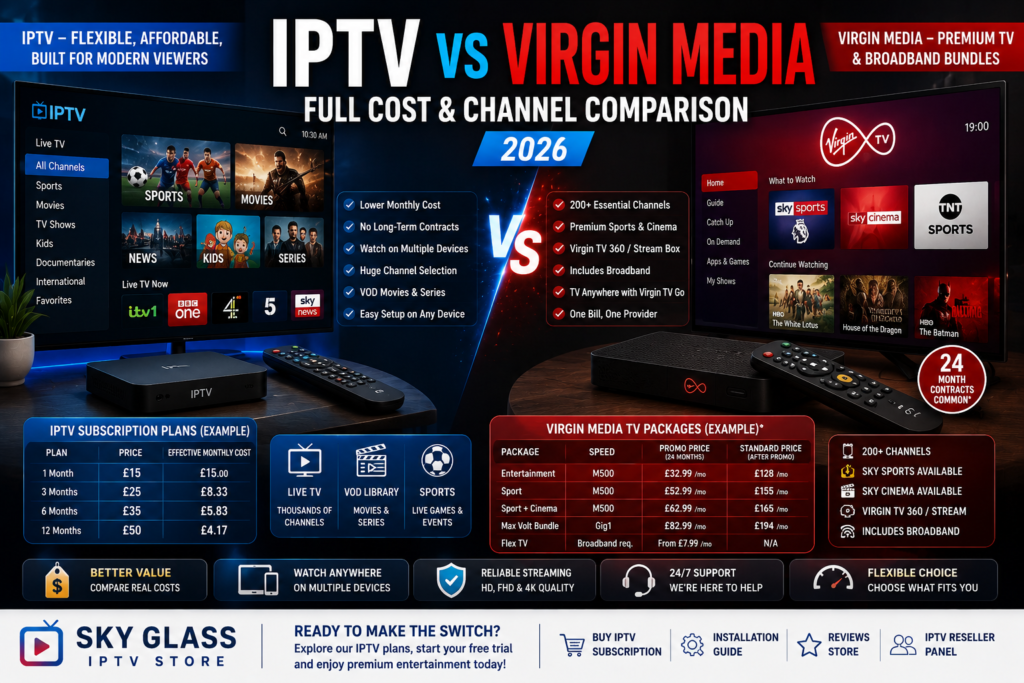
IPTV vs Virgin Media - Full Cost and Channel Comparison 2026

IPTV vs Virgin Media – Full Cost and Channel Comparison 2026 If you’re paying for Virgin Media every month and wondering whether IPTV could give you more channels for less money, you’re not alone. The two services work very differently: Virgin Media combines TV with broadband and premium content packages, while IPTV delivers television over […]

How to Watch La Liga Live in the UK Without a Cable Subscription
How to Watch La Liga Live in the UK Without a Cable Subscription If you are a football fan in the UK, you do not necessarily need a traditional cable or satellite TV package to follow La Liga. The 2026/27 Spanish top-flight season is already underway, and there are now streaming-based ways to watch matches without committing to a conventional television contract. La Liga remains one of the biggest football competitions in Europe, featuring clubs such as Real Madrid, Barcelona and Atlético Madrid alongside a wide range of historic Spanish teams. The 2026/27 campaign began in August 2026 and is scheduled to run through May 2027. For UK viewers, the current broadcasting arrangement is particularly useful for cord-cutters. La Liga's official UK rights agreement names Premier Sports as the primary broadcaster, with more than 340 live matches per season, while Disney+ has an arrangement covering late Saturday La Liga fixtures. The agreements run through the end of the 2027/28 season. In this guide, we will explain how to watch La Liga live in the UK without a traditional cable subscription, what legitimate options are available, how streaming works on different devices, what to look for before subscribing, and how to avoid questionable services. Can You Watch La Liga Live in the UK Without Cable? Yes. You can watch La Liga in the UK without taking a traditional cable or satellite television package. The biggest change for football viewers is the growth of direct-to-consumer streaming. Instead of paying for a large television bundle containing dozens of channels you may never watch, you can choose a streaming service that provides the sports coverage you actually want. For La Liga fans, the main considerations are: Which service has the match you want to watch Whether the service offers monthly or annual subscriptions Whether you can watch through your preferred device Whether the package includes other sports you follow Whether the service has a minimum contract period Whether the match is included in your particular subscription The most important point is that broadcasting rights can change. A website published several years ago may list a broadcaster that is no longer the current UK rights holder. For that reason, it is sensible to check La Liga's official UK broadcaster information before subscribing. Where Can You Watch La Liga Live in the UK? For the 2026/27 season, UK viewers have two particularly important official options: Premier Sports and Disney+. Premier Sports Premier Sports is the primary La Liga broadcast partner in the UK and Ireland under the current agreement. La Liga says the partnership provides more than 340 live top-flight matches per season. Premier Sports distributes its coverage through several platforms, including its own streaming service and selected television and streaming platforms. Its official La Liga page provides information about current coverage and availability. For fans who want to follow La Liga regularly, this is the option to investigate first because it carries the majority of the league's live fixtures. Premier Sports La Liga coverage Disney+ Disney+ also has La Liga coverage in the UK and Ireland. Under its current agreement, Disney+ carries a late Saturday La Liga fixture each week. The partnership began with the 2025/26 season and is part of a three-year agreement. This makes Disney+ particularly interesting for viewers who already subscribe to the service for its wider entertainment catalogue and also want access to selected live Spanish football. Disney+ UK La Liga information However, Disney+ should not be viewed as a replacement for the full La Liga schedule. If you want the broadest possible coverage, check Premier Sports and the official La Liga broadcaster information for the specific fixtures you want to watch. Best Ways to Watch La Liga Without a Traditional TV Contract There are several approaches depending on how much football you watch. Option 1: Subscribe to Premier Sports For someone who wants to watch La Liga regularly, Premier Sports is the most obvious place to start. The service offers La Liga coverage through its streaming offering, meaning you do not necessarily need to take a traditional television package simply to access the competition. Premier Sports currently lists several subscription routes and distribution options. Pricing and package structures can change, so check the provider's current UK subscription page before purchasing. Best for: Regular La Liga viewers who want access to a large proportion of the season. Option 2: Use Disney+ for Selected Saturday Matches If you are mainly interested in watching a selected La Liga fixture each weekend, Disney+ may be another option. The current agreement gives Disney+ exclusive UK and Ireland coverage of late Saturday La Liga fixtures. The advantage is that you can combine football viewing with Disney+'s wider entertainment catalogue. Best for: Viewers who already use Disney+ or mainly want the selected Saturday fixture. Option 3: Choose a Flexible Streaming Subscription Streaming can be useful if you do not want a long-term television contract. Before subscribing, look at the cancellation terms carefully. Some packages may be month-to-month, while others can have minimum terms or annual billing. Do not choose a service based solely on the cheapest advertised price. Check: What La Liga matches are included Contract length Cancellation terms Supported devices Video quality Simultaneous streams Whether the subscription is available in the UK Option 4: Watch Through an Official App Many modern streaming services allow subscribers to watch through an app rather than a traditional television channel. This means you can potentially watch from: Smart TVs Streaming devices Smartphones Tablets Laptops Desktop computers The exact features depend on the provider and subscription plan. How Much Does It Cost to Watch La Liga in the UK? The cost depends on the provider, package and billing method. For example, Disney+'s current UK pricing page lists its Standard with Ads plan at £5.99 per month and Standard at £9.99 per month, although plans and prices can change. Disney+ also states that it does not currently offer a standard free trial. Premier Sports has different subscription routes and pricing depending on the platform and contract selected. Its published information includes monthly and annual options. Rather than choosing purely based on price, compare the overall value: Viewing Option Main Benefit Best For Premier Sports Broad La Liga coverage Regular La Liga fans Disney+ Selected Saturday La Liga coverage plus entertainment Casual viewers and existing subscribers Traditional TV package Sports and other channels in one package Households wanting a broader TV bundle Official streaming apps Flexible device access Cord-cutters Always check the provider's current price before subscribing because subscription fees and package structures can change. How to Watch La Liga Live on Different Devices One of the biggest advantages of streaming is the ability to watch football on more than just a conventional television. Smart TV If your Smart TV supports the relevant official streaming application, you can generally: Open the TV's app store. Search for the official streaming service. Install the application. Sign in to your subscription. Find the La Liga section or live fixture. Start watching when the match begins. The exact process varies between television manufacturers. Amazon Fire TV and Other Streaming Devices Streaming devices can turn a compatible television into a connected entertainment system. If the official provider supports your device, install its official application and sign in with the account associated with your subscription. Avoid installing unknown applications that promise access to large numbers of premium sports channels without clear licensing information. Android Phones and Tablets Football fans can use compatible official applications to watch while away from the television. Before streaming over mobile data, remember that live HD video can consume a significant amount of data. A reliable Wi-Fi connection is usually preferable for longer matches. iPhone and iPad iOS users can check the App Store for the official application provided by their subscribed service. Once installed, sign in using the relevant account and check the provider's La Liga schedule. Laptop and Desktop A computer can be one of the simplest ways to stream football. Visit the official website of the service you subscribe to, sign in, and select the available La Liga match. A modern browser and stable internet connection should generally be sufficient for standard streaming. How to Watch Real Madrid and Barcelona in the UK Real Madrid and Barcelona attract enormous international audiences, making their La Liga fixtures some of the most searched-for football matches every season. The important thing to remember is that the broadcaster can vary depending on the fixture and current rights arrangement. Watching Real Madrid Real Madrid's La Liga fixtures can be checked through the official La Liga schedule and the current UK broadcaster listings. For example, the 2026/27 schedule includes Real Madrid against Real Sociedad on August 26, 2026. Before matchday, check the current listing to confirm where the fixture is being shown. Watching Barcelona Barcelona's fixtures can similarly be checked through La Liga's official schedule. The 2026/27 opening schedule includes Barcelona against Athletic Club on August 27, 2026, following a rescheduling of the fixture. Because fixture dates and broadcasting arrangements can change, checking the official schedule close to matchday is a good habit. Other La Liga Teams to Watch La Liga is much more than Real Madrid and Barcelona. Football fans can also follow teams such as: Atlético Madrid Athletic Club Villarreal Real Betis Valencia Sevilla Real Sociedad Celta Getafe The league's 2026/27 season features 20 clubs competing across the campaign, with the full fixture calendar available through La Liga's official website. How to Find the La Liga Schedule in the UK The safest way to check upcoming fixtures is through official La Liga information and then confirm the UK broadcaster separately. La Liga's official 2026/27 schedule was released in June 2026, with the campaign beginning in August. The schedule can be useful for checking: Match dates Kickoff times Home and away teams Matchday numbers Fixture changes Upcoming Real Madrid matches Upcoming Barcelona matches Atlético Madrid fixtures Keep in mind that football schedules can change because of competition requirements, broadcasting decisions and other circumstances. La Liga itself recommends checking its official information regularly for changes. What Internet Speed Do You Need for La Liga Streaming? A fast internet connection is helpful, but speed is not the only factor that affects streaming quality. A stable connection can be more important than simply having a high advertised download speed. For a better viewing experience: Use a reliable broadband connection. Connect your television or streaming device to a strong Wi-Fi network. Use Ethernet where practical. Avoid large downloads while watching. Keep your streaming application updated. Restart your router if your connection becomes unusually unstable. Reduce video quality if your connection cannot maintain the selected resolution. If several people are using the same connection at once, available bandwidth can also be reduced. For important matches such as El Clásico, testing your connection beforehand is better than waiting until kickoff. Can You Watch La Liga on a VPN in the UK? A VPN is primarily a privacy and network-routing tool. However, using one to circumvent a streaming provider's geographic restrictions can violate that provider's terms. If you are watching La Liga in the UK, the simplest approach is to use the broadcaster that officially provides UK rights. If you travel abroad and want to access a subscription you already have, check the provider's rules regarding access while travelling. Do not assume that a VPN automatically gives you permission to access content from another territory. Is IPTV Legal for Watching La Liga in the UK? IPTV itself is simply a method of delivering television and video content over an internet connection. The important question is whether the service has the necessary rights to distribute the content it offers. There is a major difference between an authorized streaming service and an unauthorized service that redistributes premium sports channels without permission. Before subscribing to any service advertising live La Liga, check whether it clearly identifies: The company operating the service The content rights it holds Its terms and conditions A legitimate payment and customer-support system Clear information about the service and subscription Be particularly cautious about services making unrealistic promises, such as offering virtually every premium sports channel for an unusually low price. A legitimate service should be transparent about what it provides and under what rights. For UK viewers, using the official broadcaster or an authorized distribution partner is the safest approach. La Liga Streaming vs Traditional Cable or Satellite TV Streaming and traditional television packages each have advantages. Feature Streaming Traditional TV Contract flexibility Often more flexible Can require longer commitments Device choice Usually broad Primarily TV-focused Installation Usually minimal May require equipment Internet required Yes Depends on service Portability High Lower Extra entertainment Depends on provider Often bundled Best for Cord-cutters Full TV-package households For someone who primarily wants Spanish football and already has a reliable internet connection, streaming can be more convenient. For a household that watches multiple sports competitions and television channels, a broader television package may still provide better overall value. Common Problems When Streaming La Liga Buffering or Poor Video Quality If your stream repeatedly buffers, check your internet connection first. Try moving your device closer to the router, using Ethernet, closing bandwidth-heavy applications, or lowering the video quality if the service allows it. The App Is Not Working on Your Smart TV Check whether your TV model and operating system are supported. Updating the application and TV software can also resolve compatibility problems. The Match Is Not Available Don't assume every La Liga match is available on every service. Check the official UK broadcaster listing for the particular fixture. The current rights arrangement splits coverage between Premier Sports and Disney+, so the service showing one match may not necessarily show another. Login or Subscription Problems Check that: Your subscription is active. You are using the correct account. Your payment has been processed. Your application is updated. The service supports your device. If the problem continues, contact the provider's official customer support. Regional Availability Issues Streaming rights are usually territory-specific. A service available in one country may not have the same football rights in the UK. This is another reason to check the official UK broadcaster rather than relying on old online guides. Frequently Asked Questions Can I watch La Liga live in the UK without Sky or cable TV? Yes. UK viewers can use official streaming options instead of taking a traditional cable or satellite package. Premier Sports is the primary UK La Liga broadcaster under the current agreement, while Disney+ carries selected late Saturday fixtures. What channel shows La Liga in the UK? Premier Sports is the main UK broadcaster for La Liga, with more than 340 live matches per season. Disney+ also has rights to selected late Saturday matches. Can I stream La Liga on my phone? Yes, where the relevant official broadcaster provides a compatible mobile application or web player. Check the provider's supported-device information before subscribing. Can I watch Real Madrid live in the UK? Yes, Real Madrid's La Liga fixtures are available through the current UK rights arrangement. Check the broadcaster listing for each individual fixture because coverage can vary. Can I watch Barcelona live in the UK? Yes. Barcelona's La Liga fixtures can be watched through the applicable official UK broadcaster. Check the fixture listing before matchday to confirm where the particular game is available. How much does La Liga streaming cost in the UK? It depends on the service and subscription package. Disney+'s current UK pricing page lists plans from £5.99 per month, while Premier Sports has separate subscription options and pricing depending on the chosen platform and contract. Can I watch La Liga on a Fire Stick? If the relevant official streaming provider supports the device and offers a compatible application, you can watch through it. Always install the official application rather than an unknown third-party streaming app. Is La Liga available in 4K? Video quality depends on the broadcaster, match, subscription package, device and internet connection. Check the provider's current specifications for the particular service rather than assuming every fixture is available in 4K. Is IPTV legal for watching La Liga in the UK? Internet Protocol Television is a delivery technology and can be completely legitimate. The key issue is whether the provider has authorization to distribute the content. Use official broadcasters and authorized services for La Liga. Can I watch La Liga without a long-term contract? Some streaming services offer flexible subscription arrangements, while others may have minimum terms. Always read the current subscription conditions before paying. What's the Best Way to Watch La Liga in the UK? For UK football fans who want to watch La Liga without a traditional cable or satellite subscription, streaming provides a practical alternative. Premier Sports is the main option to investigate if you want broad La Liga coverage, with the current rights agreement providing more than 340 live matches per season. Disney+ is another option for selected late Saturday fixtures, making it useful for viewers who already subscribe to the platform or mainly want its featured Saturday match. The best choice ultimately depends on how much La Liga you watch. Most importantly, check the current official broadcaster information before subscribing. Broadcasting rights can change, individual fixtures can move, and older articles can contain outdated information. For the 2026/27 season, the safest and simplest approach is to use an authorized UK broadcaster or streaming service and check the official La Liga schedule for the latest fixture information. Check the official La Liga UK broadcaster information

How to Watch La Liga Live in the UK Without a Cable Subscription If you are a football fan in the UK, you do not necessarily need a traditional cable or satellite TV package to follow La Liga. The 2026/27 Spanish top-flight season is already underway, and there are now streaming-based ways to watch matches […]