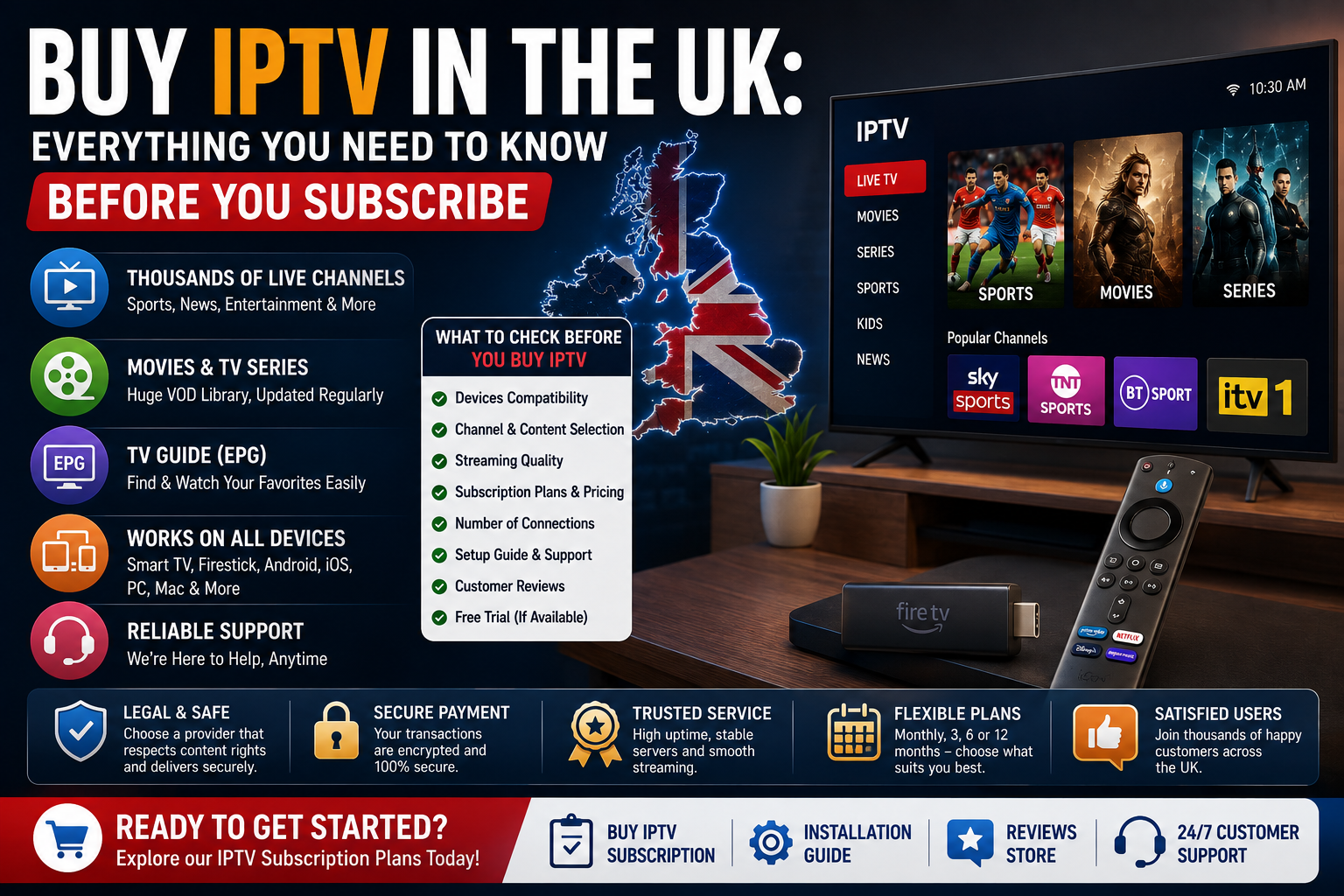
 Buying IPTV in the UK can be confusing. There are hundreds of providers, dramatically different prices, huge promises about channels and streaming quality, and subscription plans that range from one month to a full year.
The important question isn’t simply, “What’s the cheapest IPTV subscription?” The better question is: what are you actually getting for your money, and does the service fit the way you watch TV?
This guide explains everything you should know before buying IPTV in the UK, including how IPTV subscriptions work, what to check before subscribing, device compatibility, pricing, setup, free trials, and how to choose a provider that suits your needs. If you’re exploring available options, you can also visit the Sky Glass IPTV Store to review the service and available plans.
What Does It Mean to Buy an IPTV Subscription?
IPTV stands for Internet Protocol Television. Instead of receiving television through a traditional satellite dish or cable connection, IPTV delivers television content through an internet connection.
When you buy an IPTV subscription, you will typically receive login information that allows you to connect a compatible IPTV player or app to the service. Depending on the provider and subscription, this may include access to live TV, movies, TV series, programme guides and other streaming features.
The login information may be provided in different formats. Two common options are:
- Xtream Codes login details
- An M3U playlist URL
Xtream Codes usually include a server URL, username and password. An M3U playlist is a link that contains information used by a compatible IPTV player to load available channels or content.
If you’re new to this side of IPTV, our guide What Is M3U Playlist and How to Use It for IPTV in the UK can help explain how M3U playlists work and how they are used with compatible IPTV players.
It’s important to understand that IPTV is a delivery technology. The channels, content, features and availability offered by a service depend on the individual provider and applicable rights. Before subscribing, always review the current package information and make sure the service meets your viewing requirements.
8 Things to Check Before Buying IPTV in the UK
Choosing an IPTV provider involves more than comparing the number of channels advertised on a website. A service might look impressive on paper but still be unsuitable for your devices, internet connection or viewing habits.
Here are the most important things to check before you buy IPTV in the UK.
1. Check What Devices the Service Supports
The first thing to check is whether the IPTV service works on the devices you actually use.
Popular IPTV devices include:
- Amazon Firestick
- Fire TV
- Samsung Smart TVs
- LG Smart TVs
- Android TV
- Google TV
- Android phones and tablets
- iPhone and iPad
- Windows PCs
- MacBooks
A service might support several devices, but the installation process can vary depending on the platform. For example, the app you use on a Firestick may be different from the app used on an LG Smart TV or Windows laptop.
Before buying a subscription, make sure you know:
- Which device you want to use
- Which IPTV player is compatible with that device
- Whether the provider supports your preferred connection method
- Whether setup instructions are available
If you’re unsure how to install IPTV on your device, the Installation Guide is a useful place to start. It can help you understand the basic setup process before choosing a subscription.
2. Check the Available Content and Features
The next step is looking beyond the headline channel number.
Different IPTV subscriptions may include different combinations of:
- Live television
- Entertainment channels
- Sports programming
- Movies
- TV series
- Video-on-demand content
- Electronic Programme Guides
- Catch-up TV features
The most important thing is to check whether the service includes the types of content you actually want to watch.
For example, someone primarily interested in live football may have very different requirements from someone who mainly watches movies and TV series. A household with children may also prioritise different content categories.
Don’t assume that every service offering a large number of channels automatically includes every channel, event or programme you want. Check the current service information before subscribing.
3. Look at Streaming Quality
Streaming quality is another important consideration when buying IPTV.
Common streaming resolutions include:
- Standard Definition
- HD
- Full HD
- 4K
However, the quality you experience at home depends on more than the resolution advertised by a provider.
Streaming performance can be affected by:
- Your internet connection
- Wi-Fi signal strength
- Device performance
- The IPTV player you’re using
- Network congestion
- Provider infrastructure
For example, a modern streaming device connected through a strong wired connection may perform differently from an older device connected to weak Wi-Fi in another room.
If you’re planning to watch higher-resolution content, make sure your device and internet connection are suitable. Testing the service on your normal home network before committing to a longer subscription can also be helpful where a trial is available.
4. Check Subscription Length and Pricing
IPTV subscriptions are commonly offered in several different durations.
Typical options may include:
- 1 month
- 3 months
- 6 months
- 12 months
A longer subscription often has a lower effective monthly cost. However, a lower monthly price doesn’t automatically mean a plan is the best choice for every customer.
Before comparing prices, look at:
- Total price
- Subscription length
- Effective monthly cost
- Included features
- Number of connections
- Device compatibility
- Support options
If you want a more detailed breakdown of pricing, you can also read How Much Does IPTV Cost in the UK? — Full Price Guide 2026.
The best approach is to compare value rather than simply choosing the lowest advertised number.
5. Check How Many Devices or Connections Are Included
This is something many first-time IPTV buyers misunderstand.
There is an important difference between:
Installing IPTV on multiple devices
and
Watching IPTV on multiple devices at the same time.
Some subscriptions may allow you to install the service on several devices but limit the number of simultaneous streams. This matters for households where multiple people may want to watch different content at the same time.
Before subscribing, check:
- How many simultaneous connections are included
- Whether additional connections are available
- Whether the subscription can be used across different device types
For example, you might want IPTV on:
- The living room TV
- A bedroom Firestick
- A laptop
- A phone
Make sure the subscription structure matches how your household actually watches television.
6. Look for Clear Setup Instructions
A good IPTV experience starts with a straightforward setup process.
Before buying, check whether the provider offers:
- Device installation guides
- App recommendations
- Login instructions
- Troubleshooting help
- Customer support
This is particularly important if you’re new to IPTV.
The Installation Guide should be one of the first resources you check when comparing services. Knowing that there are clear instructions for your Firestick, Smart TV, phone or computer can make the setup process much easier.
7. Check Customer Support
Technical issues can happen with any internet-based service. That’s why support matters.
Before subscribing, look for information about:
- Available contact methods
- Setup assistance
- Troubleshooting help
- Response expectations
- Support resources
Good documentation can often solve simple problems without needing to contact anyone. For more complicated issues, accessible customer support can make a significant difference.
It’s also useful to check whether the provider has detailed help articles. Guides covering topics such as app installation, login problems and connection troubleshooting can be valuable for new users.
8. Read Customer Reviews
Customer reviews can provide useful insight into a service before you buy.
Look for feedback about:
- Setup experience
- Device compatibility
- Customer service
- Ease of use
- General satisfaction
Reviews shouldn’t be the only factor in your decision, but they can help you understand what existing customers have experienced.
Before making a purchase, you can explore the Reviews Store page to see customer feedback and learn more about user experiences with the service.
How Much Should You Expect to Pay for IPTV in the UK?
IPTV pricing can vary significantly depending on the provider and subscription.
The final cost may depend on:
- Subscription duration
- Number of simultaneous connections
- Available features
- Content library
- Device support
- Customer service
- Server infrastructure
The best way to compare IPTV prices is to calculate the effective monthly cost rather than looking only at the headline price.
For example, a one-month subscription may cost more per month than a 12-month subscription. However, a shorter plan may make more sense for someone who is trying IPTV for the first time or testing whether it works well with their device.
A longer subscription may offer better value if you’ve already tested the service and are comfortable with the setup.
For a detailed comparison of IPTV pricing structures, read How Much Does IPTV Cost in the UK? — Full Price Guide 2026.
When comparing providers, remember to ask:
- What is included?
- How long is the subscription?
- How many connections are included?
- What devices can I use?
- Is support available?
- Is there a trial or short-term option?
Price matters, but overall value is usually more important.
Should You Buy Monthly or Yearly IPTV?
Choosing between a monthly and yearly IPTV subscription depends on how confident you are in the service and how you plan to use it.
Monthly IPTV Plans
Monthly subscriptions are often a good starting point for new users.
They can be useful if you:
- Have never used IPTV before
- Want to test compatibility
- Are unsure which device you prefer
- Want more flexibility
- Don’t want to commit to a long subscription immediately
The main disadvantage is that the effective monthly cost may be higher.
However, the flexibility can make a short-term plan worthwhile for someone testing a new service.
Longer IPTV Subscription Plans
Longer subscriptions may include:
- 3-month plans
- 6-month plans
- 12-month plans
The main benefit is usually a lower effective monthly cost.
A longer plan may make sense if:
- You’ve already tested the service
- It works well on your devices
- Your internet connection is suitable
- You’re happy with the available features
- You’re comfortable with the provider
The downside is the larger upfront commitment.
For this reason, many users prefer to test a service before choosing a longer plan.
You can review the currently available options on the Buy IPTV Subscription page and compare the subscription lengths that best match your viewing needs.
Should You Use an IPTV Free Trial Before Subscribing?
If a provider offers a free trial, it can be a useful way to test the service before purchasing a longer subscription.
A trial can help you evaluate:
- Device compatibility
- App usability
- Channel organisation
- Streaming behaviour
- Your home internet connection
For the most useful test, try the service under your normal viewing conditions.
For example:
- Test it during the evening
- Use the device you normally watch TV on
- Test your regular Wi-Fi connection
- Browse the categories you expect to use most often
A trial may not predict every possible future streaming condition, but it can give you a better understanding of whether the setup works well for your home.
If you’re considering Sky Glass IPTV Store, check the current options available through the Buy IPTV Subscription page and review whether a trial is currently offered.
What Devices Can You Use with IPTV in the UK?
One of IPTV’s biggest advantages is device flexibility.
Depending on the provider and app compatibility, IPTV can be used across many popular devices.
IPTV for Firestick
Amazon Firestick devices are popular for IPTV because they connect directly to a television and provide a simple remote-controlled interface.
A typical setup involves:
- Installing a compatible IPTV player
- Opening the app
- Entering your login details
- Loading the available channels
- Browsing content through the app
The exact process can vary depending on the Firestick model and app.
For step-by-step help, visit the Installation Guide. You can also read How to Install IPTV Smarters Pro — Complete Setup Guide for more detailed information about one popular IPTV player.
IPTV for Smart TVs
Many people prefer watching IPTV directly through their Smart TV.
Popular platforms include:
- Samsung Smart TV
- LG Smart TV
- Android TV
- Google TV
The setup depends on the operating system and which compatible apps are available.
Before buying a subscription, check whether your TV supports a suitable IPTV player. Some Smart TV platforms have more app options than others.
If your TV has limited app support, an external device such as a Firestick or Android TV device may provide another option.
IPTV on Phones and Tablets
IPTV can also be used on mobile devices.
Depending on compatibility, this may include:
- Android phones
- Android tablets
- iPhone
- iPad
Mobile devices can be useful for watching around the house or when using a supported internet connection away from your main TV setup.
The setup process is usually straightforward: install a compatible app, enter the provided credentials and allow the content to load.
IPTV on Windows PCs and MacBooks
You don’t necessarily need a television to use IPTV.
A Windows computer or Mac can also be used with compatible IPTV player applications.
This can be particularly useful for:
- Students
- Shared accommodation
- Secondary screens
- Home offices
- Testing a subscription before setting up a TV
For a complete walkthrough, see How to Use IPTV on a PC or Laptop — Windows & Mac Guide.
How to Set Up IPTV After You Subscribe
The exact setup process depends on your provider and device, but the general process is usually straightforward.
Step 1: Receive Your IPTV Login Details
After subscribing, you may receive information such as:
- Server URL
- Username
- Password
- M3U playlist URL
Keep these details private and enter them exactly as provided.
If something doesn’t work, check for:
- Typing errors
- Extra spaces
- Incorrect server addresses
- Expired login details
Step 2: Choose a Compatible IPTV Player
Your device will determine which app is most suitable.
For example, different apps may be available for:
- Firestick
- Android
- iPhone
- Smart TVs
- Windows
- Mac
One commonly used option is IPTV Smarters Pro.
For a complete installation walkthrough, see How to Install IPTV Smarters Pro — Complete Setup Guide.
If you’re unsure which player to use, check the provider’s device instructions or the Installation Guide.
Step 3: Enter Your Credentials
Open the IPTV player and choose the appropriate login method.
Depending on your subscription, this might involve:
- Xtream Codes API
- M3U playlist URL
Enter the details carefully.
For Xtream Codes, this typically includes:
- Server URL
- Username
- Password
For an M3U setup, you may simply paste the provided playlist link into the appropriate field.
Step 4: Allow Your Channel List to Load
Once connected, the app may load different sections such as:
- Live TV
- Movies
- Series
- Programme Guide
- Favourites
Large channel lists can take some time to load depending on the app and device.
Once everything has loaded, take a few minutes to explore the interface and mark your favourite channels for easier access later.
Step 5: Start Watching
After setup is complete, you can browse categories and choose available content.
Before a major viewing session, it’s a good idea to:
- Check your internet connection
- Update your IPTV player
- Make sure your device has enough storage
- Restart the device if it has been running for a long time
For device-specific instructions, visit the Installation Guide.
Common Mistakes People Make When Buying IPTV
First-time buyers often make a few avoidable mistakes.
Knowing about them before subscribing can save time and frustration.
Choosing Only Based on the Lowest Price
The cheapest option isn’t always the best value.
When comparing IPTV subscriptions, consider:
- Device support
- Features
- Setup guidance
- Customer support
- Connection limits
- Subscription flexibility
A slightly more expensive service that works well with your devices and provides clear support may offer better value than the cheapest option available.
Not Checking Device Compatibility
Before purchasing, always confirm that the service can be used on your preferred device.
Don’t assume that:
- Every IPTV app works on every Smart TV
- Every Firestick setup is identical
- Every subscription supports every login method
Check compatibility first.
The Installation Guide can help you understand which setup options may be available for your devices.
Buying a Long Plan Without Testing
A 12-month subscription may offer a lower monthly cost, but longer isn’t always better for a first-time buyer.
If possible, consider:
- A trial
- A short-term plan
- Testing the service on your main device first
Once you’re comfortable with the setup and service, you can decide whether a longer subscription makes sense.
Ignoring Setup Support
Some users assume IPTV setup will be difficult and purchase a subscription without checking whether instructions are available.
Before subscribing, look for:
- Installation guides
- Device tutorials
- Troubleshooting articles
- App instructions
Good setup information can make the process much easier.
Expecting a VPN to Fix Every Streaming Problem
A VPN can be useful for general online privacy and may affect how your internet traffic is routed, but it isn’t a universal fix for IPTV problems.
If you’re experiencing buffering or connection issues, the cause could involve:
- Wi-Fi signal
- Broadband connection
- Device performance
- IPTV app configuration
- Provider infrastructure
Adding another layer to the connection doesn’t automatically solve the underlying problem.
For a balanced explanation, see VPN with IPTV — Does It Help or Hurt Streaming?
How to Choose the Right IPTV Provider in the UK
Before buying IPTV, take a few minutes to compare providers properly.
Ask yourself the following questions.
Does It Work on My Devices?
Check your:
- TV
- Firestick
- Phone
- Tablet
- Computer
Make sure there is a compatible setup method.
Does the Service Offer the Features I Need?
Consider whether you want:
- Live TV
- Sports programming
- Movies
- Series
- EPG
- Catch-up features
Focus on what you actually watch rather than simply choosing the service with the largest advertised number of channels.
Is the Subscription Information Clear?
A provider should clearly explain:
- Available plans
- Subscription length
- Pricing
- Device support
- Setup process
Is Help Available?
Look for:
- Installation resources
- Support options
- Troubleshooting information
Are Customer Reviews Available?
Customer feedback can help you understand the experience of other users.
You can review customer feedback through the Reviews page.
Can You Test the Service?
Where available, a trial or short-term subscription can help reduce uncertainty before making a longer commitment.
When comparing your options, you can explore the Sky Glass IPTV Store homepage, review the available Buy IPTV Subscription plans and check the Installation Guide to understand the setup process.
Exploring IPTV Plans from Sky Glass IPTV Store
When choosing an IPTV service, the most important thing is finding an option that matches your devices and viewing requirements.
Sky Glass IPTV Store offers IPTV subscription options designed for compatible devices and provides access to a wide range of entertainment features.
Before choosing a plan, review the current information to understand:
- Available subscription durations
- Supported devices
- Current service features
- Setup options
- Customer support
- Trial availability
The Buy IPTV Subscription page is the best place to review the current plans and compare subscription options.
If you’re unsure how to get started, the Installation Guide provides useful setup information for different devices.
You can also visit the Reviews page to explore customer feedback and experiences.
For a complete overview of the service and available information, visit the Sky Glass IPTV Store homepage.
The best subscription isn’t necessarily the one with the biggest number attached to it. It’s the one that works properly with your devices, suits your viewing habits and provides the features you genuinely need.
Frequently Asked Questions
How Do I Buy an IPTV Subscription in the UK?
The process usually involves choosing a provider, selecting a subscription plan and completing the signup process. After your subscription is activated, you’ll typically receive login details or playlist information that can be entered into a compatible IPTV player.
Before buying, check device compatibility, subscription terms and available setup instructions.
What Is the Best IPTV Subscription for the UK?
The best IPTV subscription depends on your individual needs.
Consider:
- Your preferred device
- Your budget
- Subscription length
- Number of simultaneous connections
- Features you want
- Setup support
Instead of looking only for the lowest price or largest channel number, compare the complete service.
How Much Does IPTV Cost in the UK?
IPTV pricing varies depending on the provider, subscription duration and included features.
Monthly plans may have a higher effective monthly cost, while longer subscriptions can offer lower monthly pricing.
For a detailed guide, read How Much Does IPTV Cost in the UK? — Full Price Guide 2026.
Can I Use IPTV on Firestick?
Yes, IPTV can be used on compatible Amazon Firestick devices with a suitable IPTV player and valid subscription credentials.
The exact installation process depends on the app and device.
For help, see the Installation Guide.
Can I Use IPTV on a Smart TV?
It depends on your Smart TV platform and which IPTV player applications are supported.
Samsung, LG, Android TV and Google TV devices may have different setup options.
Always check compatibility before purchasing.
What Happens After I Buy IPTV?
After subscribing, you will typically receive login details or a playlist link.
You then:
- Install a compatible IPTV player
- Choose the appropriate login method
- Enter your credentials
- Allow the channel list to load
- Start browsing available content
For step-by-step help, visit the Installation Guide.
Should I Choose a Monthly or Yearly IPTV Plan?
Monthly plans can be useful for flexibility and testing. Longer plans may offer a lower effective monthly cost.
If you’re new to a provider, consider testing the service or starting with a shorter plan before committing to a longer subscription.
Can I Try IPTV Before Paying?
Trial availability depends on the provider.
Where a trial is available, it can help you test:
- Your device
- Your internet connection
- App compatibility
- The overall user experience
Check the current options on the Buy IPTV Subscription page.
What Should I Do If IPTV Is Not Working?
Start by checking:
- Your internet connection
- Your login details
- The IPTV app
- Your device
- Available updates
Restarting the app, device or router can sometimes solve simple issues.
For more detailed troubleshooting, read IPTV Not Working? Here’s How to Fix the Most Common Problems.
Buy IPTV in the UK with Confidence
Buying IPTV in the UK should involve more than finding the cheapest subscription you can find online.
Before subscribing, take time to check:
- Device compatibility
- Subscription options
- Available features
- Setup instructions
- Customer support
- Customer reviews
- Trial availability
If you’re considering a subscription, start by exploring the Sky Glass IPTV Store and reviewing the available Buy IPTV Subscription options. If you need help setting up your device, visit the Installation Guide, and if you’d like to see customer feedback first, explore the Reviews.
Choose the subscription that fits your devices and viewing needs, review the current service information carefully, and make sure you’re comfortable with the setup before committing to a longer plan.