IPTV with Live Football – Watch Every Match Online

IPTV with Live Football – Watch Every Match Online Football fans have more ways to watch live matches than ever. Instead of relying exclusively on traditional cable or satellite packages, many viewers now use internet-based television services to access live sports on compatible TVs, streaming devices, phones and computers. IPTV with live football can be convenient because television content is delivered over an internet connection, allowing viewers to watch compatible sports channels on a range of devices. However, the channels and competitions available depend on the provider, your location and current broadcasting rights. Whether you want to follow Premier League fixtures, Champions League matches, La Liga, Serie A or international football, choosing the right service requires more than simply looking at the number of channels advertised. This guide explains how football IPTV works, what to look for in a service, how to watch matches on Firestick, Chromecast and Smart TV, how to reduce buffering, and what to know about football broadcasting rights. If you're researching an IPTV subscription, you can also explore the available options from Sky Glass IPTV Store and check its current device compatibility and content offering before choosing a plan. Important: IPTV is a technology used to deliver television over the internet. Whether a particular service can legally provide a specific football match depends on its licensing and broadcasting rights. Always use authorized services and applications. What Is IPTV with Live Football? What Is IPTV? IPTV stands for Internet Protocol Television. Unlike traditional cable or satellite television, IPTV delivers television programming through an internet connection. Depending on the service, IPTV can provide access to live television channels, sports, entertainment, news and other programming through compatible applications or devices. The viewing experience can vary considerably between providers. Some may offer dedicated applications, while others may support a web player or compatible IPTV player. What Does IPTV with Live Football Mean? IPTV with live football refers to an IPTV service or television package that includes sports channels carrying live football programming. This doesn't necessarily mean that one service provides every football competition or every match. Football broadcasting rights are divided between broadcasters and can vary significantly by country. For example, a service may carry channels showing certain Premier League matches but not necessarily every Champions League or La Liga fixture. That's why it's important to check the current channel lineup and broadcasting arrangements before subscribing. Why Are Football Fans Interested in IPTV? IPTV can appeal to football fans for several reasons: Internet-based viewing Support for multiple compatible devices Large-screen viewing Electronic Programme Guides (EPG) Access to sports-focused channels Flexible viewing locations Integration with Smart TVs and streaming devices For many viewers, the biggest advantage is being able to use a compatible service across the devices they already own. What Football Can You Watch With IPTV? The football available through IPTV depends on the provider's channel lineup and the broadcasting rights applicable in your country. Before choosing a service, identify the competitions you actually want to watch rather than assuming that every advertised sports package includes everything. Premier League The Premier League is one of the most popular football competitions among viewers searching for live football streaming. Depending on your country, different broadcasters may hold the rights to Premier League matches. Therefore, check which authorized sports channels are included with the service you're considering. If you're specifically interested in football-focused IPTV options, explore the available live football IPTV offering and verify the current channel lineup before subscribing. UEFA Champions League The UEFA Champions League attracts viewers from around the world, but its broadcasting rights differ between territories. If Champions League football is a priority, don't simply look for a service advertising "sports channels." Check whether it carries the authorized broadcaster or channel showing the competition in your region. You can also read our dedicated guide on Champions League live streaming for more information about watching Europe's premier club competition online. UEFA Europa League The Europa League is another major European competition with region-specific broadcasting arrangements. Availability can change between seasons, so viewers should check the current broadcaster and channel lineup rather than relying on outdated IPTV lists. La Liga Spanish football attracts a global audience, with clubs and matches generating strong international interest. If you follow La Liga, check whether the sports channels included with your chosen service carry the relevant broadcasts in your country. Serie A Italian Serie A is another popular competition among football fans. As with other leagues, the availability of matches depends on regional broadcasting agreements. A service that carries Serie A channels in one country may not provide the same coverage elsewhere. Bundesliga The Bundesliga provides another major European football option. When comparing IPTV services, check the actual sports channels and competitions available rather than judging a service only by its total channel count. FA Cup and Domestic Competitions Football fans may also want access to domestic cup competitions, including the FA Cup and other national competitions. Broadcasting arrangements can differ from those used for league football, so it's worth checking each competition separately. International Football Depending on the season, football fans may also look for: FIFA World Cup matches European Championship matches International friendlies World Cup qualifiers European qualifiers National-team competitions Again, availability depends on current rights and your location. How to Choose the Best IPTV for Live Football Choosing an IPTV service for football requires more research than simply selecting the package with the most channels. Here are the factors worth checking. Check Football Channel Availability First, determine whether the service actually carries the channels you need. If you mainly watch Premier League football, check for the relevant broadcaster. If you're more interested in Champions League or Spanish football, look for the channels responsible for those competitions in your region. A large channel count doesn't automatically mean better football coverage. Check Streaming Quality Picture quality is particularly important when watching football. Look for appropriate support for: SD HD Full HD 4K However, remember that advertised resolution doesn't guarantee that every channel will be available at that quality. Actual quality can depend on the original broadcast, encoding, internet connection, device and provider. Look for Stable Streaming Nobody wants a stream to stop during an important goal. Streaming stability can depend on several factors, including: Your internet connection Wi-Fi quality Router performance Network congestion Streaming device Provider infrastructure Be cautious about absolute claims such as "zero buffering." No internet-based service can guarantee perfect playback under every network condition. Check Device Compatibility Before subscribing, make sure the service works with your preferred device. Common options include: Smart TVs Firestick Google TV Chromecast Android TV Android phones iPhone and iPad Windows computers Mac computers If you plan to watch football through Chromecast, our guide on IPTV on Chromecast explains how compatible IPTV content can be cast to a TV. Look for an Electronic Programme Guide An EPG, or Electronic Programme Guide, can make watching football considerably easier. Instead of searching through dozens or hundreds of channels, you can use the guide to identify: Match times Sports channels Upcoming fixtures Current programmes Football broadcasts This is especially useful on busy match days when several games are taking place. Consider Customer Support Good customer support can be valuable when you're trying to watch a major match. Before subscribing, check whether the provider clearly explains how customers can receive technical assistance and whether setup instructions are available. Compare Pricing and Subscription Options Price should be considered alongside what you're actually receiving. Compare: Subscription duration Available channels Sports coverage Supported devices Streaming quality Customer support Trial options, if offered The cheapest option isn't necessarily the best choice, and the most expensive option isn't automatically the best either. Check Legal and Licensing Information This is one of the most important considerations. IPTV technology itself is legal. The issue is whether a provider has permission to distribute the television channels and football broadcasts it offers. Always check the provider's terms and make sure you're using an authorized service for the content you want to watch. How to Watch Live Football With IPTV Once you've selected an authorized service, the basic process is generally straightforward. Step 1: Choose an Authorized IPTV Service Start by identifying a service that offers the football channels and competitions you're interested in. Check its current channel lineup and regional availability. Step 2: Choose Your Viewing Device Decide where you want to watch. For example: Smart TV for direct large-screen viewing Firestick for a dedicated streaming device Chromecast for supported casting Android TV for an app-based experience Smartphone for portable viewing Computer for web-based viewing Step 3: Install the Supported Application Use the provider's official instructions and trusted application sources whenever available. Avoid downloading unknown applications or APK files from suspicious websites simply because they promise access to premium sports content. Step 4: Sign In Enter your authorized account information according to the provider's setup instructions. The exact login process can vary between services. Step 5: Find the Football Channel Open the Sports or Football section. If the service provides an EPG, use it to find the relevant match and channel. Step 6: Watch the Match Select the authorized channel carrying the match and start watching. For major fixtures, it's a good idea to test your setup before kickoff rather than waiting until the last minute. Best Devices for Watching IPTV with Live Football Your preferred device can significantly affect your viewing experience. Smart TV A Smart TV can be one of the simplest options because you can potentially use a compatible application directly on the television. The exact application support depends on the TV operating system and IPTV provider. Amazon Firestick / Fire TV Firestick is popular because it turns a compatible television into a streaming-focused setup with a dedicated remote. For football fans, it can be convenient to open a supported application and navigate through sports channels directly on the TV. Before subscribing, check the provider's Firestick compatibility. If you're specifically interested in this setup, you can explore information about IPTV for Firestick on the relevant Sky Glass IPTV Store page. Chromecast / Google TV Chromecast can be useful when you prefer casting compatible content from a phone, tablet or computer. Google TV-based Chromecast devices can provide additional functionality through their TV interface and supported applications. Our IPTV on Chromecast guide covers the setup and troubleshooting process in more detail. Android TV Android TV provides a television-focused interface with support for compatible applications. It can be particularly convenient for viewers who want to browse channels using a remote rather than constantly casting from their phone. Smartphone and Tablet Phones and tablets provide portability. You can potentially watch compatible football programming away from your main TV, provided your service, application and internet connection support the setup. Laptop and Desktop Computers can be useful when an authorized provider offers a web player. A larger monitor can provide a better experience than a phone, particularly when watching with friends. IPTV with Live Football on Firestick Firestick is a popular choice for people who want to watch internet-based television on their TV. Why Firestick Is Popular for Football Streaming A Firestick provides: Dedicated remote control TV-focused interface Compact hardware Support for compatible applications Easy connection to compatible TVs For football fans, the main advantage is convenience. Once the appropriate application is configured, you can navigate through supported sports channels using the remote. Basic Firestick Setup A typical setup involves: Connect the Firestick to your TV. Connect it to your Wi-Fi network. Complete the device setup. Install the supported application from an official or trusted source. Sign in to your authorized service. Open the Sports or Football section. Select the relevant channel. The exact process depends on the IPTV provider and application. What to Check Before Subscribing Before choosing a service for Firestick football streaming, check: Firestick compatibility Supported application Football channel availability Picture quality Subscription options Customer support Current broadcasting rights IPTV with Live Football on Chromecast Chromecast can be another useful option for football fans. If your IPTV application supports Chromecast, you can generally connect your phone and Chromecast to the same Wi-Fi network, open the application and select the Cast option. You can then choose the Chromecast device and display compatible live football content on your television. Keep in mind that not every IPTV application supports Chromecast. If you're using Chromecast with Google TV, your available options may be different because compatible applications can potentially be installed directly on the device. For a complete walkthrough, see our guide to IPTV on Chromecast. How to Get the Best Football Streaming Quality Even a good IPTV service can perform poorly if your home network isn't configured properly. Use a Stable Internet Connection A stable connection is essential for live football. The connection needs to continuously deliver the required stream data without significant interruptions. Use Ethernet When Available If your streaming device supports Ethernet, a wired connection can provide more consistent connectivity than Wi-Fi in some home environments. This can be particularly useful for TVs located far from the router. Reduce Network Congestion If several people are simultaneously streaming video, downloading large files or playing online games, your available bandwidth may be reduced. Before an important match, consider minimizing unnecessary network activity. Choose an Appropriate Resolution Higher resolution generally requires more bandwidth. HD or Full HD can provide a good viewing experience for many users, while 4K requires compatible content, hardware and sufficient bandwidth. Keep Your Streaming Device Updated Make sure your device and supported applications are kept reasonably up to date. Software updates can include bug fixes and compatibility improvements. Test Before Kickoff Don't wait until the match starts to discover a problem. Open the relevant channel several minutes before kickoff and confirm that: Video works Audio works The correct channel is playing Your internet connection is stable Your streaming device is functioning correctly What Internet Speed Do You Need for Live Football IPTV? There isn't one universal internet-speed requirement for IPTV football streaming. The amount of bandwidth required depends on the stream's resolution, bitrate and encoding. As a general principle: SD requires less bandwidth. HD requires more. Full HD requires more than standard HD. 4K generally requires substantially more bandwidth. But download speed isn't the only consideration. Your experience can also depend on: Wi-Fi signal strength Router quality Distance from the router Number of connected devices Network congestion Streaming device Provider infrastructure A stable connection is often more important than simply having a high advertised internet speed. What Internet Speed Is Best for IPTV Football Streaming? For comfortable football streaming, use a reliable broadband connection that can consistently handle the resolution you're watching while other household devices aren't consuming excessive bandwidth. If you experience buffering despite having a fast connection, investigate Wi-Fi stability, router performance and network congestion before assuming the IPTV service is responsible. Common Problems When Watching Football on IPTV Live football can be particularly frustrating when technical problems appear at the worst possible moment. Here are some common issues and potential solutions. Buffering During a Match Buffering may be caused by: Weak Wi-Fi Network congestion Router issues High stream quality Provider-side problems Too many connected devices Try restarting your router and streaming device and checking your network connection. Football Channel Not Available If a particular match isn't available, don't immediately assume there's a technical problem. The provider may not carry the broadcaster responsible for that match. Broadcasting rights can also differ by country. Check the provider's current channel lineup and the broadcaster for your region. Poor Picture Quality Check: Stream resolution Internet stability Device capabilities TV settings Network congestion Remember that the streaming device can't improve the source quality beyond what the service provides. IPTV App Crashes Try: Closing and reopening the application. Restarting your device. Checking for updates. Checking available storage. Reinstalling the application if appropriate. If the problem affects only one application, consult its official support information. Match Has Not Started on the Listed Channel Check the fixture's official kickoff time and your local time zone. EPG information can occasionally be outdated or incorrect, so compare important fixtures with an official competition or broadcaster schedule. Audio and Video Are Out of Sync Try restarting playback or reopening the application. You should also check for application and device updates. If the issue happens only on one channel, it may be related to the source stream rather than your TV. Can IPTV Replace Cable for Football Fans? Whether IPTV can replace cable depends on your viewing habits, internet connection and the football coverage available in your region. Feature IPTV Cable/Satellite Internet required Yes Usually no Device flexibility Often high More limited Live sports Provider-dependent Package-dependent EPG Often available Usually available Mobility High Lower Installation Internet/app-based Traditional installation When IPTV May Be Better IPTV may suit you if: You already have reliable broadband. You prefer internet-based television. You use multiple compatible devices. You want a flexible viewing setup. You prefer streaming through Smart TVs or dedicated devices. When Traditional TV May Be Better Cable or satellite can still make sense if: You prefer a conventional television package. Your internet connection is unreliable. Your preferred football broadcaster is already included. You don't want to manage applications or internet-based streaming. The best option ultimately depends on your requirements. Why Choose Sky Glass IPTV Store for Live Football? If you're researching an IPTV subscription for live TV and sports, Sky Glass IPTV Store can be one of the services worth investigating. Rather than choosing a service based solely on its advertised channel count, check the current offering and determine whether it matches the competitions and devices you actually use. Potential areas to evaluate include: Live TV availability Sports channels Football programming Supported devices Subscription options Customer support Trial availability, where currently offered Explore Live Sports Channels Football fans should check the current sports lineup before subscribing. If a particular competition is important to you, verify that the relevant authorized broadcaster or channel is included for your location. Watch on Supported Devices If you plan to watch football on a Smart TV, Firestick, Android TV, Chromecast or another device, confirm that your specific setup is supported. Compatibility can vary between applications and device models. Choose a Package That Fits Your Viewing Needs Don't automatically select the longest or most expensive subscription. Instead, compare the available packages based on: Sports coverage Device support Subscription duration Available features Customer support Current pricing You can explore the available IPTV subscription options from Sky Glass IPTV Store and verify the current service details before making a decision. Is IPTV with Live Football Legal? This is an important question for anyone considering IPTV. IPTV technology itself is legal. It is simply a method of delivering television content over the internet. The legal issue concerns the content being distributed. A provider needs appropriate authorization to distribute copyrighted television channels and football broadcasts. Sports rights are often sold on a territory-by-territory basis, meaning that the same competition can have different broadcasters in different countries. When choosing an IPTV service: Check the provider's terms. Verify its current channel offering. Check whether it is authorized to distribute the content. Use official applications where possible. Consider the broadcasting rules applicable in your country. Don't assume that a service is authorized simply because it advertises a particular football competition. Frequently Asked Questions Can I watch live football with IPTV? Yes, authorized IPTV or streaming services can provide access to live football when they have the appropriate broadcasting rights. The competitions and channels available depend on the provider and your location. What is the best IPTV for live football? The best option depends on the football competitions you follow, your location, preferred device, streaming quality requirements and the provider's authorized channel lineup. Rather than choosing based on channel count alone, check whether the service carries the specific broadcasters you need. Can I watch the Premier League with IPTV? You can watch Premier League matches through an IPTV or streaming service when it carries the authorized broadcaster for your region. Check the current rights and channel lineup before subscribing. Can I watch the Champions League with IPTV? Champions League availability depends on the broadcaster holding rights in your country. If you're looking for Champions League coverage, verify that the service includes the appropriate authorized channel. You can also read our dedicated Champions League live streaming guide for additional information. Can I watch football IPTV on Firestick? Yes, if your authorized IPTV service and its supported application are compatible with Firestick. The setup generally involves connecting the device to Wi-Fi, installing the supported application and signing in. Can I watch IPTV football on Smart TV? Yes, provided your IPTV provider supports your Smart TV's operating system and provides a compatible application or viewing method. Always check compatibility for your specific TV model. Can I watch football IPTV on Chromecast? Yes, compatible IPTV applications can potentially cast live football content to Chromecast. Both devices generally need to be connected to the same Wi-Fi network. Not every IPTV application supports Chromecast, so check compatibility first. Does IPTV include every football match? No. No single IPTV service should automatically be assumed to carry every football match. Availability depends on broadcasting rights, region, provider agreements and the specific channels included in the service. What internet speed do I need for football IPTV? The required speed depends on video resolution and bitrate. HD requires less bandwidth than 4K, for example. A stable connection is also important. If several devices are using your network simultaneously, your available bandwidth may be reduced. Why does football IPTV buffer? Buffering can result from weak Wi-Fi, network congestion, router problems, device issues or provider-side problems. Try checking your network, restarting your equipment and reducing other network activity before the match. Ready to Watch Live Football Online? Looking for a reliable way to enjoy live football on your preferred device? Explore the latest IPTV subscription options from Sky Glass IPTV Store, check the available sports channels and choose a package that fits your viewing needs. Watch live TV and football your way - explore Sky Glass IPTV Store today
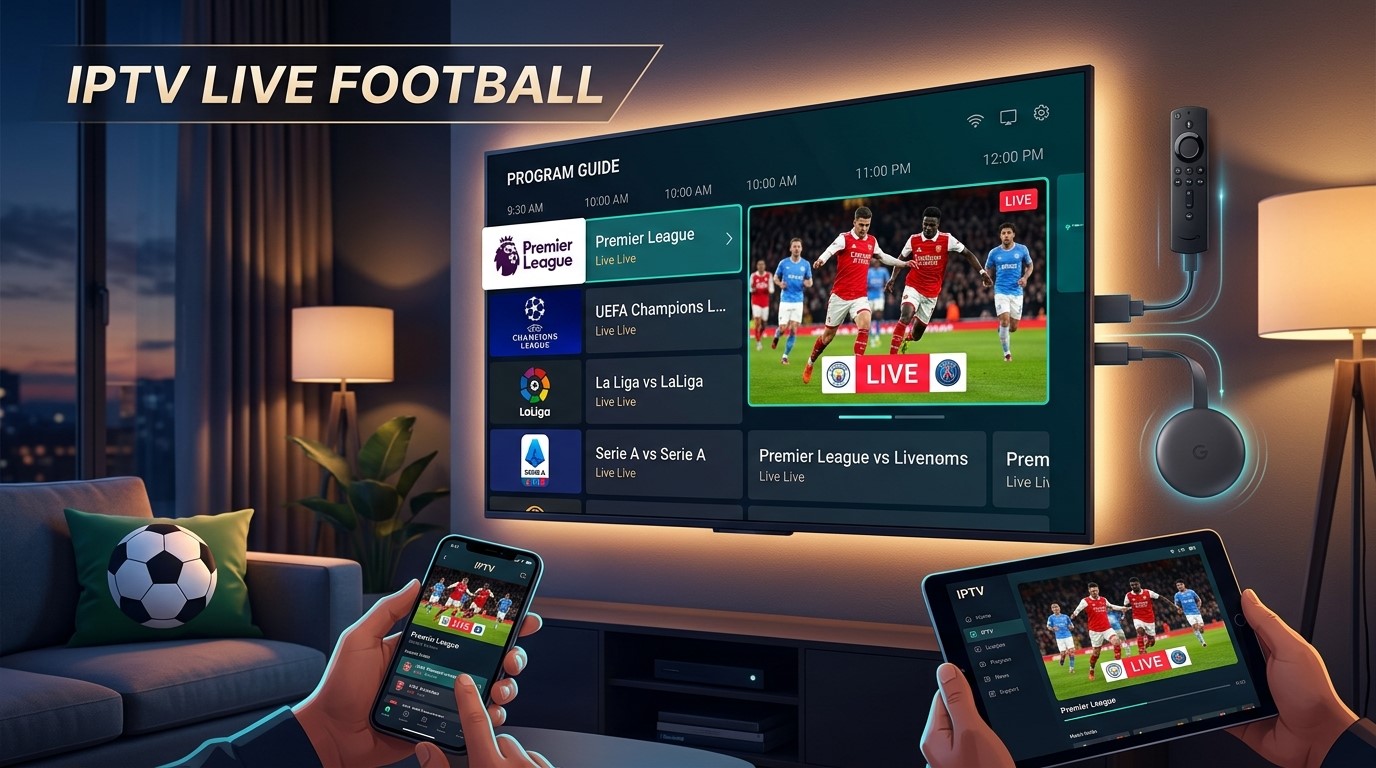
Football fans have more ways to watch live matches than ever. Instead of relying exclusively on traditional cable or satellite packages, many viewers now use internet-based television services to access live sports on compatible TVs, streaming devices, phones and computers.

IPTV with live football can be convenient because television content is delivered over an internet connection, allowing viewers to watch compatible sports channels on a range of devices. However, the channels and competitions available depend on the provider, your location and current broadcasting rights.

Whether you want to follow Premier League fixtures, Champions League matches, La Liga, Serie A or international football, choosing the right service requires more than simply looking at the number of channels advertised.

This guide explains how football IPTV works, what to look for in a service, how to watch matches on Firestick, Chromecast and Smart TV, how to reduce buffering, and what to know about football broadcasting rights.

If you’re researching an IPTV subscription, you can also explore the available options from Sky Glass IPTV Store and check its current device compatibility and content offering before choosing a plan.

Important: IPTV is a technology used to deliver television over the internet. Whether a particular service can legally provide a specific football match depends on its licensing and broadcasting rights. Always use authorized services and applications.

What Is IPTV with Live Football?

What Is IPTV?

IPTV stands for Internet Protocol Television. Unlike traditional cable or satellite television, IPTV delivers television programming through an internet connection.

Depending on the service, IPTV can provide access to live television channels, sports, entertainment, news and other programming through compatible applications or devices.

The viewing experience can vary considerably between providers. Some may offer dedicated applications, while others may support a web player or compatible IPTV player.

What Does IPTV with Live Football Mean?

IPTV with live football refers to an IPTV service or television package that includes sports channels carrying live football programming.

This doesn’t necessarily mean that one service provides every football competition or every match. Football broadcasting rights are divided between broadcasters and can vary significantly by country.

For example, a service may carry channels showing certain Premier League matches but not necessarily every Champions League or La Liga fixture.

That’s why it’s important to check the current channel lineup and broadcasting arrangements before subscribing.

Why Are Football Fans Interested in IPTV?

IPTV can appeal to football fans for several reasons:

  • Internet-based viewing
  • Support for multiple compatible devices
  • Large-screen viewing
  • Electronic Programme Guides (EPG)
  • Access to sports-focused channels
  • Flexible viewing locations
  • Integration with Smart TVs and streaming devices

For many viewers, the biggest advantage is being able to use a compatible service across the devices they already own.

What Football Can You Watch With IPTV?

The football available through IPTV depends on the provider’s channel lineup and the broadcasting rights applicable in your country.

Before choosing a service, identify the competitions you actually want to watch rather than assuming that every advertised sports package includes everything.

Premier League

The Premier League is one of the most popular football competitions among viewers searching for live football streaming.

Depending on your country, different broadcasters may hold the rights to Premier League matches. Therefore, check which authorized sports channels are included with the service you’re considering.

If you’re specifically interested in football-focused IPTV options, explore the available live football IPTV offering and verify the current channel lineup before subscribing.

UEFA Champions League

The UEFA Champions League attracts viewers from around the world, but its broadcasting rights differ between territories.

If Champions League football is a priority, don’t simply look for a service advertising “sports channels.” Check whether it carries the authorized broadcaster or channel showing the competition in your region.

You can also read our dedicated guide on Champions League live streaming for more information about watching Europe’s premier club competition online.

UEFA Europa League

The Europa League is another major European competition with region-specific broadcasting arrangements.

Availability can change between seasons, so viewers should check the current broadcaster and channel lineup rather than relying on outdated IPTV lists.

La Liga

Spanish football attracts a global audience, with clubs and matches generating strong international interest.

If you follow La Liga, check whether the sports channels included with your chosen service carry the relevant broadcasts in your country.

Serie A

Italian Serie A is another popular competition among football fans.

As with other leagues, the availability of matches depends on regional broadcasting agreements. A service that carries Serie A channels in one country may not provide the same coverage elsewhere.

Bundesliga

The Bundesliga provides another major European football option.

When comparing IPTV services, check the actual sports channels and competitions available rather than judging a service only by its total channel count.

FA Cup and Domestic Competitions

Football fans may also want access to domestic cup competitions, including the FA Cup and other national competitions.

Broadcasting arrangements can differ from those used for league football, so it’s worth checking each competition separately.

International Football

Depending on the season, football fans may also look for:

  • FIFA World Cup matches
  • European Championship matches
  • International friendlies
  • World Cup qualifiers
  • European qualifiers
  • National-team competitions

Again, availability depends on current rights and your location.

How to Choose the Best IPTV for Live Football

Choosing an IPTV service for football requires more research than simply selecting the package with the most channels.

Here are the factors worth checking.

Check Football Channel Availability

First, determine whether the service actually carries the channels you need.

If you mainly watch Premier League football, check for the relevant broadcaster. If you’re more interested in Champions League or Spanish football, look for the channels responsible for those competitions in your region.

A large channel count doesn’t automatically mean better football coverage.

Check Streaming Quality

Picture quality is particularly important when watching football.

Look for appropriate support for:

  • SD
  • HD
  • Full HD
  • 4K

However, remember that advertised resolution doesn’t guarantee that every channel will be available at that quality.

Actual quality can depend on the original broadcast, encoding, internet connection, device and provider.

Look for Stable Streaming

Nobody wants a stream to stop during an important goal.

Streaming stability can depend on several factors, including:

  • Your internet connection
  • Wi-Fi quality
  • Router performance
  • Network congestion
  • Streaming device
  • Provider infrastructure

Be cautious about absolute claims such as “zero buffering.” No internet-based service can guarantee perfect playback under every network condition.

Check Device Compatibility

Before subscribing, make sure the service works with your preferred device.

Common options include:

  • Smart TVs
  • Firestick
  • Google TV
  • Chromecast
  • Android TV
  • Android phones
  • iPhone and iPad
  • Windows computers
  • Mac computers

If you plan to watch football through Chromecast, our guide on IPTV on Chromecast explains how compatible IPTV content can be cast to a TV.

Look for an Electronic Programme Guide

An EPG, or Electronic Programme Guide, can make watching football considerably easier.

Instead of searching through dozens or hundreds of channels, you can use the guide to identify:

  • Match times
  • Sports channels
  • Upcoming fixtures
  • Current programmes
  • Football broadcasts

This is especially useful on busy match days when several games are taking place.

Consider Customer Support

Good customer support can be valuable when you’re trying to watch a major match.

Before subscribing, check whether the provider clearly explains how customers can receive technical assistance and whether setup instructions are available.

Compare Pricing and Subscription Options

Price should be considered alongside what you’re actually receiving.

Compare:

  • Subscription duration
  • Available channels
  • Sports coverage
  • Supported devices
  • Streaming quality
  • Customer support
  • Trial options, if offered

The cheapest option isn’t necessarily the best choice, and the most expensive option isn’t automatically the best either.

Check Legal and Licensing Information

This is one of the most important considerations.

IPTV technology itself is legal. The issue is whether a provider has permission to distribute the television channels and football broadcasts it offers.

Always check the provider’s terms and make sure you’re using an authorized service for the content you want to watch.

How to Watch Live Football With IPTV

Once you’ve selected an authorized service, the basic process is generally straightforward.

Step 1: Choose an Authorized IPTV Service

Start by identifying a service that offers the football channels and competitions you’re interested in.

Check its current channel lineup and regional availability.

Step 2: Choose Your Viewing Device

Decide where you want to watch.

For example:

  • Smart TV for direct large-screen viewing
  • Firestick for a dedicated streaming device
  • Chromecast for supported casting
  • Android TV for an app-based experience
  • Smartphone for portable viewing
  • Computer for web-based viewing

Step 3: Install the Supported Application

Use the provider’s official instructions and trusted application sources whenever available.

Avoid downloading unknown applications or APK files from suspicious websites simply because they promise access to premium sports content. Check our installation guide page to make sure.

Step 4: Sign In

Enter your authorized account information according to the provider’s setup instructions.

The exact login process can vary between services.

Step 5: Find the Football Channel

Open the Sports or Football section.

If the service provides an EPG, use it to find the relevant match and channel.

Step 6: Watch the Match

Select the authorized channel carrying the match and start watching.

For major fixtures, it’s a good idea to test your setup before kickoff rather than waiting until the last minute.

Best Devices for Watching IPTV with Live Football

Your preferred device can significantly affect your viewing experience.

Smart TV

A Smart TV can be one of the simplest options because you can potentially use a compatible application directly on the television.

The exact application support depends on the TV operating system and IPTV provider.

Amazon Firestick / Fire TV

Firestick is popular because it turns a compatible television into a streaming-focused setup with a dedicated remote.

For football fans, it can be convenient to open a supported application and navigate through sports channels directly on the TV.

Before subscribing, check the provider’s Firestick compatibility.

If you’re specifically interested in this setup, you can explore information about IPTV for Firestick on the relevant Sky Glass IPTV Store page.

Chromecast / Google TV

Chromecast can be useful when you prefer casting compatible content from a phone, tablet or computer.

Google TV-based Chromecast devices can provide additional functionality through their TV interface and supported applications.

Our IPTV on Chromecast guide covers the setup and troubleshooting process in more detail.

Android TV

Android TV provides a television-focused interface with support for compatible applications.

It can be particularly convenient for viewers who want to browse channels using a remote rather than constantly casting from their phone.

Smartphone and Tablet

Phones and tablets provide portability.

You can potentially watch compatible football programming away from your main TV, provided your service, application and internet connection support the setup.

Laptop and Desktop

Computers can be useful when an authorized provider offers a web player.

A larger monitor can provide a better experience than a phone, particularly when watching with friends.

IPTV with Live Football on Firestick

Firestick is a popular choice for people who want to watch internet-based television on their TV.

Why Firestick Is Popular for Football Streaming

A Firestick provides:

  • Dedicated remote control
  • TV-focused interface
  • Compact hardware
  • Support for compatible applications
  • Easy connection to compatible TVs

For football fans, the main advantage is convenience. Once the appropriate application is configured, you can navigate through supported sports channels using the remote.

Basic Firestick Setup

A typical setup involves:

  1. Connect the Firestick to your TV.
  2. Connect it to your Wi-Fi network.
  3. Complete the device setup.
  4. Install the supported application from an official or trusted source.
  5. Sign in to your authorized service.
  6. Open the Sports or Football section.
  7. Select the relevant channel.

The exact process depends on the IPTV provider and application.

What to Check Before Subscribing

Before choosing a service for Firestick football streaming, check:

  • Firestick compatibility
  • Supported application
  • Football channel availability
  • Picture quality
  • Subscription options
  • Customer support
  • Current broadcasting rights

IPTV with Live Football on Chromecast

Chromecast can be another useful option for football fans.

If your IPTV application supports Chromecast, you can generally connect your phone and Chromecast to the same Wi-Fi network, open the application and select the Cast option.

You can then choose the Chromecast device and display compatible live football content on your television.

Keep in mind that not every IPTV application supports Chromecast.

If you’re using Chromecast with Google TV, your available options may be different because compatible applications can potentially be installed directly on the device.

For a complete walkthrough, see our guide to IPTV on Chromecast.

How to Get the Best Football Streaming Quality

Even a good IPTV service can perform poorly if your home network isn’t configured properly.

Use a Stable Internet Connection

A stable connection is essential for live football.

The connection needs to continuously deliver the required stream data without significant interruptions.

Use Ethernet When Available

If your streaming device supports Ethernet, a wired connection can provide more consistent connectivity than Wi-Fi in some home environments.

This can be particularly useful for TVs located far from the router.

Reduce Network Congestion

If several people are simultaneously streaming video, downloading large files or playing online games, your available bandwidth may be reduced.

Before an important match, consider minimizing unnecessary network activity.

Choose an Appropriate Resolution

Higher resolution generally requires more bandwidth.

HD or Full HD can provide a good viewing experience for many users, while 4K requires compatible content, hardware and sufficient bandwidth.

Keep Your Streaming Device Updated

Make sure your device and supported applications are kept reasonably up to date.

Software updates can include bug fixes and compatibility improvements.

Test Before Kickoff

Don’t wait until the match starts to discover a problem.

Open the relevant channel several minutes before kickoff and confirm that:

  • Video works
  • Audio works
  • The correct channel is playing
  • Your internet connection is stable
  • Your streaming device is functioning correctly

What Internet Speed Do You Need for Live Football IPTV?

There isn’t one universal internet-speed requirement for IPTV football streaming.

The amount of bandwidth required depends on the stream’s resolution, bitrate and encoding.

As a general principle:

  • SD requires less bandwidth.
  • HD requires more.
  • Full HD requires more than standard HD.
  • 4K generally requires substantially more bandwidth.

But download speed isn’t the only consideration.

Your experience can also depend on:

  • Wi-Fi signal strength
  • Router quality
  • Distance from the router
  • Number of connected devices
  • Network congestion
  • Streaming device
  • Provider infrastructure

A stable connection is often more important than simply having a high advertised internet speed.

What Internet Speed Is Best for IPTV Football Streaming?

For comfortable football streaming, use a reliable broadband connection that can consistently handle the resolution you’re watching while other household devices aren’t consuming excessive bandwidth.

If you experience buffering despite having a fast connection, investigate Wi-Fi stability, router performance and network congestion before assuming the IPTV service is responsible.

Common Problems When Watching Football on IPTV

Live football can be particularly frustrating when technical problems appear at the worst possible moment.

Here are some common issues and potential solutions.

Buffering During a Match

Buffering may be caused by:

  • Weak Wi-Fi
  • Network congestion
  • Router issues
  • High stream quality
  • Provider-side problems
  • Too many connected devices

Try restarting your router and streaming device and checking your network connection.

Football Channel Not Available

If a particular match isn’t available, don’t immediately assume there’s a technical problem.

The provider may not carry the broadcaster responsible for that match.

Broadcasting rights can also differ by country.

Check the provider’s current channel lineup and the broadcaster for your region.

Poor Picture Quality

Check:

  • Stream resolution
  • Internet stability
  • Device capabilities
  • TV settings
  • Network congestion

Remember that the streaming device can’t improve the source quality beyond what the service provides.

IPTV App Crashes

Try:

  1. Closing and reopening the application.
  2. Restarting your device.
  3. Checking for updates.
  4. Checking available storage.
  5. Reinstalling the application if appropriate.

If the problem affects only one application, consult its official support information.

Match Has Not Started on the Listed Channel

Check the fixture’s official kickoff time and your local time zone.

EPG information can occasionally be outdated or incorrect, so compare important fixtures with an official competition or broadcaster schedule.

Audio and Video Are Out of Sync

Try restarting playback or reopening the application.

You should also check for application and device updates.

If the issue happens only on one channel, it may be related to the source stream rather than your TV.

Can IPTV Replace Cable for Football Fans?

Whether IPTV can replace cable depends on your viewing habits, internet connection and the football coverage available in your region.

FeatureIPTVCable/Satellite
Internet requiredYesUsually no
Device flexibilityOften highMore limited
Live sportsProvider-dependentPackage-dependent
EPGOften availableUsually available
MobilityHighLower
InstallationInternet/app-basedTraditional installation

When IPTV May Be Better

IPTV may suit you if:

  • You already have reliable broadband.
  • You prefer internet-based television.
  • You use multiple compatible devices.
  • You want a flexible viewing setup.
  • You prefer streaming through Smart TVs or dedicated devices.

When Traditional TV May Be Better

Cable or satellite can still make sense if:

  • You prefer a conventional television package.
  • Your internet connection is unreliable.
  • Your preferred football broadcaster is already included.
  • You don’t want to manage applications or internet-based streaming.

The best option ultimately depends on your requirements.

Why Choose Sky Glass IPTV Store for Live Football?

If you’re researching an IPTV subscription for live TV and sports, Sky Glass IPTV Store can be one of the services worth investigating.

Rather than choosing a service based solely on its advertised channel count, check the current offering and determine whether it matches the competitions and devices you actually use.

Potential areas to evaluate include:

  • Live TV availability
  • Sports channels
  • Football programming
  • Supported devices
  • Subscription options
  • Customer support
  • Trial availability, where currently offered

Explore Live Sports Channels

Football fans should check the current sports lineup before subscribing.

If a particular competition is important to you, verify that the relevant authorized broadcaster or channel is included for your location.

Watch on Supported Devices

If you plan to watch football on a Smart TV, Firestick, Android TV, Chromecast or another device, confirm that your specific setup is supported.

Compatibility can vary between applications and device models.

Choose a Package That Fits Your Viewing Needs

Don’t automatically select the longest or most expensive subscription.

Instead, compare the available packages based on:

  • Sports coverage
  • Device support
  • Subscription duration
  • Available features
  • Customer support
  • Current pricing

You can explore the available IPTV subscription options from Sky Glass IPTV Store and verify the current service details before making a decision.

Is IPTV with Live Football Legal?

This is an important question for anyone considering IPTV.

IPTV technology itself is legal. It is simply a method of delivering television content over the internet.

The legal issue concerns the content being distributed.

A provider needs appropriate authorization to distribute copyrighted television channels and football broadcasts. Sports rights are often sold on a territory-by-territory basis, meaning that the same competition can have different broadcasters in different countries.

When choosing an IPTV service:

  • Check the provider’s terms.
  • Verify its current channel offering.
  • Check whether it is authorized to distribute the content.
  • Use official applications where possible.
  • Consider the broadcasting rules applicable in your country.

Don’t assume that a service is authorized simply because it advertises a particular football competition.

Frequently Asked Questions

Can I watch live football with IPTV?

Yes, authorized IPTV or streaming services can provide access to live football when they have the appropriate broadcasting rights. The competitions and channels available depend on the provider and your location.

What is the best IPTV for live football?

The best option depends on the football competitions you follow, your location, preferred device, streaming quality requirements and the provider’s authorized channel lineup.

Rather than choosing based on channel count alone, check whether the service carries the specific broadcasters you need.

Can I watch the Premier League with IPTV?

You can watch Premier League matches through an IPTV or streaming service when it carries the authorized broadcaster for your region. Check the current rights and channel lineup before subscribing.

Can I watch the Champions League with IPTV?

Champions League availability depends on the broadcaster holding rights in your country. If you’re looking for Champions League coverage, verify that the service includes the appropriate authorized channel.

You can also read our dedicated Champions League live streaming guide for additional information.

Can I watch football IPTV on Firestick?

Yes, if your authorized IPTV service and its supported application are compatible with Firestick. The setup generally involves connecting the device to Wi-Fi, installing the supported application and signing in.

Can I watch IPTV football on Smart TV?

Yes, provided your IPTV provider supports your Smart TV’s operating system and provides a compatible application or viewing method.

Always check compatibility for your specific TV model.

Can I watch football IPTV on Chromecast?

Yes, compatible IPTV applications can potentially cast live football content to Chromecast. Both devices generally need to be connected to the same Wi-Fi network.

Not every IPTV application supports Chromecast, so check compatibility first.

Does IPTV include every football match?

No. No single IPTV service should automatically be assumed to carry every football match.

Availability depends on broadcasting rights, region, provider agreements and the specific channels included in the service.

What internet speed do I need for football IPTV?

The required speed depends on video resolution and bitrate. HD requires less bandwidth than 4K, for example.

A stable connection is also important. If several devices are using your network simultaneously, your available bandwidth may be reduced.

Why does football IPTV buffer?

Buffering can result from weak Wi-Fi, network congestion, router problems, device issues or provider-side problems.

Try checking your network, restarting your equipment and reducing other network activity before the match.

Ready to Watch Live Football Online?

Looking for a reliable way to enjoy live football on your preferred device? Explore the latest IPTV subscription options from Sky Glass IPTV Store, check the available sports channels and choose a package that fits your viewing needs.

Watch live TV and football your way – explore Sky Glass IPTV Store today.