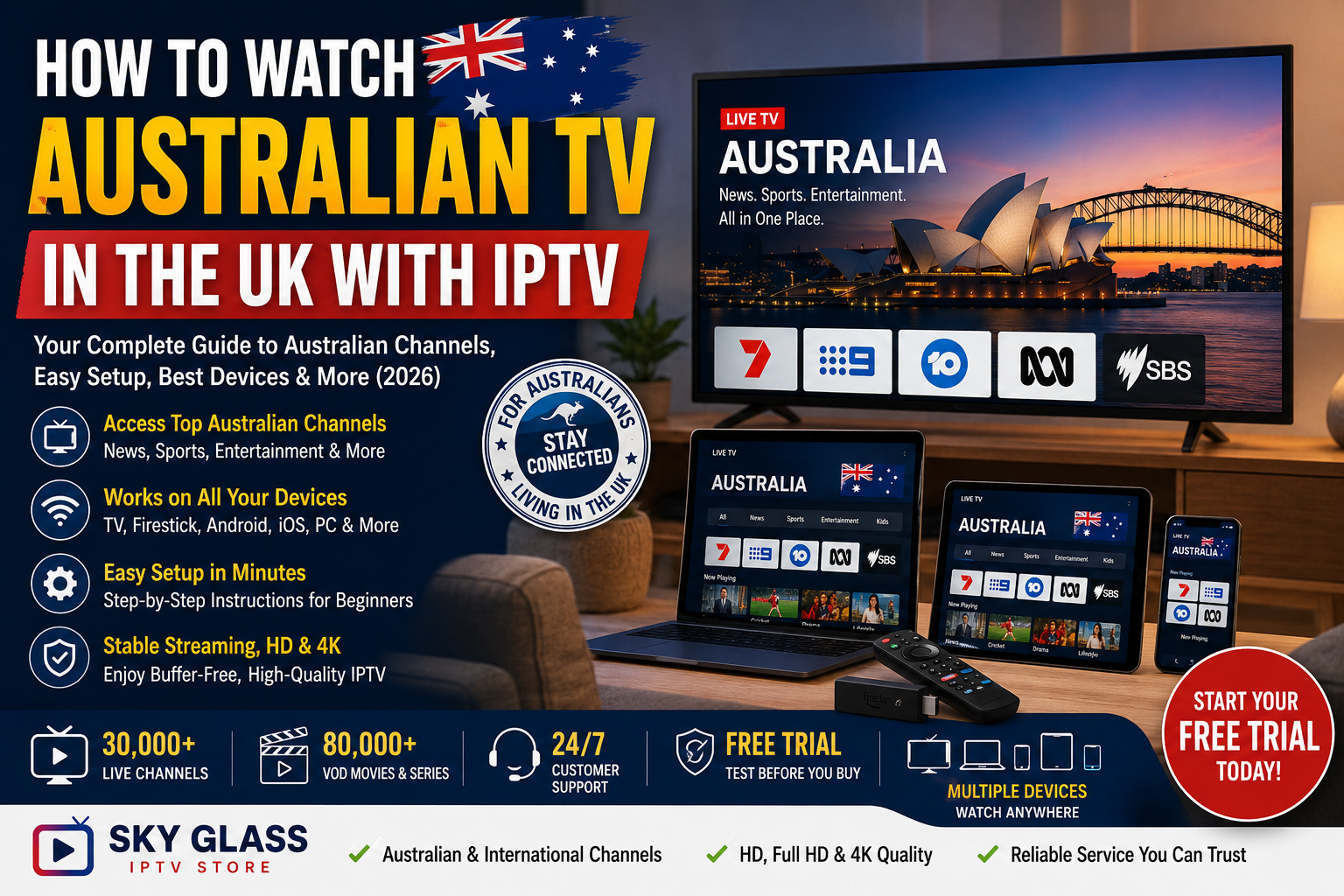
If you’ve moved from Australia to the UK, keeping up with familiar Australian TV can be surprisingly difficult. Local news, entertainment, sports and other programming from home aren’t always included in standard UK television packages.
IPTV can offer a convenient way to access Australian channels over an internet connection, provided you choose a legitimate service that actually includes the content you want. This guide explains how Australian IPTV works in the UK, what you need, which devices you can use, how to set it up, and what to check before subscribing.
How Can I Watch Australian TV in the UK?
You can watch Australian TV in the UK through an IPTV service that includes Australian channels in its channel library. After choosing a suitable provider, you receive IPTV credentials, install a compatible IPTV player on your device, enter your login details, and browse the available Australian channels.
IPTV can work on Firestick, Smart TVs, Android TV, smartphones, tablets, Windows PCs and Mac computers. The exact setup depends on your device, but the basic process is usually the same: subscribe or request a trial, install an IPTV player, enter your credentials and start streaming.
Before choosing a service, check that the Australian channels you actually want are included in its current channel list.
Why Use IPTV to Watch Australian TV in the UK?
Moving overseas doesn’t necessarily mean you want to stop watching television from home. For many Australians living in Britain, access to Australian programming is simply another way of staying connected with familiar news, entertainment and sporting content.
Keep Up With Australian News
Australian news can be particularly important when you’re living thousands of kilometres away from home. Online news websites are useful for headlines, but having access to television news can provide a more familiar viewing experience.
An IPTV service that includes Australian news programming can make it easier to keep up with developments in Australia without relying entirely on UK-based coverage.
Stay Connected With Australian Entertainment
Television is also about more than news. Australians living in the UK may want access to familiar entertainment, lifestyle programmes, documentaries and other programming they watched before moving abroad.
Having Australian channels alongside UK and international channels can give households a wider choice without requiring a separate television setup for every type of content.
Access Australian Sports Coverage
Sports are another major reason Australians look for Australian TV options overseas. However, sports broadcasting rights can vary by country, competition and provider, so you should always check the current channel list rather than assuming a particular event or channel is included.
If Australian sports are your main priority, test the relevant channels during your trial period before committing to a longer subscription.
One Subscription Across Multiple Devices
One of the biggest advantages of IPTV is device flexibility. Depending on your subscription and provider’s terms, you may be able to watch on your main television as well as a laptop, phone or tablet.
That can be useful for Australians living in shared accommodation or households where different family members want to watch different programming.
More International Content in One Place
Australian programming doesn’t have to be the only reason to use IPTV. An international channel library can also provide access to UK and other international programming from the same interface.
For households with family members from different countries, this can be more convenient than maintaining separate services for every region.
What Australian TV Channels Are Available on IPTV?
Australian channel availability depends entirely on the IPTV provider and its current content offering. Two services can advertise thousands of channels but have completely different Australian selections, so channel count alone isn’t a reliable way to compare them.
Australian News Channels
Viewers may look for Australian news and current-affairs programming when choosing an IPTV service. If news is important to you, check the provider’s current Australian category and verify that the channels you recognise are actually available.
Australian Entertainment Channels
Australian entertainment can include general television, lifestyle, documentary and other programming. Availability can change, so don’t rely solely on an old screenshot, review or channel list found elsewhere online.
Australian Sports Channels
Sports availability requires particular attention because broadcasting rights can change. A provider may offer Australian sports-related channels without necessarily carrying every event or competition you want to watch.
The best approach is to identify your must-have channels first and then test them during a free trial where one is available.
Australian Children’s and Family Content
Families may also want Australian children’s and family-oriented programming. If this matters to you, check the relevant categories before subscribing and make sure the available streams match what you’re looking for.
Australian and International Content
The biggest benefit for many expat households is the combination of Australian and international programming. Instead of using a service exclusively for Australian television, you can look for a provider that offers a broader international selection.
If you’re researching a provider, checking its IPTV Reviews before subscribing can also help you understand what existing customers say about reliability, support and overall experience.
How Does IPTV Work for Australian TV in the UK?
IPTV stands for Internet Protocol Television. Instead of receiving television through a traditional terrestrial, satellite or cable connection, IPTV delivers video through an internet connection.
The basic process is straightforward. Your IPTV provider supplies access credentials, normally in a format such as an Xtream Codes login or an M3U playlist. You enter those details into a compatible IPTV player, and the application retrieves the channels and other content available through your subscription.
The IPTV player is essentially the interface you use to browse and watch the service. The player itself doesn’t normally provide the television channels; it connects to the service associated with the credentials you enter.
This distinction is important because an IPTV player and an IPTV subscription are two different things.
You don’t normally need an Australian satellite dish or traditional Australian television antenna simply to use an internet-based IPTV service in the UK. You need a compatible device, an internet connection, a suitable player and a subscription that legitimately provides the content you want.
For device-specific instructions, the IPTV Installation Guide covers the general installation process across common platforms.
What Do You Need to Watch Australian TV with IPTV?
Getting started doesn’t require complicated equipment. In most cases, you need four basic things.
1. An IPTV Subscription or Free Trial
First, you need access to a provider that includes Australian channels. Many providers offer a trial, allowing you to test channel availability and streaming performance before choosing a longer plan.
If you’ve already decided which service you want to test, you can explore the available options on the Buy IPTV Subscription page.
Your provider may send you an Xtream Codes username, password and server URL, or an M3U playlist URL.
2. A Stable Internet Connection
Your internet connection needs enough bandwidth for the video quality you’re trying to watch.
As a practical guideline, around 10 Mbps is suitable for HD streaming, while 25 Mbps or more is generally recommended for 4K. These aren’t guarantees because Wi-Fi quality, network congestion and server performance also affect playback.
3. A Compatible Device
You can potentially watch IPTV on:
- Amazon Firestick
- Smart TVs
- Android TV
- Android phones and tablets
- iPhone and iPad
- Windows PCs
- Mac computers
Choose the device that fits how you normally watch television.
4. An IPTV Player
You’ll also need an IPTV player compatible with your device. The provider supplies the content access; the player gives you the interface for loading and watching it.
Different players support different login methods and features, so follow your provider’s recommended setup instructions.
How to Set Up IPTV for Australian TV in the UK – Step-by-Step
Once you’ve chosen a suitable service, setting it up is usually straightforward.
Step 1: Choose an IPTV Provider With Australian Channels
Don’t start by choosing the cheapest subscription you can find. Start with the channels you actually want.
Check whether the provider offers Australian programming, whether the relevant channels are currently active, and whether the service supports your preferred device.
Other factors worth checking include:
- Channel stability
- HD and 4K availability
- Device compatibility
- Customer support
- Trial availability
- Subscription terms
- Customer feedback
A free trial is particularly useful because advertised channel counts don’t tell you how well individual streams perform.
You can also check the provider’s IPTV Reviews before making a decision.
Step 2: Request a Free Trial or Purchase a Subscription
Once you’ve found a service that appears suitable, request a trial if available or select a subscription.
You’ll normally receive credentials by email or through the provider’s account system. Depending on the service, these may include:
- Server URL
- Username
- Password
- M3U playlist URL
Keep these details private and enter them exactly as provided.
If you’re ready to compare available plans, visit the Buy IPTV Subscription page.
Step 3: Install an IPTV Player
The next step is installing an IPTV player on your chosen device.
The exact process varies considerably. Firestick, Android TV, Smart TV, Windows and Mac all have different installation procedures.
If you’re setting up IPTV for the first time, the IPTV Installation Guide is a useful starting point for the device-specific process.
Step 4: Enter Your IPTV Credentials
Open your IPTV player and select the login method supported by your subscription.
With Xtream Codes, you’ll generally enter a server URL, username and password.
With an M3U playlist, you’ll normally paste the playlist URL into the appropriate field.
Double-check every character. A single incorrect letter, number or symbol can prevent the service from connecting.
Step 5: Load the Channel List
After your credentials are accepted, the player should retrieve your available channel categories.
Depending on the provider and application, categories might include:
- Live TV
- Australia
- UK
- International
- Movies
- Series
- Sports
The exact organisation varies between services.
Large channel libraries can take some time to populate, particularly when the application is loading EPG information at the same time.
Step 6: Find Australian Channels
Once the channel list has loaded, look for an Australia or Australian category.
If you don’t immediately see it, use the application’s search function. Some IPTV players organise channels by region, while others use provider-specific categories.
Add your most frequently watched channels to your favourites where the application supports this feature.
Step 7: Test Several Channels
Don’t test only one channel before deciding whether a service is suitable.
Try several Australian channels and different types of programming. If possible, test them during different times of day, including the evening when internet traffic can be higher.
Pay attention to:
- Channel loading time
- Buffering
- Picture quality
- Audio stability
- EPG accuracy
- Whether channels remain available
A short trial can tell you much more about a service than a long list of advertised features.
Which Device Is Best for Australian IPTV in the UK?
There isn’t one perfect IPTV device for everyone. The best choice depends on where and how you normally watch television.
| Device | Best For | Setup Difficulty |
| Firestick | Living-room TV | Easy |
| Smart TV | Direct TV streaming | Easy |
| Android TV | Flexible TV setup | Easy |
| Windows PC | Testing and desktop viewing | Very Easy |
| Mac | Desktop and laptop viewing | Very Easy |
| Android Phone | Portable viewing | Easy |
| iPhone/iPad | Mobile viewing | Easy |
Best Option for the Living Room
A Firestick or compatible Smart TV is usually the most convenient option if you want IPTV to feel like a traditional television service.
Once configured, you can use your remote to browse categories and switch channels from the sofa.
Best Option for Testing
A Windows PC or Mac is convenient when you’re testing a new IPTV service. You don’t need to change your main television setup, and you can quickly install a compatible player and test your credentials.
Best Option for Mobile Viewing
Android and iOS devices are useful when you want access away from the television. Whether you’re travelling around the UK or simply watching from another room, a phone or tablet provides more flexibility.
For detailed setup instructions across devices, use the IPTV Installation Guide.
What Internet Speed Do You Need for Australian IPTV?
Internet speed has a major impact on IPTV performance, but raw download speed isn’t the only factor.
| Streaming Quality | Recommended Speed |
| SD | 5 Mbps+ |
| HD | 10 Mbps+ |
| Full HD | 15 Mbps+ |
| 4K | 25 Mbps+ |
These figures are practical guidelines rather than guarantees.
For example, you might have a 100 Mbps broadband package but still experience buffering if your device has a weak Wi-Fi connection or your network is heavily congested.
For the most consistent experience, keep your router reasonably close to Wi-Fi devices. If you’re using a desktop PC or another stationary device, an Ethernet connection can provide greater consistency than Wi-Fi.
Also consider what else is happening on your network. Large downloads, cloud backups, gaming and multiple simultaneous streams can consume bandwidth and affect IPTV playback.
Most importantly, remember that your internet connection isn’t the only factor. Provider-side infrastructure can also affect streaming performance.
Australian IPTV Not Working in the UK? Common Problems and Fixes
Even with a good internet connection, occasional IPTV problems can happen. The key is identifying whether the problem comes from your device, network, credentials or provider.
Australian Channels Are Missing
If Australian channels don’t appear, first allow the application time to finish loading the channel list.
Then check whether the channels are listed under a different category. Your provider’s current channel lineup is the best reference because channel availability can change.
If the channel isn’t included in your subscription, contact the provider rather than assuming your application is broken.
Australian Channels Are Buffering
Buffering can have several causes.
Start by checking your internet connection. Then check your Wi-Fi signal, disconnect unnecessary devices and restart your IPTV application.
If your internet is working normally but multiple channels from the same provider continue buffering, the issue may be on the provider’s side.
Testing the same channel at different times can help identify whether the problem is related to network congestion or peak-hour demand.
IPTV Credentials Aren’t Working
Check the username, password and server URL carefully.
Common mistakes include:
- Incorrect characters
- Extra spaces
- Missing symbols
- Using an expired trial
- Entering the wrong server address
If everything appears correct, contact your provider’s support team.
EPG Isn’t Showing
Electronic Programme Guide data can sometimes take longer to load than the channel list itself.
Restart the application and allow it time to refresh. EPG coverage can also vary by channel, so an absent guide doesn’t necessarily mean the channel itself is unavailable.
Channels Work on One Device but Not Another
Different devices and IPTV players can behave differently.
If your credentials work on one device but not another, check that the second device supports your login method and that the application is correctly configured.
The IPTV Installation Guide can help you work through the basic setup process.
What to Look for in an IPTV Provider for Australian TV
Choosing a provider based only on price or channel count can lead to disappointment. Instead, consider the overall service.
Australian Channel Availability
The first requirement is simple: does the provider actually offer the Australian channels you want?
Make a short list of your must-have channels and check them individually.
Reliable Streaming Infrastructure
A provider’s infrastructure matters more than an impressive channel number.
A smaller, well-maintained selection that works consistently can be more useful than a huge library containing unreliable streams.
Free Trial
A trial gives you an opportunity to test the actual service before committing to a longer subscription.
Use the trial properly. Don’t just check whether channels appear; watch them for a reasonable period and test different categories.
Customer Support
Good support matters when you’re dealing with login problems, application setup or device compatibility.
Before subscribing, find out how the provider handles customer questions and technical issues.
Real Customer Reviews
Customer feedback can reveal things that a sales page doesn’t.
Look for comments about long-term reliability, customer support, streaming quality and the renewal experience rather than focusing only on individual positive or negative comments.
The IPTV Reviews page can be useful when researching customer experiences.
Transparent Subscription Options
A provider should clearly explain what you’re purchasing, how long the subscription lasts and what is included.
Avoid making a decision based purely on a low headline price.
If you’re comparing plans, you can review the available options through the Buy IPTV Subscription page.
Is Watching Australian TV Through IPTV Legal in the UK?
IPTV technology itself is a method of delivering television content over the internet. The important consideration is whether the provider has the appropriate rights or permissions for the content it distributes.
For that reason, viewers should choose transparent providers and review their terms before subscribing. Don’t assume that every service advertising an Australian channel lineup has the same rights or licensing arrangements.
A VPN also doesn’t change the legal status of content. A VPN is primarily a privacy and security tool; it should not be treated as a way to make unauthorized content legitimate.
If a provider is unclear about who operates the service, what it offers or the terms attached to the subscription, that’s a reason to investigate further before paying.
Why IPTV Is Useful for Australians Living in the UK
For Australians who have moved to Britain, IPTV can be more than just another entertainment option.
It can provide a familiar connection to home through news, entertainment, sports and other programming. Being able to watch Australian content from a living-room television, laptop or mobile device can be particularly useful for people who have lived in the UK for years but still want access to programming from Australia.
It’s also useful for mixed households. One family member might want Australian programming while another prefers UK or international channels. An international IPTV service can potentially bring different content categories together in one interface.
If you’re interested in exploring a broader international IPTV service, you can visit the Sky Glass IPTV Store homepage to see what’s available.
Can You Resell IPTV With Australian and International Channels?
IPTV isn’t only relevant to viewers. Some people are interested in the business side of IPTV and explore reseller programmes where available.
An IPTV reseller panel can provide tools for managing customers, activating subscriptions and handling accounts from one dashboard. Depending on the specific reseller programme, features can include credit-based activation, customer management, subscription options and account monitoring.
If you’re considering this route, research the provider carefully and understand the terms, costs and responsibilities involved. Don’t assume that advertised revenue figures represent guaranteed income.
For readers interested in the business side rather than simply watching IPTV, the IPTV Reseller Panel provides more information about the reseller setup.
Frequently Asked Questions
Can I watch Australian TV in the UK with IPTV?
Yes, if you choose an IPTV provider that legitimately offers the Australian channels you want. You’ll generally need an active subscription, compatible IPTV player and stable internet connection. The exact channel selection varies between providers, so check the current lineup before subscribing.
What Australian channels can I watch with IPTV?
The available channels depend on the provider and its current channel library. Australian news, entertainment, sports and other programming may be available, but you shouldn’t assume every Australian channel is included. Check the provider’s current channel list and test important channels during a trial where possible.
Do I need a VPN to watch Australian TV through IPTV?
A VPN is not inherently required for IPTV. If you’re using a legitimate service, you can generally connect through your normal internet connection. A VPN can be used as a personal privacy and security choice, but it isn’t a substitute for using a legitimate content provider.
Can I watch Australian IPTV on a Firestick?
Yes. Firestick is one of the common devices used for IPTV applications. You’ll need a compatible player and the credentials supplied by your IPTV provider. The exact installation process depends on the application and Firestick model. See the IPTV Installation Guide for setup instructions.
Can I watch Australian IPTV on a Smart TV?
Many Smart TVs can run compatible IPTV applications, although the available apps depend on the television’s operating system and model. Some users instead connect a streaming device such as a Firestick or Android TV device if their television has limited application support.
Can I watch Australian TV on my phone?
Yes. IPTV players are available for compatible Android and iOS devices. Once the application is installed, you can generally enter your IPTV credentials and access the channels supported by your subscription. A stable Wi-Fi or mobile data connection is recommended for smooth playback.
What internet speed do I need for Australian IPTV?
Around 10 Mbps is a practical minimum guideline for HD streaming, while 25 Mbps or more is recommended for 4K. However, speed isn’t everything. Wi-Fi quality, network congestion, device performance and the IPTV provider’s infrastructure can all affect streaming quality.
Why are Australian IPTV channels buffering?
Buffering can be caused by a weak internet connection, poor Wi-Fi, network congestion, an overloaded device or provider-side streaming problems. Test your connection first, then try another channel. If several channels consistently buffer while other internet services work normally, contact the IPTV provider.
Can I test Australian channels before buying?
If the provider offers a free trial, this is one of the best ways to evaluate the service. Test the Australian channels you actually care about, preferably at different times of day. This gives you a better understanding of channel availability and real-world streaming performance before choosing a longer subscription.
Is IPTV a Good Way to Watch Australian TV in the UK?
For Australians living in the UK, IPTV can be a convenient way to access Australian programming over an internet connection, provided you choose a legitimate provider that offers the channels you want.
The setup itself is relatively simple: choose a service, check its Australian channel lineup, request a trial where available, install a compatible IPTV player, enter your credentials and test the streams.
The most important thing is not the biggest advertised channel number or the cheapest subscription. Look at Australian channel availability, streaming reliability, device compatibility, customer support and real customer feedback.
If you’re ready to explore your options, start by checking the Sky Glass IPTV Store homepage, review the available IPTV subscription plans, and use the Installation Guide when you’re ready to set up your device.
Watch Australian TV in the UK With IPTV
Want to keep up with Australian programming while living in the UK? Explore an IPTV service that offers international channel coverage, test the channels that matter to you, and choose a plan that fits your viewing needs.
Explore Sky Glass IPTV Store and see what’s available for your device.
Check IPTV Subscription Plans or request a trial to test the service before committing to a longer plan.