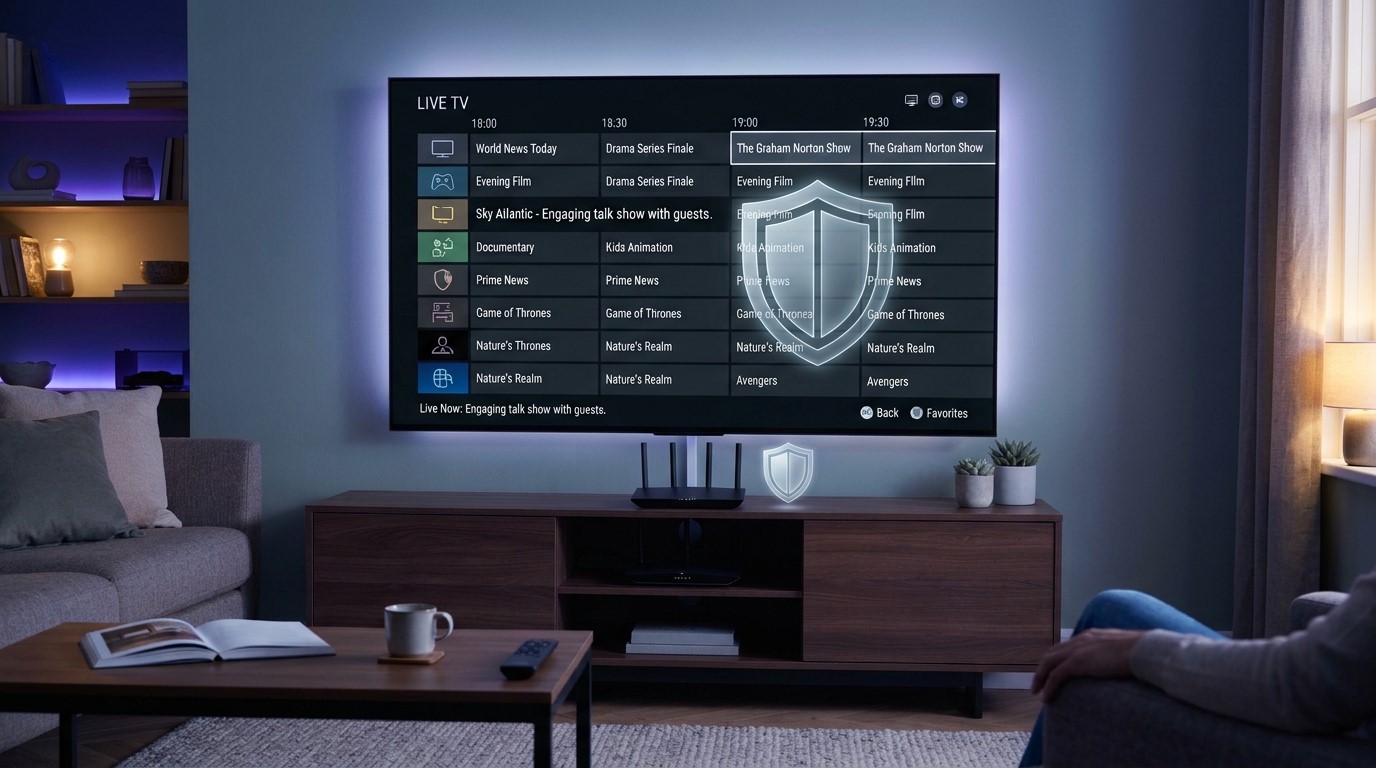
IPTV has become a popular way to watch live television, sports, films and other streaming content over an internet connection. However, some viewers in the UK have concerns about online privacy, connection security, network restrictions and streaming performance. This is where a VPN for IPTV streaming may be useful.
A Virtual Private Network (VPN) encrypts your internet connection and routes your traffic through a VPN server. This can help protect your online activity, particularly when using public Wi-Fi, and reduce the amount of browsing information visible to your local network.
But choosing the right VPN for IPTV is not simply about finding the cheapest subscription. You should consider connection speed, server locations, privacy policies, device compatibility, security features and how reliably the VPN performs during long streaming sessions.
So, what is the best VPN for IPTV streaming in the UK in 2026?
For most users, NordVPN is a strong all-round option, while Surfshark offers good value for households with multiple devices. ExpressVPN is worth considering for its straightforward applications, and Proton VPN is a particularly interesting choice for privacy-focused users.
In this guide, we’ll compare the best VPN services for IPTV in the UK, explain how VPNs work, discuss their advantages and limitations, and show you how to set one up on compatible streaming devices.
What Is a VPN and How Does It Work With IPTV?
A VPN, or Virtual Private Network, creates an encrypted connection between your device and a VPN server.
When you connect to a VPN, your internet traffic travels through this encrypted connection before reaching its destination.
Without a VPN, websites and online services generally see your internet connection’s public IP address. When using a VPN, they normally see the IP address of the VPN server instead.
For IPTV users, this can provide several benefits:
- Encrypts traffic between your device and the VPN server.
- Helps protect your browsing activity on public Wi-Fi.
- Masks your usual public IP address from destination services.
- Provides an additional layer of network privacy.
- Offers server-location choices for legitimate privacy and connectivity needs.
How Does a VPN Work During IPTV Streaming?
Imagine you’re watching IPTV on an Android TV box.
Without a VPN, your device connects to the relevant streaming service through your internet service provider (ISP).
With a VPN, the connection takes a different route:
Your IPTV device → Encrypted VPN connection → VPN server → Streaming destination
The VPN encrypts the connection between your device and the VPN server. The destination service sees the VPN server’s public IP address rather than your normal public IP address.
However, a VPN does not make you completely anonymous. Your VPN provider can still have access to certain connection information depending on its technical design and privacy policy.
It also does not guarantee access to every streaming platform or improve every IPTV connection.
Why Do IPTV Users in the UK Use a VPN?
There are several reasons why someone might consider using a VPN while watching IPTV.
1. Better Online Privacy
A VPN encrypts traffic between your device and the VPN server.
This can make it harder for other parties on the local network to inspect the contents of your connection.
It is particularly useful when connecting to unfamiliar public Wi-Fi networks.
However, HTTPS already encrypts much of the information exchanged between your device and websites, so a VPN should be considered an additional privacy layer rather than complete protection.
2. Protection on Public Wi-Fi
If you use IPTV applications or access online accounts while travelling, you may occasionally connect through public Wi-Fi.
Public networks can expose users to security risks, especially when they are poorly configured.
A reputable VPN can help protect your connection by encrypting traffic between your device and its VPN server.
3. Reducing Exposure of Your Public IP Address
A VPN replaces the public IP address visible to destination services with the VPN server’s address.
This can help limit the exposure of your normal public IP address to websites and online services.
However, it does not hide every identifying detail. Account logins, browser settings, cookies and other information may still identify you.
4. Investigating Network Performance Problems
Some users consider a VPN when they suspect their internet provider is treating particular traffic differently.
A VPN encrypts traffic between your device and its server, which can make it harder for an ISP to identify the specific application or service from that traffic alone.
However, this does not mean that every buffering problem is caused by ISP throttling.
A VPN can also reduce your available speed because traffic takes an additional route through another server.
5. Secure Connections While Travelling
If you regularly travel within the UK or abroad, a VPN can provide a more consistent privacy setup across different networks.
You can connect through a trusted VPN server when using hotel, airport or other public Wi-Fi.
Remember that a VPN does not override the content rights, regional availability rules or terms of the streaming services you use.
Best VPN for IPTV Streaming in the UK 2026: Quick Comparison
Here are five established VPN providers worth comparing for UK IPTV users.
| VPN Provider | Best For | Main Strength |
|---|---|---|
| NordVPN | Best overall choice | Speed, security and usability |
| Surfshark | Best value | Unlimited simultaneous device connections |
| ExpressVPN | Beginners | Simple applications and streaming support |
| Proton VPN | Privacy-focused users | Strong privacy features and transparency |
| Private Internet Access (PIA) | Advanced users | Customisation and configuration |
These are editorial recommendations based on current VPN comparison research and provider documentation, not results from our own laboratory testing. Actual streaming performance varies by server, device, network and destination service.
1. NordVPN – Best Overall VPN for IPTV Streaming
Best for: Users who want a balance of speed, privacy, security and ease of use.
It is one of the most recognised VPN services and a strong overall option for people who regularly stream content and want additional online privacy.
Its combination of modern VPN protocols, security features, applications and server coverage makes it worth considering for IPTV users.
Tom’s Guide ranked NordVPN first in its February 2026 UK VPN comparison, highlighting its balance of speed, security and streaming support. TechRadar’s November 2026 VPN comparison also recommends it as its best overall VPN. (Tom’s Guide, TechRadar)
Key Features
- NordLynx VPN protocol.
- Large international server network.
- UK server locations.
- Automatic kill switch.
- Threat Protection features.
- Dedicated applications for major platforms.
- Independently reviewed no-logs policy.
NordVPN states that its no-logs policy has undergone six independent reviews, with the latest examination conducted by Deloitte in 2025. (NordVPN)
Why Consider NordVPN for IPTV?
NordVPN is a suitable option if you want a VPN that can be used across different devices.
You can use its applications on supported computers, smartphones and streaming devices. Its NordLynx protocol is designed to provide high-speed VPN connections.
However, your actual IPTV performance will depend on the server you select, your internet connection and the quality of the streaming source.
Potential Limitations
- Long-term subscriptions may require substantial upfront payment.
- Some VPN servers may perform better than others.
- Streaming platforms can restrict VPN connections.
- A VPN connection can reduce available internet speed.
Verdict: NordVPN is a strong all-round option for users who prioritise a combination of streaming performance, security and usability.
Official website: NordVPN
2. Surfshark – Best Value VPN for Multiple Devices
Best for: Families and users who want to protect several devices under one subscription.
It is another popular VPN provider worth considering for IPTV streaming.
One of its biggest advantages is that it supports unlimited simultaneous device connections under one subscription, according to its service offering.
This can be useful if you have multiple streaming devices, smartphones, tablets and computers in your household.
Key Features
- Unlimited simultaneous device connections.
- WireGuard support.
- Kill switch.
- CleanWeb features.
- MultiHop connections.
- Alternative ID features.
- Applications for popular operating systems.
- Independent privacy assessments.
Surfshark says Deloitte verified its no-logs commitments in independent assessments in 2023 and 2025. Its trust centre also documents a 2026 infrastructure security audit. (Surfshark Trust Centre)
Why Consider Surfshark for IPTV?
Imagine a household with:
- One Android TV box.
- One Smart TV.
- Two smartphones.
- A laptop.
- A tablet.
Instead of worrying about a small simultaneous-device allowance, Surfshark’s unlimited-device policy makes it convenient to use across the household.
Its WireGuard support can also provide a good balance of speed and security.
Potential Limitations
- Streaming performance can vary between servers.
- Some streaming platforms may detect and restrict VPN connections.
- Unlimited connections do not guarantee unlimited bandwidth or better streaming quality.
- Some advanced privacy features may require configuration.
Verdict: Surfshark is a practical choice for households that want to use one VPN subscription across several devices.
Official website: Surfshark
3. ExpressVPN – Best VPN for Beginners
Best for: Users who want simple applications and an easy connection process.
It is well known for its straightforward applications and focus on usability.
For someone who has never used a VPN before, the simple interface can make connecting and disconnecting less confusing.
ExpressVPN also provides applications and setup instructions for different platforms.
Key Features
- Lightway VPN protocol.
- Automatic kill switch features.
- Encryption and DNS protection.
- UK server locations.
- Applications for computers and mobile devices.
- Support for compatible streaming devices.
- Independent security and privacy audits.
ExpressVPN’s Trust Centre lists multiple third-party security assessments, including KPMG reviews of its privacy commitments and Cure53 audits of its technology. (ExpressVPN Trust Centre)
Why Consider ExpressVPN for IPTV?
ExpressVPN is worth considering if you regularly switch between devices and want a straightforward interface.
Its official streaming guide explains how to use the ExpressVPN application on supported devices and recommends the native application rather than manual configurations for streaming. (ExpressVPN Streaming Guide)
This can be useful for users who don’t want to spend much time adjusting technical settings.
Potential Limitations
- Subscription costs may be higher than some alternatives.
- VPN performance varies by server location.
- Not every Smart TV supports a native VPN application.
- Streaming access is not guaranteed.
Verdict: ExpressVPN is a good option for beginners who prioritise simple setup and straightforward applications.
Official website: ExpressVPN
4. Proton VPN – Best for Privacy-Focused IPTV Users
Best for: Users who place online privacy and transparency above other considerations.
It is developed by the team behind Proton Mail and is particularly well known for its privacy-focused approach.
It is worth considering if your main reason for using a VPN is protecting your internet connection and limiting exposure of your normal IP address.
Key Features
- Secure VPN connections.
- No-logs privacy policy.
- Secure Core functionality.
- VPN Accelerator.
- WireGuard support.
- Applications for multiple platforms.
- Free and paid subscription options.
Proton VPN provides UK servers and describes its privacy and connection-security features on its official UK server page. (Proton VPN)
Why Consider Proton VPN for IPTV?
Proton VPN may be a good choice if you want to prioritise privacy while using streaming devices.
Its paid plans provide additional features and server options compared with its free offering.
The free plan can be useful for trying the service or light browsing, but it should not automatically be treated as the best option for extended IPTV streaming.
Potential Limitations
- Free-plan server and feature availability is more limited.
- Streaming performance depends on server selection and subscription.
- Some streaming services may block VPN traffic.
- Advanced privacy features may require a paid plan.
Verdict: Proton VPN is a strong option for privacy-conscious users who also want a reputable VPN for everyday streaming-related use.
Official website: Proton VPN
5. Private Internet Access (PIA) – Best for Advanced Configuration
Best for: Experienced users who want more control over VPN settings.
(PIA) is another established VPN service.
It is worth considering for users who prefer more control over connection settings rather than relying entirely on automatic configurations.
Key Features
- WireGuard and OpenVPN support.
- Customisable connection settings.
- Kill switch.
- MACE ad and tracker blocking features.
- Applications for several operating systems.
- Large international server network.
Why Consider PIA for IPTV?
PIA provides configuration options that may appeal to more experienced users.
For example, you can adjust certain connection settings and choose between supported VPN protocols.
This flexibility can be useful when troubleshooting connection compatibility or performance.
Potential Limitations
- The application may feel more technical to beginners.
- Server performance varies.
- Streaming platform compatibility can change.
- Advanced settings can create problems if configured incorrectly.
Verdict: PIA is worth comparing if you are comfortable adjusting VPN settings and want more control over your connection.
Official website: Private Internet Access
Which VPN Is Best for IPTV Streaming in the UK?
The best choice depends on your priorities.
Here is a simple recommendation based on the providers discussed above:
| Your Priority | Recommended VPN |
|---|---|
| Best overall balance | NordVPN |
| Multiple household devices | Surfshark |
| Beginner-friendly setup | ExpressVPN |
| Privacy-focused usage | Proton VPN |
| Advanced configuration | Private Internet Access |
For most users, NordVPN is a sensible starting point because it offers a strong balance of usability, speed-related features and privacy.
However, Surfshark may offer better value for households with multiple devices, while Proton VPN may be more appealing if privacy is your main concern.
Before subscribing, compare the current plans, renewal prices, refund terms, supported devices and connection limits on the provider’s official website.
What Should You Look for in a VPN for IPTV?
Not every VPN is suitable for long streaming sessions.
Before choosing a provider, consider the following factors.
1. Fast Connection Speeds
A VPN adds an extra step to your internet connection.
Your traffic travels through the VPN server before reaching its destination, which can reduce available speed.
Look for a VPN that supports modern protocols such as:
- WireGuard.
- NordLynx.
- Lightway.
- OpenVPN.
A modern protocol can provide a good balance of speed and security, although actual performance depends on network conditions.
2. UK Server Locations
If you are physically located in the UK, connecting to a nearby UK VPN server may provide a shorter network route.
This can help reduce unnecessary latency.
However, a nearby server isn’t automatically the fastest. Server load and routing also matter.
3. Strong Encryption
Encryption is one of the main reasons people use VPNs.
Look for a provider that uses established encryption standards and secure VPN protocols.
Avoid services that make vague security promises without explaining their technology.
4. No-Logs Policy
A no-logs policy means the provider claims it does not retain certain information about your VPN activity.
However, policies can differ.
Check whether the provider has undergone independent audits and what those audits actually covered.
A no-logs claim should not be interpreted as a guarantee of complete anonymity.
5. Kill Switch
A kill switch is an important privacy feature.
If the VPN connection unexpectedly drops, the kill switch can block internet traffic to help prevent your device from continuing over its normal connection.
This is useful when maintaining a consistent encrypted connection is important.
6. Device Compatibility
Check whether the VPN supports the device you use for IPTV.
For example:
- Android TV.
- Google TV.
- Fire TV devices.
- Windows PCs.
- macOS computers.
- Android smartphones.
- iPhones and iPads.
- Compatible routers.
A VPN subscription is not particularly useful if you cannot install or configure it on your streaming device.
7. Reliable Customer Support
If the VPN stops connecting or your device experiences compatibility problems, accessible customer support can save time.
Look for providers offering setup guides, troubleshooting articles and responsive support.
Does a VPN Improve IPTV Streaming Quality?
This is one of the biggest misconceptions about VPNs.
A VPN does not automatically improve IPTV streaming quality.
In some situations, a VPN may help. In others, it can make streaming slower.
When a VPN Might Help
A VPN could make a difference if:
- Your ISP is deliberately treating certain traffic differently.
- Your normal connection has a routing issue.
- You need an encrypted connection on public Wi-Fi.
- Your device needs an additional privacy layer.
However, these are possible scenarios, not guaranteed improvements.
When a VPN Might Make Streaming Worse
A VPN can reduce streaming performance if:
- The VPN server is overloaded.
- The server is far away.
- Your internet connection is already slow.
- The VPN protocol is poorly configured.
- The VPN application is consuming too many device resources.
- Your route to the streaming destination becomes less efficient.
VPN vs No VPN: What Is the Difference?
| Factor | Without VPN | With VPN |
|---|---|---|
| Connection encryption | Depends on the application and protocol | VPN encrypts traffic to its server |
| Public IP visible to destination | Usually your normal public IP | VPN server IP |
| Available speed | No additional VPN routing overhead | May be lower |
| Latency | Depends on normal routing | May increase or decrease |
| Public Wi-Fi privacy | Depends on HTTPS and network security | Additional encrypted connection |
| Streaming quality | Depends on stream and network | Still depends on stream and network |
The most important point is that a VPN cannot repair a poor IPTV stream or an overloaded streaming server.
If your IPTV keeps buffering, read our guide on how to fix IPTV buffering in the UK.
How to Set Up a VPN for IPTV on Android TV
Android TV and Google TV devices are popular choices for IPTV because they support many streaming applications.
If your chosen VPN offers an Android TV application, the setup is usually straightforward.
Step 1: Choose a VPN Provider
Select a reputable VPN that supports your device and offers the features you need.
Step 2: Create an Account
Visit the VPN provider’s official website and choose an appropriate subscription.
Step 3: Install the VPN Application
Open Google Play Store on your Android TV or Google TV device.
Search for your chosen VPN application and install it if available.
Step 4: Sign In
Open the VPN application and sign in using your account details.
Step 5: Connect to a Server
Choose an appropriate nearby server based on your privacy and connectivity requirements.
Step 6: Open Your IPTV Player
Once the VPN connection is established, open your IPTV player and use your authorised playlist or streaming service as usual.
Step 7: Check Streaming Performance
Play a stream and check whether playback is stable.
If performance becomes worse, disconnect the VPN and compare the connection. This can help identify whether the VPN is contributing to the problem.
For a complete IPTV setup walkthrough, see our IPTV installation guide.
How to Use a VPN on Fire TV
Fire TV devices are also widely used for streaming.
If your chosen VPN provides a compatible Fire TV application, you can usually install it directly.
Basic Setup Steps
- Open the Amazon Appstore on your Fire TV.
- Search for your VPN provider’s official application.
- Install the application.
- Open it and sign in.
- Select a suitable server.
- Connect to the VPN.
- Open your IPTV player.
- Test playback and connection stability.
If the VPN application is not available for your particular Fire TV model or region, check the provider’s official setup documentation for supported alternatives.
Do not assume that every Android VPN application can be installed directly on every Fire TV device.
Can You Use a VPN on a Smart TV?
Yes, but it depends on the television’s operating system.
Some Smart TVs support VPN applications directly, while others do not.
If your television doesn’t support a native VPN application, there are other legitimate options.
Use a Compatible Router
You can configure a supported router to connect through a VPN.
Devices connected to that router can then use the VPN connection, depending on how the router is configured.
Use a VPN-Compatible Streaming Device
Another option is to connect an Android TV box or another compatible streaming device to your television.
You can install the VPN application directly on that device if supported.
Use a Computer as a Network Connection
Some operating systems support sharing a VPN connection with other devices.
This is more technical and may require additional configuration.
Always check your VPN provider’s official instructions before choosing a setup method.
Does a VPN Reduce IPTV Buffering?
Sometimes, but not in every situation.
A VPN may change the network route between your device and the destination server. In certain cases, this could improve routing performance.
However, buffering can have many causes:
- Insufficient internet speed.
- Weak Wi-Fi signals.
- Router problems.
- Network congestion.
- IPTV server overload.
- Poor stream quality.
- Device limitations.
- Outdated IPTV applications.
A VPN cannot solve all these problems.
If your connection is already stable and your IPTV provider’s server is overloaded, changing VPN servers is unlikely to fix the underlying issue.
For a more detailed troubleshooting process, see our article on common IPTV problems and how to fix them.
Free VPN vs Paid VPN for IPTV
Many users search for a free VPN before considering a paid subscription.
Free VPNs can be useful for light browsing and testing, but they may have limitations that make them less suitable for regular streaming.
Advantages of Free VPNs
- No subscription payment.
- Useful for occasional browsing.
- Can provide basic encryption.
- Suitable for testing VPN applications.
- Some reputable providers offer free plans with no data allowance.
Disadvantages of Free VPNs
- Limited server locations.
- Fewer connection options.
- Possible speed limitations.
- Fewer advanced features.
- Limited streaming support.
- Potentially crowded servers.
Advantages of Paid VPNs
- More server choices.
- Additional security features.
- More connection options.
- Better support availability.
- More flexibility for different devices.
- Often more suitable for regular streaming use.
Which One Should You Choose?
If you only want occasional protection while browsing, a reputable free VPN may be sufficient.
If you regularly stream IPTV and use several devices, a paid VPN may offer more flexibility.
However, a paid subscription does not guarantee better IPTV performance. Compare real-world speed, privacy practices and device compatibility before buying.
Are VPNs Legal in the UK?
VPNs are legitimate privacy and security tools in the UK.
People use them for many everyday reasons, including protecting connections on public Wi-Fi, securing remote work connections and improving online privacy.
Ofcom also recognises that VPNs are commonly used and can provide privacy and anonymity benefits. (Ofcom)
However, using a VPN does not make every online activity lawful.
For example:
- A VPN does not provide permission to access copyrighted content.
- A VPN does not make unauthorised IPTV subscriptions legitimate.
- A VPN does not remove copyright restrictions.
- A VPN does not automatically override streaming-platform terms.
- A VPN does not guarantee access to region-restricted services.
ExpressVPN’s own streaming guidance explicitly states that its service must not be used for copyright infringement or to circumvent geographical restrictions imposed by content providers. (ExpressVPN)
Always use authorised streaming services and follow the applicable terms and content rights.
Can a VPN Be Used With IPTV Smarters, TiviMate and Other IPTV Players?
A VPN and an IPTV player perform different functions.
An IPTV player organises and plays content from a compatible source.
A VPN encrypts your internet connection and routes your traffic through a VPN server.
Therefore, a VPN can generally operate alongside a compatible IPTV player without being built into the player itself.
VPN With TiviMate
TiviMate is an IPTV media player designed primarily for Android TV.
You can use a compatible VPN application on the same Android TV device, subject to the device’s operating system and VPN support.
VPN With IPTV Smarters
IPTV Smarters is another IPTV player application.
If your device supports both the IPTV application and your chosen VPN, they can generally be used together.
VPN With Other IPTV Players
The same principle applies to other compatible IPTV applications.
The VPN protects the network connection, while the IPTV player handles the available media.
Remember that using a VPN does not add channels, subscriptions, EPG information or catch-up content to an IPTV player.
Best VPN Settings for IPTV Streaming
You generally don’t need to change many advanced VPN settings to watch IPTV.
However, the following practices can help you maintain a reliable connection.
Choose a Nearby Server
A nearby server can reduce the distance your traffic needs to travel.
If you’re in the UK, start by testing a suitable UK server when using services intended for your location.
Use a Modern VPN Protocol
WireGuard-based protocols, NordLynx and Lightway are examples of modern protocols offered by major VPN providers.
The best option depends on your device and connection.
Enable the Kill Switch
If privacy is a priority, enable the kill switch where available.
This can prevent traffic from continuing over your normal connection if the VPN disconnects unexpectedly.
Avoid Unnecessary MultiHop Connections
MultiHop routes traffic through more than one VPN server.
It can provide additional privacy features but may also increase latency.
For ordinary streaming, a standard VPN connection is often sufficient.
Test Your Connection
After connecting, test your internet speed and compare it with your normal connection.
If your VPN reduces your available speed significantly, try another suitable server or protocol.
How to Choose the Right VPN for Your IPTV Device
Different devices have different compatibility requirements.
| Device | What to Check Before Choosing |
|---|---|
| Android TV | Native Android TV VPN application |
| Google TV | App availability and compatibility |
| Fire TV | Fire TV-compatible application |
| Smart TV | Native VPN support or router compatibility |
| Windows PC | Windows VPN application |
| Mac | macOS application |
| iPhone | iOS application |
| iPad | iPadOS compatibility |
| Android phone | Android application |
| Router | Supported VPN configuration |
Before purchasing a subscription, check the provider’s official device list.
A VPN that works perfectly on your laptop may not support direct installation on your television.
Common VPN Problems While Watching IPTV
Even a reputable VPN can occasionally experience connection problems.
Here are some common issues and possible solutions.
VPN Connects but IPTV Does Not Play
Possible causes include:
- Temporary server issues.
- Streaming application compatibility.
- Network configuration problems.
- Destination service restrictions.
Try reconnecting or checking the IPTV service without changing several settings at once.
IPTV Becomes Slower After Connecting to a VPN
This may happen because of:
- VPN server distance.
- Server congestion.
- Additional network routing.
- Protocol selection.
- Weak internet connection.
Try a nearby server and compare the results.
VPN Keeps Disconnecting
Check your internet connection, VPN application version and device settings.
If the problem continues, contact the VPN provider.
Smart TV Does Not Support the VPN App
Your television’s operating system may not support the VPN application.
Check whether the provider supports router installation or whether you can use a compatible external streaming device.
VPN Works on Your Phone but Not on Your TV
The devices may use different applications, network settings or VPN configurations.
Check that both devices are connected correctly and that your subscription allows the required number of simultaneous connections.
VPN Troubleshooting Checklist for IPTV Users
If you experience problems while using a VPN with IPTV, follow this checklist:
- Confirm that your VPN subscription is active.
- Update the VPN application.
- Restart the VPN application.
- Check your normal internet connection.
- Try another nearby VPN server.
- Test a different supported VPN protocol.
- Check whether the IPTV application works without the VPN.
- Restart your streaming device.
- Check the device’s network settings.
- Confirm that your device supports the VPN application.
- Contact the VPN provider if connection problems continue.
Avoid changing several advanced settings simultaneously. Make one adjustment at a time so you can identify what actually resolves the problem.
Frequently Asked Questions
What is the best VPN for IPTV streaming in the UK in 2026?
NordVPN is a strong all-round recommendation for users who want speed-related features, privacy and ease of use. Surfshark is worth considering for multiple devices, ExpressVPN for beginners, and Proton VPN for privacy-focused users.
Do I need a VPN to watch IPTV in the UK?
No. A VPN is not normally required for basic IPTV streaming. It is an optional privacy and security tool that some users prefer when connecting to streaming services.
Does a VPN make IPTV faster?
Not necessarily. A VPN can sometimes improve a particular network route, but it can also reduce speed by adding encryption and extra routing. Results depend on the VPN server, internet connection and streaming destination.
Can a VPN stop IPTV buffering?
A VPN may help in certain network-routing situations, but it cannot guarantee that buffering will stop. Weak Wi-Fi, insufficient bandwidth, device limitations and overloaded streaming servers can still cause buffering.
Is NordVPN good for IPTV?
NordVPN is a strong option because it offers modern VPN protocols, security features, UK servers and applications for several devices. However, actual IPTV performance depends on the connection and streaming source.
Is Surfshark good for IPTV?
Surfshark is worth considering if you want to use a VPN across several household devices. Its unlimited simultaneous connection allowance is one of its main advantages.
Is ExpressVPN good for IPTV streaming?
ExpressVPN offers user-friendly applications and its Lightway protocol. It is a suitable option for people who prefer straightforward VPN setup, although streaming performance can vary.
Is Proton VPN good for IPTV?
Proton VPN is a good option for privacy-conscious users. Its paid plans provide additional features and server choices compared with its free plan. Actual streaming performance depends on the device and server.
Can I use a free VPN for IPTV?
Yes, some free VPN applications can work with streaming devices. However, free plans may have limited servers, speeds or streaming compatibility. Choose a reputable provider and check its privacy policy before connecting.
Does a VPN hide my IPTV activity from my internet provider?
A VPN encrypts traffic between your device and its VPN server, making it harder for your ISP to inspect the contents of that traffic. However, your ISP can generally still see that you are connected to a VPN and may observe connection metadata such as timing and data volume.
Can I use a VPN on Android TV for IPTV?
Yes, if your Android TV device supports the VPN provider’s application. Install the official application, sign in, connect to a suitable server and then open your IPTV player.
Can I use a VPN on Fire TV?
Yes, if your VPN provider offers a compatible Fire TV application. Check the provider’s official installation instructions for your device model.
Can I use one VPN subscription on multiple IPTV devices?
That depends on the provider’s simultaneous connection policy. Surfshark offers unlimited simultaneous device connections, while other providers have specific connection limits.
Does a VPN provide IPTV channels?
No. A VPN does not provide television channels, playlists, EPG information, films or sports subscriptions. It only provides an encrypted network connection and related privacy features.
Is using a VPN with IPTV legal in the UK?
VPN technology is legal to use in the UK. However, a VPN does not make unauthorised access to copyrighted content legal. You should use legitimate IPTV services and follow applicable copyright laws and streaming-platform terms.
Will a VPN work with TiviMate?
A compatible VPN application can generally run alongside TiviMate on a supported Android TV device. TiviMate remains the IPTV player, while the VPN handles the network connection.
Final Thoughts
Choosing the best VPN for IPTV streaming in the UK in 2026 depends on what you want from your online connection.
If you want an all-round option, NordVPN is a strong starting point. Surfshark is worth considering for households with multiple devices, ExpressVPN offers a straightforward experience for beginners, and Proton VPN is a good alternative for privacy-focused users.
Before purchasing, compare the important features:
- Connection speed and available protocols.
- UK server locations.
- Privacy policy and independent audits.
- Kill switch and security features.
- Device compatibility.
- Simultaneous connection limits.
- Subscription and renewal costs.
Most importantly, remember that a VPN is not a guaranteed IPTV buffering solution. It can add privacy and security, but your streaming experience still depends on your internet connection, Wi-Fi quality, streaming device, IPTV application and the performance of the authorised content source.
If you’re setting up IPTV for the first time, visit our IPTV installation guide for general setup information. You can also explore our IPTV subscription page to learn more about the available service options.
Use a reputable VPN for legitimate privacy and security purposes, and always access content through authorised providers.