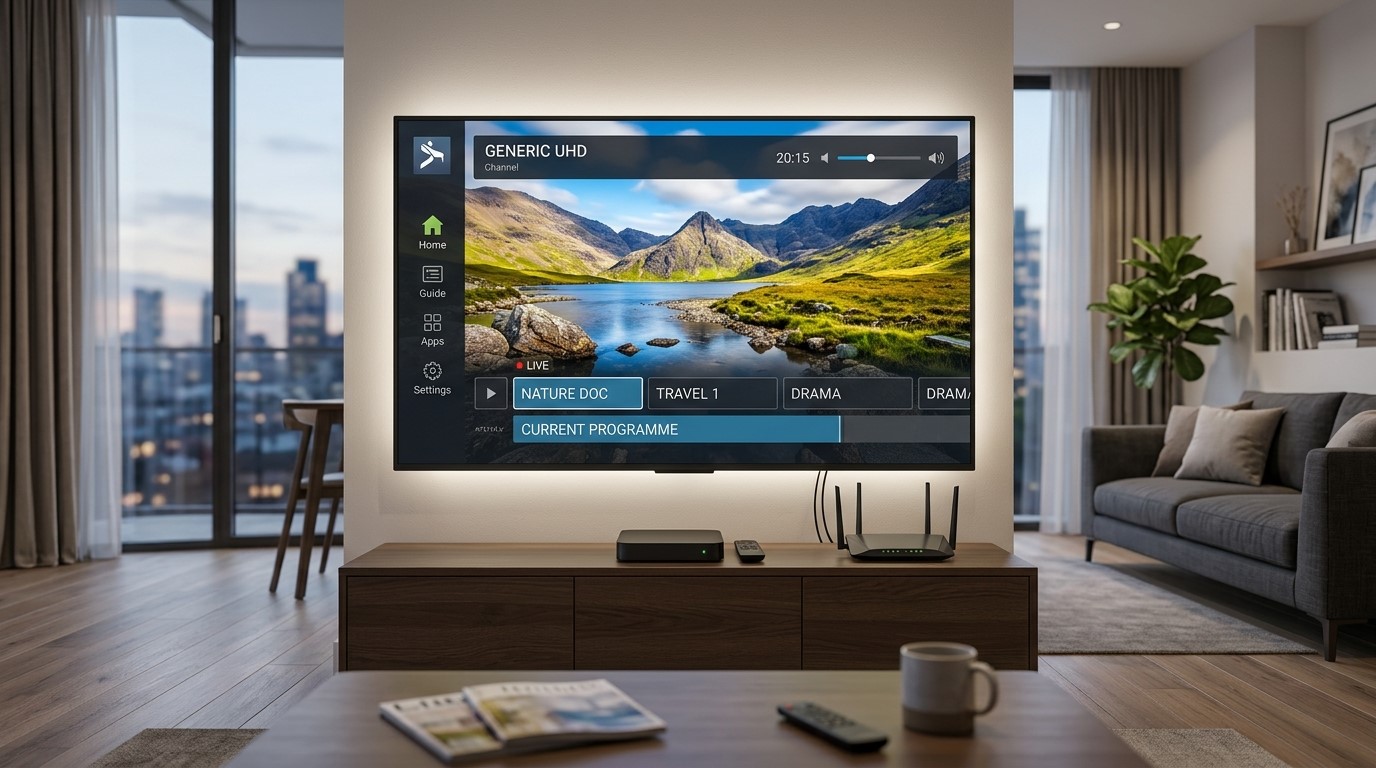
Watching television in 4K can transform the way you enjoy live sports, films, documentaries and entertainment. With sharper details, richer colours and greater picture clarity, Ultra High Definition (UHD) streaming can make a compatible television feel like a completely different viewing experience.
However, finding the best IPTV service with 4K streaming requires more than choosing a provider that advertises thousands of channels or promises premium picture quality. A genuine 4K experience depends on several factors, including the quality of the original stream, the provider’s infrastructure, your internet connection, your streaming device and your television.
Some services advertise 4K without clearly explaining which channels or programmes are actually available in Ultra HD. Others may offer a mixture of HD, Full HD and 4K content. Understanding these differences can help you choose a suitable IPTV service and avoid paying extra for features you cannot use.
In this guide, we explain what to look for in a 4K IPTV service, how to check genuine UHD quality, which devices support 4K streaming and how to get a more reliable viewing experience.
What Is 4K IPTV Streaming?
IPTV stands for Internet Protocol Television. It delivers television content through an internet connection rather than relying exclusively on traditional terrestrial, satellite or cable broadcasting.
When an IPTV service supports 4K streaming, compatible programmes or channels can be delivered in Ultra High Definition resolution.
Standard 4K UHD resolution is 3840 × 2160 pixels, providing approximately four times as many pixels as Full HD (1920 × 1080).
This additional detail can make a noticeable difference when watching content on a larger television.
Difference Between SD, HD, Full HD and 4K
| Video quality | Typical resolution | Viewing experience |
|---|---|---|
| SD | 480p | Basic picture quality |
| HD | 720p | Clearer picture than SD |
| Full HD | 1080p | Sharper detail and improved clarity |
| 4K UHD | 2160p | Much greater detail and clarity |
A higher resolution does not automatically mean better picture quality. Video bitrate, compression, source quality and display capabilities also influence the final image.
For example, a high-quality Full HD stream may look better than a poorly compressed stream labelled as 4K.
What Makes the Best IPTV Service with 4K Streaming?
The best IPTV service is not necessarily the one advertising the largest channel list. Instead, look for a provider that offers the features you actually need and can demonstrate consistent streaming quality.
Here are the most important factors to consider.
1. Genuine 4K and Ultra HD Content
The first thing to check is whether the provider offers genuine 4K content.
A service may advertise 4K streaming, but that does not mean every channel, film or television programme is available in UHD. Content availability depends on the original broadcast or video source.
Before choosing a subscription, check:
- Which channels or programmes are available in 4K.
- Whether the UHD content is available live or on demand.
- Whether the service identifies HD and 4K content separately.
- Whether 4K playback works on your device.
- Whether the picture quality remains consistent during playback.
Do not assume that an HD channel becomes genuine 4K simply because you watch it on a 4K television. Upscaling can improve how lower-resolution content appears, but it does not create the same detail as a native 4K source.
2. Stable Streaming Performance
Picture resolution is important, but stability is equally essential.
A 4K stream requires a consistent flow of data. If the provider’s infrastructure or your internet connection cannot maintain the required bandwidth, you may experience buffering, freezing, delayed playback or automatic quality reduction.
Look for a service that provides:
- Consistent playback during normal viewing hours.
- Reliable access to the content included in your subscription.
- Responsive customer support.
- Clear setup and troubleshooting instructions.
- Transparent information about supported devices and features.
Remember that no IPTV provider can guarantee uninterrupted streaming under every network condition.
3. Good Picture Quality and Bitrate
Resolution tells you how many pixels are displayed, while bitrate indicates how much video data is delivered over time.
Both matter when evaluating a 4K IPTV stream.
A low-bitrate 4K stream can look soft, blocky or less detailed, especially during fast-moving scenes. Sports broadcasts, action films and live events can make these problems more noticeable.
When testing a service, pay attention to:
- Picture clarity during fast movement.
- Visible compression or pixelation.
- Colour quality and contrast.
- Whether details remain clear in darker scenes.
- Whether the picture changes quality during playback.
A genuine viewing test is more useful than relying entirely on a provider’s advertised resolution.
4. Wide Device Compatibility
A good IPTV service should work with the devices you prefer to use.
Depending on the provider and supported player, common streaming options may include:
- Android TV and Google TV.
- Android TV boxes.
- Amazon Fire TV devices.
- Compatible Smart TVs.
- Windows computers and laptops.
- Compatible smartphones and tablets.
However, device compatibility and 4K playback support are not the same thing. An application may run on a device without supporting 4K output.
Check the device’s video capabilities, supported formats and the IPTV application’s compatibility before purchasing a subscription.
If you use an Android TV box, read our guide to the best IPTV apps for Android TV boxes in the UK to understand the differences between popular IPTV player applications.
5. Electronic Programme Guide (EPG)
An Electronic Programme Guide, commonly known as EPG, displays television schedules and programme information.
It makes browsing live television easier by showing details such as:
- Current programmes.
- Upcoming programmes.
- Programme start and end times.
- Channel schedules.
- Available programme information.
EPG support is especially useful for viewers who regularly watch live television.
However, EPG functionality depends on the provider, playlist and compatible IPTV player. A player supporting EPG does not automatically mean that programme information will be available.
You can learn more in our guide to setting up an IPTV EPG.
6. Catch-Up TV and On-Demand Content
Some IPTV services provide additional viewing features beyond live television.
Depending on the subscription and content rights, these may include:
- Catch-up TV for selected programmes.
- Video on Demand (VOD).
- Movies and television series.
- Programme replay.
- Favourites and personalised channel lists.
These features can make a service more convenient, particularly if you cannot always watch live broadcasts.
However, availability varies between providers and individual channels. Check which features are actually included rather than assuming every subscription offers them.
For a better understanding, read our guide on what catch-up TV on IPTV is and how it works.
How to Choose the Best 4K IPTV Subscription
Choosing an IPTV subscription becomes easier when you compare providers using practical criteria instead of relying on marketing claims.
Consider the following checklist before making a decision.
| Selection factor | What to check |
|---|---|
| 4K availability | Confirm which content is genuinely available in UHD |
| Stream quality | Check clarity, bitrate and compression |
| Stability | Look for consistent playback and reliable infrastructure |
| Device compatibility | Confirm support for your television or streaming device |
| EPG support | Check whether programme schedules are provided |
| Catch-up TV | Confirm availability and supported channels |
| Customer support | Look for accessible assistance and setup guidance |
| Subscription terms | Check pricing, renewal conditions and cancellation policy |
| Content rights | Confirm that the provider is authorised to distribute the content |
A trustworthy provider should be able to explain its features clearly. Be cautious of unrealistic promises, unclear ownership details or services that cannot explain their rights to distribute premium content.
How Much Internet Speed Do You Need for 4K IPTV?
Your internet connection plays a major role in 4K streaming performance.
Although the exact requirement varies by service, video encoding and network conditions, a stable connection is more important than simply having a high advertised broadband package.
Netflix currently recommends at least 15 Mbps for UHD 4K playback, while Sky recommends 25 Mbps as a minimum and 30 Mbps or more for a better Ultra HD experience. These figures are specific to those services and should not be treated as a universal IPTV requirement. 【turn533057search0】【turn716818search1】
For a practical home setup, consider the following guide:
| Internet speed | General suitability |
|---|---|
| 10–15 Mbps | May be limited for consistent 4K streaming |
| 25 Mbps | A reasonable starting point for one 4K stream |
| 30–50 Mbps | More comfortable for one 4K stream and regular household use |
| 50–100 Mbps | More flexibility for multiple connected devices |
| 100 Mbps or higher | Useful for busy households with several simultaneous activities |
These are planning estimates, not guaranteed playback thresholds. The actual speed reaching your television can be lower than the speed advertised by your broadband provider.
Why a Fast Internet Connection Can Still Buffer
Even with a fast broadband package, 4K streaming may buffer for several reasons:
- Weak Wi-Fi signals.
- Network congestion during busy hours.
- Too many devices using the connection.
- Router performance or outdated firmware.
- IPTV application problems.
- Temporary provider-side issues.
- Unstable connections between your device and the streaming service.
For a more reliable connection, use Ethernet where possible. If you rely on Wi-Fi, keep your streaming device close to the router and use a suitable 5 GHz or newer Wi-Fi connection when supported.
For more practical advice, read our guide on what internet speed you need for IPTV in the UK.
Best Devices for 4K IPTV Streaming
Your streaming device needs to support the resolution and video formats required by the content.
A 4K television alone does not guarantee 4K IPTV playback. The streaming device, application, video source and connection must also support the required quality.
Android TV and Google TV Devices
Android TV and Google TV devices are popular choices for IPTV because they support a wide range of streaming applications.
Depending on the device, they can offer:
- 4K video output.
- Remote-control navigation.
- Support for compatible IPTV players.
- Access to streaming applications.
- Wi-Fi and Ethernet connectivity on selected models.
Before buying an Android TV box, check its official specifications for 4K output and supported video codecs.
Amazon Fire TV Devices
Compatible Amazon Fire TV devices can also be used for IPTV streaming.
Some models support 4K UHD output, while others are limited to lower resolutions. Always check the exact model rather than assuming every Fire TV device supports 4K.
You should also confirm that your chosen IPTV application is compatible with the device and available through an authorised installation method.
4K Smart TVs
Many modern Smart TVs include built-in streaming applications and support Ultra HD playback.
This can reduce the need for an additional streaming box.
Before choosing a service, confirm that its supported application works with your TV’s operating system. Also check whether the television supports the video formats required by the content.
Smartphones, Tablets and Computers
Some IPTV applications support smartphones, tablets and computers. However, the maximum resolution depends on the device, application and video source.
A smartphone with a high-resolution display does not automatically receive a 4K stream.
If your main goal is watching 4K content on a large screen, a compatible television or streaming device is usually the more practical option.
How to Set Up IPTV for 4K Streaming
Once you have selected a suitable provider and compatible device, the setup process is generally straightforward.
The exact steps depend on the provider and IPTV player you use.
Step 1: Check Your Television’s 4K Support
Confirm that your television supports 3840 × 2160 resolution.
If you are using an external streaming device, connect it to a compatible HDMI input. Some televisions also require the correct HDMI input mode or enhanced format setting to enable the highest supported resolution.
Step 2: Check Your Streaming Device
Make sure your Android TV box, Fire TV device or Smart TV supports the required 4K output and video formats.
Also check that the device has enough processing capability for smooth playback.
Step 3: Choose a Compatible IPTV Player
An IPTV player is an application used to organise and play content from a compatible source.
Popular options include TiviMate and IPTV Smarters, depending on device compatibility and availability.
It is important to understand that an IPTV player does not automatically provide television channels or subscriptions. You need an authorised content source from a provider.
Step 4: Add Your Provider’s Subscription Details
Follow the provider’s official setup instructions.
Depending on the supported method, you may need an authorised M3U playlist or Xtream Codes login details.
Never share your subscription credentials publicly or enter them into untrusted applications.
For step-by-step assistance, visit our IPTV installation guide.
Step 5: Test the Available 4K Content
After setup, locate a programme or channel specifically identified as UHD or 4K by the provider.
Play it for several minutes and check:
- Whether the television reports a 2160p signal, where this information is available.
- Whether the image looks detailed and clear.
- Whether playback remains stable.
- Whether the picture quality changes during fast-moving scenes.
- Whether the stream works properly during your usual viewing hours.
This is one of the most useful ways to evaluate the actual service rather than relying on its advertised features.
How to Fix Common 4K IPTV Streaming Problems
Even a suitable IPTV subscription and compatible device can experience occasional playback problems.
Here are some practical troubleshooting steps.
1. 4K IPTV Keeps Buffering
Check the internet speed reaching your streaming device. Restart your router and device, reduce unnecessary network activity and try an Ethernet connection.
If the problem continues, test another authorised stream to determine whether the issue affects one programme or the entire service.
2. The Picture Looks Blurry
First, check whether the content is genuinely available in 4K.
Also check the device’s display resolution, television picture settings and HDMI connection. A lower-resolution source may look softer even when played on a 4K television.
3. IPTV Is Not Playing in 4K
Confirm that:
- Your television supports 4K UHD.
- Your streaming device supports 4K output.
- The application supports the required playback format.
- The selected content is available in 4K.
- Your HDMI connection and display settings are correctly configured.
Not every channel or programme is broadcast in 4K.
4. IPTV Freezes During Live Streaming
Try restarting the IPTV application and checking your network connection.
If other online services work normally but a particular IPTV stream continues to freeze, the issue may be related to that stream or the provider’s infrastructure.
You can follow our detailed guide on how to fix IPTV buffering for more troubleshooting methods.
5. EPG or Channel Information Is Missing
Refresh the programme guide and check whether your provider supplies the required EPG information.
If the problem continues, contact the provider or consult your IPTV player’s documentation.
Is 4K IPTV Legal in the UK?
IPTV technology itself is a legitimate way to deliver television over the internet. However, the legality of a particular service depends on whether it has the necessary rights and permissions to distribute the content it offers.
A streaming device or IPTV player can be used for legitimate content. Problems arise when a service distributes copyrighted television programmes, films or premium sports channels without the copyright owner’s permission.
The UK government explains that streaming devices are legal when used for legitimate content but can become part of an illicit streaming setup when adapted to access unauthorised material. 【turn716818search0】
Before purchasing an IPTV subscription, consider these checks:
- Look for clear provider identity and contact information.
- Review the subscription terms and payment conditions.
- Ask how the provider obtains the rights to distribute its content.
- Avoid unrealistic promises of every premium channel at an unusually low price.
- Use authorised applications and legitimate content sources.
A 4K label does not prove that a service is authorised. Content rights matter regardless of streaming resolution.
Why Choose Sky Glass IPTV Store?
Choosing an IPTV subscription should involve more than comparing the number of channels advertised. You should understand what the subscription includes, which devices it supports and how to get started.
At Sky Glass IPTV Store, visitors can explore IPTV subscription information and setup guidance to understand the available service options.
Before choosing a subscription, consider your preferred viewing devices, the content you want to access and the internet connection available at home.
You can visit the Sky Glass IPTV Store homepage to explore the website or check the IPTV subscription page for available subscription information.
If you are new to IPTV, the installation guide can also help you understand the general setup process.
Always confirm the current package details, supported features, content availability and applicable distribution rights before purchasing. Do not assume that every channel or programme is available in 4K.
Frequently Asked Questions About 4K IPTV Streaming
1. What is the best IPTV service with 4K streaming?
The best IPTV service is one that provides authorised access to the content you want, genuine 4K streams where available, reliable playback, compatible applications and responsive customer support. Compare actual UHD availability rather than relying only on advertising claims.
2. Does every IPTV channel support 4K?
No. Many television channels and programmes are still available in HD or Full HD. 4K availability depends on the original content source and the provider’s distribution arrangements.
3. Is 25 Mbps enough for 4K IPTV?
A stable 25 Mbps connection may be sufficient for some 4K streams, but requirements vary by provider and video quality. Other connected devices and network conditions can also affect playback.
4. Can I watch 4K IPTV on a normal HD television?
You can watch compatible IPTV content on an HD television, but it will not display native 4K resolution. The television will show the picture at its supported resolution.
5. Do I need a 4K Android TV box for 4K IPTV?
If you want to watch native 4K content through an external Android TV box, the device must support 4K output and the required video formats. You also need a compatible television, application and 4K source.
6. Does TiviMate support 4K IPTV?
TiviMate is an IPTV player for compatible Android TV devices. Actual playback quality depends on the video source, device hardware, supported formats and configuration. The application itself does not provide television channels.
7. Why does my 4K IPTV stream keep buffering?
Possible causes include unstable internet, weak Wi-Fi, network congestion, device limitations, application issues or provider-side problems. Testing with Ethernet and checking the speed reaching your device can help identify the cause.
8. Is 4K IPTV better than HD IPTV?
4K can provide greater detail than HD when the original content is available in native UHD and your equipment supports it. However, a high-quality HD stream may look better than a poorly compressed 4K stream.
9. Can I watch live sports in 4K through IPTV?
Some authorised television services offer selected live sports in 4K. However, not every match or sporting event is available in UHD. Availability depends on broadcasting rights, the provider and the specific event.
10. Is IPTV legal in the UK?
IPTV technology is legal. However, a service must have the appropriate rights to distribute the television channels, films and sports content it provides. Always choose an authorised service.
11. Can I use IPTV on multiple devices?
Some providers support multiple devices, but the number of permitted simultaneous connections depends on the subscription terms. Check the provider’s conditions before purchasing.
12. Does a 4K IPTV subscription include a 4K streaming device?
Not necessarily. An IPTV subscription generally provides access to a service or content, while a compatible television or streaming device may need to be purchased separately. Check the package description before ordering.
Final Thoughts
Choosing the best IPTV service with 4K streaming means looking beyond advertised channel numbers and resolution labels. Genuine UHD availability, consistent picture quality, reliable performance, device compatibility and transparent content rights are all important considerations.
Before purchasing a subscription, check which programmes are actually available in 4K, confirm that your television and streaming device support UHD, and make sure your internet connection can handle the stream.
Most importantly, test the service using the content you intend to watch. A provider that clearly explains its features and offers a reliable, authorised viewing experience is a better choice than one relying on unrealistic 4K promises.