Have you ever missed the start of a live TV programme and wished you could go back and watch it from the beginning?
That’s where Catch-Up TV on IPTV can be useful.
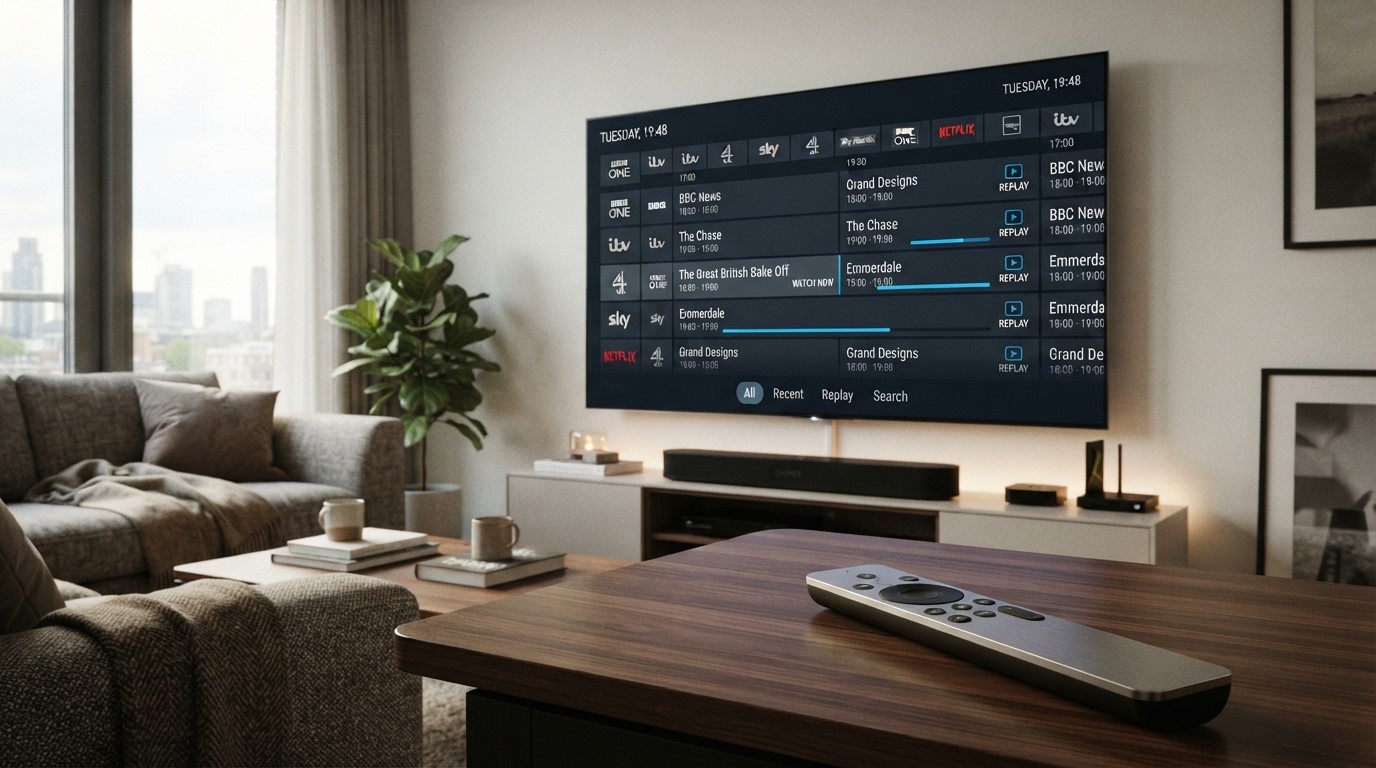
Catch-up TV allows viewers to watch certain programmes after their original live broadcast has finished, rather than waiting for a repeat or relying on a separate recording. In an IPTV setup, catch-up functionality can be integrated into the electronic programme guide (EPG), allowing you to select a programme that aired earlier and start watching it on demand.
The exact experience depends on the IPTV service, channel, IPTV player, EPG data, device and available rights. Some services may offer catch-up for several days, while others may provide a shorter window or no catch-up at all.
In this guide, we’ll explain what catch-up TV means on IPTV, how it works, how it differs from live TV and recording, how to use it, why catch-up may not work, which IPTV players support it, and what UK viewers should know about availability and legitimate content sources.
What Is Catch-Up TV on IPTV?
Catch-up TV is a feature that lets you watch eligible programmes after they have already been broadcast live.
Instead of watching a programme at its scheduled time, you can open the TV guide, move to an earlier programme and select it to start playback.
For example, imagine a programme was broadcast from:
8:00 PM – 9:00 PM
If the IPTV service supports catch-up for that channel, you might be able to open the EPG at 9:30 PM, select the 8:00 PM programme and watch it from the beginning.
This is similar to the catch-up services offered by many UK television platforms and broadcasters. Ofcom describes TV catch-up as an on-demand service that allows consumers to watch content on a non-live basis after its original broadcast.
The important point is that catch-up is not simply another name for live IPTV. It is an additional on-demand capability associated with eligible programmes.
How Does Catch-Up TV Work on IPTV?
Catch-up IPTV generally works through a combination of:
- Live TV streams
- EPG programme information
- Recorded or time-shifted programme content
- Catch-up availability supplied by the IPTV service
- An IPTV player capable of accessing that functionality
A simplified process looks like this:
Live broadcast → Programme is made available for catch-up → EPG records programme information → IPTV player displays past programme → Viewer selects programme → Catch-up stream plays
The IPTV player doesn’t necessarily create the catch-up content itself.
For example, TiviMate’s current Google Play listing includes catch-up as a player feature, but the app explicitly states that it is a media player only and does not provide channels or content.
This distinction is important: the service supplying the content needs to support catch-up for the player to access it.
What Is the Difference Between Live IPTV and Catch-Up TV?
The simplest difference is timing.
Live IPTV
Live IPTV allows you to watch a programme while it is being broadcast.
For example:
8:00 PM → Programme starts
You open the channel at 8:10 PM and watch the programme from its current position.
Catch-Up IPTV
Catch-up allows you to watch a programme that has already aired.
For example:
8:00 PM → Programme starts
9:00 PM → Programme ends
9:30 PM → You select the programme from the EPG and watch it
The programme is no longer live, but an eligible catch-up version is available.
Catch-Up TV vs Recording
Catch-up and recording can look similar to users because both allow you to watch something after its original broadcast.
However, they work differently.
| Feature | Catch-Up TV | Recording |
|---|---|---|
| Content source | Provided by the service | Recorded by your device/player |
| Requires advance setup | Usually no | Often yes |
| Available after broadcast | Yes, if supported | Yes, if successfully recorded |
| Storage required on device | Usually no local recording required | Often yes |
| Availability period | Depends on service | Depends on recording/storage |
| EPG integration | Common | Often used to schedule recordings |
| Provider support required | Yes | Recording capability required |
With catch-up, the service makes the past programme available.
With recording, your device or IPTV system saves the programme for later viewing.
Some IPTV players can support both catch-up and recording. TiviMate, for example, lists both features separately.
How Long Does IPTV Catch-Up Last?
There is no universal catch-up period.
Depending on the service and channel, catch-up may be available for:
- A few hours
- 24 hours
- Several days
- A week
- Another defined period
The exact availability depends on the content provider, service configuration and applicable rights.
For this reason, you shouldn’t assume that every programme will remain available for the same amount of time.
A programme might be available today but disappear from the catch-up section later.
Does Every IPTV Channel Have Catch-Up?
No.
This is one of the most important things to understand about IPTV catch-up.
An IPTV service may have hundreds or thousands of channels, but that does not mean every channel supports catch-up.
Catch-up can depend on:
- Channel
- Programme
- IPTV service
- EPG data
- Player compatibility
- Device
- Available rights
- Catch-up retention period
You may therefore find that catch-up works perfectly on one channel but isn’t available on another.
How to Know If an IPTV Channel Supports Catch-Up
The easiest way is usually through the IPTV player’s EPG.
Open the TV Guide and look at programmes that have already aired.
If an earlier programme is selectable and the player provides a playback option, catch-up may be available.
Depending on the IPTV application, you may see:
- A replay icon
- Catch-up icon
- Previous programme option
- Watch button
- Playback option
- Date/time navigation
The exact interface differs between IPTV players.
How to Use Catch-Up TV on IPTV
The exact steps depend on your IPTV application, but the general process is similar.
Step 1: Open Your IPTV Player
Launch the IPTV application on your Smart TV, Android TV, Google TV, streaming box or other supported device.
Step 2: Open the TV Guide
Go to the EPG, TV Guide or Programme Guide.
The EPG shows current and upcoming programmes and, where supported, past programmes.
Step 3: Select an Earlier Programme
Move backwards through the schedule and choose the programme you want to watch.
Step 4: Look for the Catch-Up Option
If the channel and programme support catch-up, your player should provide an option to play it.
Step 5: Start Playback
Select the programme and wait for the catch-up stream to load.
You can then watch the programme from the beginning rather than joining the original live broadcast halfway through.
How to Use Catch-Up on TiviMate
TiviMate is one example of an IPTV player that currently supports catch-up.
Its Google Play listing specifically lists Catch-up: Access past broadcasts so you never miss a show, alongside its EPG, playlist and recording features.
The general workflow is:
- Open TiviMate.
- Open the TV Guide/EPG.
- Select a previous programme.
- Check whether catch-up is available.
- Select the playback option.
- Start watching.
However, having the catch-up feature in the player does not guarantee that every playlist or channel will provide catch-up.
TiviMate’s current listing also notes fixes for missing catch-up with some M3U playlists, which illustrates that playlist compatibility and provider-side configuration can affect availability.
Does Catch-Up Require an EPG?
In many IPTV setups, catch-up is closely connected to the EPG because the EPG provides the programme schedule that you browse.
The EPG can show:
- Programme title
- Start time
- End time
- Channel
- Previous programmes
- Upcoming programmes
The player can then use the selected programme information to access an available catch-up stream.
However, the exact technical implementation differs between IPTV services and players.
A missing EPG can therefore make catch-up difficult to access even if the underlying service supports it.
If you’re having problems with your programme guide, see our complete guide on how to set up IPTV EPG.
What Is the Difference Between Catch-Up and Timeshift?
The terms catch-up and timeshift are sometimes used interchangeably, but they can describe different features.
Catch-Up TV
Catch-up generally means selecting a programme that has already finished or previously aired and watching it later.
Timeshift
Timeshift usually refers to controlling a live programme by:
- Pausing it
- Rewinding it
- Resuming playback
- Joining a live programme from an earlier point
For example, you could pause a live programme for 10 minutes and then continue watching from where you stopped.
Catch-up usually involves selecting a programme that was broadcast earlier.
The exact terminology can vary between IPTV applications and services.
Can You Rewind Live IPTV?
Sometimes.
If the IPTV service and player support timeshift or catch-up, you may be able to rewind a live programme.
However, this is not automatically available for every IPTV channel.
A standard live IPTV stream may only allow you to watch the current point in the broadcast.
Whether you can rewind depends on the service and player configuration.
Can Catch-Up TV Be Used for Live Sports?
Catch-up can be particularly useful for sports because missing the start of an event can be frustrating.
If an authorised service provides catch-up for a sports channel or programme, you may be able to watch the event after its live broadcast.
However, sports availability can be subject to specific broadcasting rights and restrictions.
An IPTV player cannot create those rights.
If a particular football, NFL, NBA, cricket or other sports programme isn’t made available for catch-up by the authorised service, changing IPTV players will not necessarily make it available.
Can You Watch Football Later With IPTV Catch-Up?
Potentially, but it depends on the service and applicable rights.
For example, if an authorised IPTV service carries a sports channel and provides catch-up for eligible programmes, you may be able to select the completed broadcast through the EPG.
But you should always check whether the service is authorised to provide the particular sports content in your location.
Catch-up functionality itself doesn’t determine whether a programme is legally available.
Why Is IPTV Catch-Up Not Working?
If live channels work but catch-up doesn’t, there are several possible causes.
1. Your Provider Doesn’t Support Catch-Up
The simplest explanation is that catch-up isn’t included for the channel or service.
2. The Channel Doesn’t Support Catch-Up
A provider may support catch-up on some channels but not others.
3. The Playlist Doesn’t Include Catch-Up Information
Your IPTV player may need specific playlist information to identify catch-up streams.
4. The EPG Is Incorrect
If programme information isn’t mapped correctly, the player may not know which catch-up content corresponds to the programme.
5. The Catch-Up Window Has Expired
The programme may simply be too old.
6. The IPTV Player Has a Compatibility Problem
An IPTV application may support catch-up generally but have compatibility issues with a particular playlist format.
7. The Catch-Up Server Is Temporarily Unavailable
The provider’s catch-up system may be experiencing a temporary problem.
8. The Device or App Needs Restarting
Restarting the IPTV application or device can sometimes resolve temporary playback problems.
IPTV Catch-Up Shows “No Information”
If the EPG displays “No Information”, catch-up may not work correctly because the player lacks the programme data needed to identify the previous broadcast.
First check whether your EPG is working.
Try:
- Refreshing the EPG.
- Refreshing the playlist.
- Restarting the IPTV player.
- Checking the EPG source.
- Checking the channel mapping.
- Asking the provider whether catch-up is supported.
If the EPG is completely blank, fix that issue before troubleshooting catch-up itself.
IPTV Catch-Up Is Available but Won’t Play
Sometimes the EPG shows previous programmes and even provides a catch-up option, but playback fails.
Possible causes include:
- Catch-up stream unavailable
- Provider-side server problem
- Expired programme
- Incorrect catch-up URL
- Playlist compatibility issue
- Player compatibility issue
- Network problem
- Temporary service outage
Try another previous programme on the same channel.
If several catch-up programmes fail while live channels continue working, the problem may be specific to the catch-up service rather than your internet connection.
Does Catch-Up TV Use More Internet?
Catch-up TV uses internet bandwidth because you’re streaming a programme on demand.
The amount of data used depends on:
- Video resolution
- Bitrate
- Programme duration
- Compression
- Streaming quality
A one-hour HD catch-up programme can consume a significant amount of data, just like watching an hour of live IPTV at the same quality.
The important difference is when the programme is being accessed, not necessarily how much bandwidth the video requires.
What Internet Speed Do You Need for IPTV Catch-Up?
Catch-up streaming generally has similar bandwidth requirements to live streaming at the same video quality.
As a practical guide:
| Quality | Practical Speed Target |
|---|---|
| SD | 5 Mbps+ |
| HD | 10 Mbps+ |
| Full HD | 10–20 Mbps+ |
| 4K | 25–30 Mbps+ |
Your actual requirements can vary depending on the stream.
A stable connection is also important. If you’re experiencing buffering during catch-up, the problem may involve Wi-Fi, network congestion, device performance or the catch-up server.
For more information, read our guide on what internet speed you need for IPTV in the UK.
Catch-Up TV on Smart TV
Catch-up IPTV can work on compatible Smart TV applications, but availability depends on the specific IPTV player and television platform.
Your Smart TV needs:
- A compatible IPTV application
- A compatible playlist
- EPG information where required
- Catch-up support
- A suitable internet connection
Some Smart TV platforms have more IPTV applications available than others.
If a particular IPTV player doesn’t support your television’s operating system, you may need a compatible external streaming device.
Catch-Up TV on Android TV
Android TV is commonly used for IPTV because many IPTV applications are designed for large-screen Android devices.
TiviMate, for example, is specifically designed for Android TV and supports EPG, catch-up, multiple playlists and other IPTV features.
If you’re using Android TV and want to set up an IPTV player, our IPTV installation guide provides a broader setup walkthrough.
Catch-Up TV on Fire TV
Catch-up availability on Fire TV depends on the IPTV application you use and whether the service supports the required catch-up functionality.
The basic concept remains the same:
IPTV service → Playlist/EPG → Compatible IPTV player → Catch-up programme
If live TV works but catch-up doesn’t, investigate the playlist and provider support before assuming the Fire TV device itself is the problem.
Catch-Up TV on IPTV vs Traditional TV Catch-Up Services
The concept of catch-up is not unique to IPTV.
UK viewers may already be familiar with broadcaster catch-up platforms and video-on-demand services.
Ofcom identifies TV catch-up as part of the wider category of video-on-demand services.
The difference is mainly how the content is delivered and presented.
Traditional Catch-Up Platform
You open a broadcaster’s or platform’s dedicated service and select a programme from its catalogue.
IPTV Catch-Up
You may select an earlier programme directly from an IPTV player’s EPG, provided the playlist/service supports catch-up.
The user experience can therefore feel more like a traditional TV guide combined with on-demand playback.
Is IPTV Catch-Up the Same as Video on Demand?
Not exactly.
Video on Demand (VOD) generally refers to content that is available from an on-demand catalogue, where you choose what to watch independently of a broadcast schedule.
Catch-up TV is more closely associated with programmes that were originally broadcast on a scheduled channel and are then made available for viewing afterwards.
For example:
VOD: Choose a film from a library whenever you want.
Catch-Up: Choose last night’s episode of a TV programme that was originally broadcast at 9 PM.
Some IPTV platforms may provide both features in the same application.
Catch-Up vs VOD vs Live TV
| Feature | Live TV | Catch-Up TV | VOD |
|---|---|---|---|
| Watch while broadcast is happening | Yes | No | No |
| Watch previous broadcasts | Usually no | Yes | Sometimes, depending on catalogue |
| Programme schedule relevant | Yes | Yes | Usually no |
| EPG commonly used | Yes | Yes | Sometimes |
| Content selected from catalogue | No | Limited | Yes |
| Requires service support | Yes | Yes | Yes |
Understanding these differences can make IPTV applications much easier to navigate.
Does Catch-Up Work With M3U Playlists?
It can, but it depends on how the playlist and service are configured.
An M3U playlist can contain information used by an IPTV player to access channels, and some M3U configurations can include catch-up-related information.
However, simply having an M3U file does not automatically mean that every channel has catch-up.
The service needs to provide the relevant catch-up functionality and data.
This is also why two M3U playlists can behave differently even when they are used with the same IPTV player.
Does Catch-Up Work With Xtream Codes?
Xtream Codes-based IPTV services can support catch-up where the provider has configured the service and supplied the necessary data.
The IPTV player then uses the available information to display and access past programmes.
Again, the important distinction is:
Xtream Codes support does not automatically mean every channel has catch-up.
Catch-up depends on the actual service configuration and content availability.
Why Does Catch-Up Work on One Channel but Not Another?
This is completely possible.
Catch-up availability can differ by channel because the provider may have different rights, recording configurations, storage policies or technical support for different channels.
For example:
Channel A → Live + EPG + Catch-up
Channel B → Live + EPG
Channel C → Live only
The IPTV player can display all three channels, but their available features can differ.
Does a Better IPTV Player Give You More Catch-Up?
Not necessarily.
A more feature-rich IPTV player can provide better tools for accessing catch-up, but it cannot create catch-up content that your IPTV service does not provide.
For example, TiviMate supports catch-up as a player feature, but its own listing states that the app does not provide channels or content.
Therefore:
Player support + provider support = Catch-up can work
Player support alone = Catch-up is not guaranteed
How to Get the Best Catch-Up Experience
If catch-up is important to you, consider the following when setting up IPTV.
Choose a Compatible IPTV Player
Make sure your player supports catch-up.
Use a Compatible Playlist
The playlist should contain the necessary information for the player’s catch-up functionality.
Keep the EPG Updated
An accurate EPG makes it easier to identify previous programmes.
Use a Stable Internet Connection
Catch-up is still streaming, so your device needs a reliable connection.
Keep Your IPTV App Updated
Updates can address compatibility problems and bugs.
Check the Catch-Up Window
Don’t assume every programme remains available indefinitely.
Use Authorised Content Sources
Make sure the service you’re using has the appropriate rights to provide the content.
Is IPTV Catch-Up Legal in the UK?
The catch-up technology itself is not inherently illegal. Catch-up TV is a normal form of on-demand television delivery, and Ofcom explicitly recognises TV catch-up as a type of video-on-demand service.
What matters is whether the service has the necessary rights to provide the content.
An IPTV player is simply software used to access and organise streams. For example, TiviMate states that it is a media player and does not provide content itself.
Therefore, UK viewers should use legitimate services and content sources that are authorised to provide the programmes they watch.
Common Catch-Up IPTV Problems at a Glance
| Problem | Likely Cause | What to Check |
|---|---|---|
| No catch-up option | Service doesn’t support it | Check provider support |
| Catch-up works on some channels only | Channel-specific availability | Check individual channels |
| “No Information” | EPG problem | Refresh/update EPG |
| Previous programmes appear but won’t play | Catch-up stream issue | Test another programme |
| Catch-up is outdated | EPG/source not updating | Refresh playlist and EPG |
| Catch-up suddenly stopped | Provider or server issue | Contact provider |
| Catch-up buffers | Network or server issue | Test connection and other streams |
| Wrong programme shown | EPG/channel mapping issue | Check channel mapping |
| Catch-up disappeared after playlist update | Playlist configuration changed | Refresh/reconfigure playlist |
| Live TV works but catch-up doesn’t | Catch-up-specific problem | Check service support |
Frequently Asked Questions
What is catch-up TV on IPTV?
Catch-up TV is an IPTV feature that lets you watch eligible programmes after they have already been broadcast live. It usually works through the IPTV player’s EPG or TV Guide.
How does IPTV catch-up work?
The IPTV service makes a previous broadcast available for on-demand playback. The IPTV player uses programme information, often through the EPG, to let you select and play the earlier programme.
Does every IPTV service have catch-up?
No. Catch-up is an optional service feature and may only be available for certain channels or programmes.
Does every IPTV channel support catch-up?
No. A provider may offer catch-up for some channels while providing only live TV and EPG information for others.
How long does IPTV catch-up last?
There is no universal duration. Availability depends on the service, channel, programme and applicable rights. Some content may remain available for a short period, while other services offer longer catch-up windows.
Can I watch yesterday’s programme on IPTV?
Potentially, if the channel and IPTV service provide catch-up and the programme is still within its available catch-up window.
Is IPTV catch-up the same as recording?
No. Catch-up is supplied by the service after a programme has aired, while recording saves a programme through a recording function for later viewing.
Does TiviMate support catch-up?
Yes. TiviMate’s current Google Play listing includes catch-up as one of its features, along with EPG and recording. However, TiviMate itself does not provide channels or content, so catch-up availability depends on the playlist/service you add.
Why does my IPTV catch-up say “No Information”?
This can happen when the EPG isn’t loading correctly, programme information isn’t mapped to the channel, or the service does not provide catch-up data for that channel.
Why does IPTV catch-up buffer?
Catch-up can buffer because of an unstable internet connection, weak Wi-Fi, network congestion, device issues or problems with the catch-up server. If other streams work normally, the issue may be specific to the catch-up source.
Can I rewind live IPTV?
Some IPTV services and players support timeshift or catch-up functionality that allows you to rewind or restart a live programme. Standard live streams do not necessarily provide this feature.
Does catch-up require an EPG?
Catch-up and EPG are often closely connected because the EPG provides the programme schedule used to select previous broadcasts. However, the exact implementation varies between services and players.
Can I use IPTV catch-up for sports?
If an authorised service provides catch-up for a sports programme or channel, you may be able to watch it after the live broadcast. Availability depends on the service and applicable broadcasting rights.
Is IPTV catch-up legal in the UK?
Catch-up TV is a legitimate form of on-demand viewing. The important issue is whether the IPTV service has the appropriate rights to provide the content. Users should choose authorised services and content sources.
Final Thoughts
Catch-Up TV on IPTV gives viewers more flexibility than traditional live-only television. Instead of having to be in front of the TV at exactly the scheduled broadcast time, you can potentially go back through the EPG and watch an eligible programme after it has already aired.
The basic process is straightforward:
Live programme → Programme becomes available for catch-up → EPG displays the past programme → Select programme → Start playback
However, catch-up isn’t guaranteed for every IPTV channel.
Its availability depends on the IPTV service, playlist, EPG, IPTV player, channel, programme, device and applicable content rights.
It’s also important to remember that an IPTV player does not automatically provide catch-up content. TiviMate, for example, supports catch-up functionality but describes itself as a media player that requires users to add their own playlists.
If you’re setting up IPTV and want features such as an EPG, catch-up and convenient programme navigation, start by making sure your IPTV service and player support those features.
For setup help, see our IPTV installation guide. If you’re experiencing playback problems, our guide on how to fix common IPTV problems can help you identify whether the issue is related to your device, network, player or IPTV service.