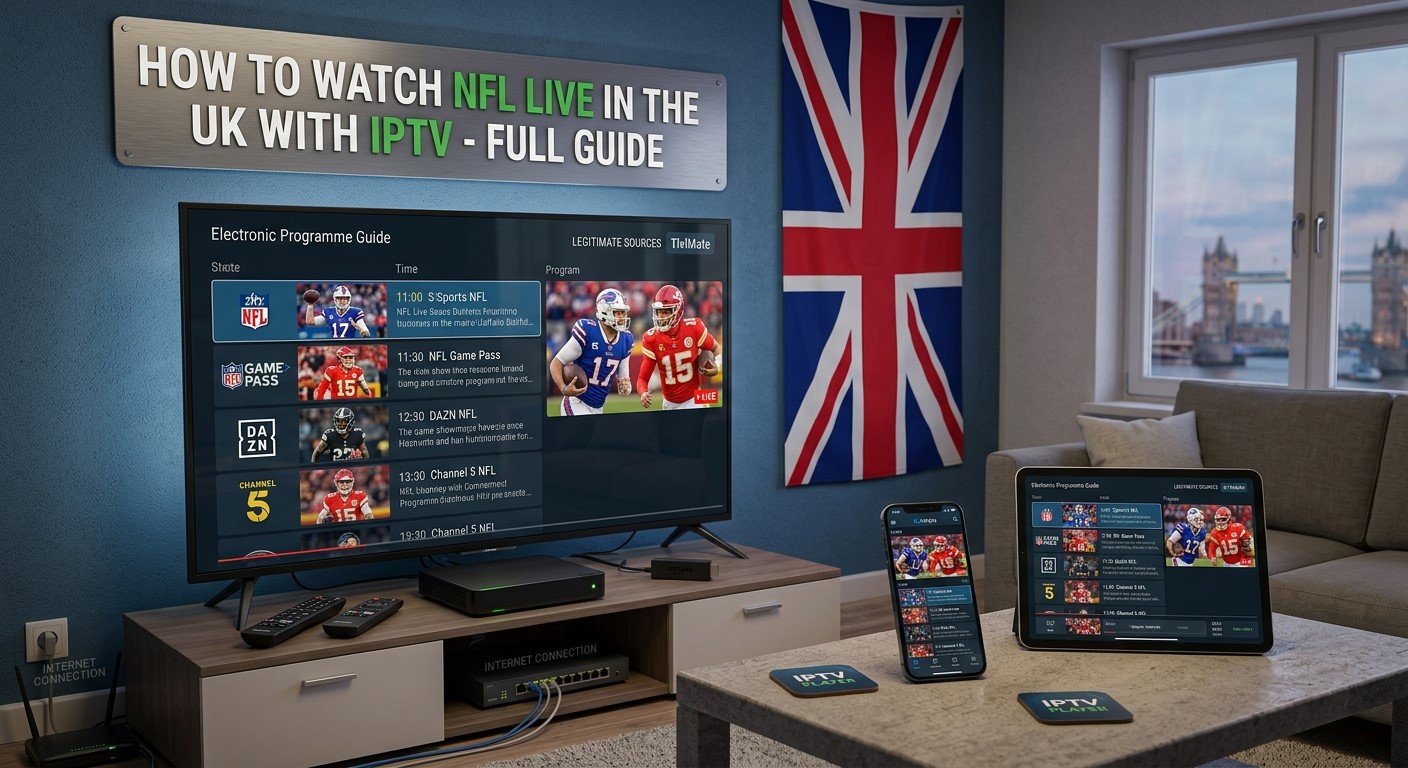
American football has a growing audience in the UK, and watching the NFL live no longer means being limited to traditional television. With the right IPTV-compatible setup and an authorised source, UK viewers can watch NFL games on smart TVs, Android TV devices, streaming sticks, computers, smartphones and tablets.
But there is an important distinction to understand: IPTV is a method of delivering television and video over an internet connection. An IPTV player or app does not automatically provide NFL games. The channels or streams come from the service or subscription you use.
For the 2026 NFL season, UK fans have several legitimate ways to follow the league. The NFL says Sky Sports continues to provide extensive UK coverage, while Channel 5 offers selected free-to-air games. NFL Game Pass on DAZN provides the broadest international access, although UK blackout restrictions can apply to certain games.
This guide explains how NFL streaming through IPTV works, what you need, how to set it up, what to look for in an IPTV service, and how to avoid unreliable or unauthorised streams.
Can You Watch NFL Live in the UK with IPTV?
Yes, you can watch NFL content through an internet-based TV setup, provided the service you use has the appropriate rights to show the games.
IPTV simply means television or video delivered through an internet connection rather than through traditional terrestrial, satellite or cable broadcasting.
For example, you might watch authorised NFL coverage through:
- A supported smart TV application
- An Android TV or Google TV device
- A streaming stick
- A compatible IPTV player
- A web browser
- A mobile or tablet app
- An authorised streaming service
The important point is that the IPTV player and the content provider are separate things.
An IPTV player may allow you to organise channels, electronic programme guides, favourites and playlists, but it does not give you permission to watch premium sports channels by itself.
If you’re using an IPTV subscription, make sure the provider is authorised to distribute the channels and sports content it offers.
How NFL Broadcasting Works in the UK in 2026
The NFL’s UK viewing options have changed over time, so it is important to check current rights rather than relying on older articles or social media posts.
For the 2026 season, the NFL states that Sky Sports provides the most extensive NFL coverage in the UK and Ireland, including regular-season games, primetime matchups, NFL RedZone, Thanksgiving games, playoffs and Super Bowl LXI.
The NFL also confirms that Channel 5 provides selected free-to-air NFL coverage, including a Sunday evening game and playoff/Super Bowl coverage.
For fans who want the widest international coverage, NFL Game Pass on DAZN provides live and on-demand NFL content, including regular-season games, playoffs and the Super Bowl, subject to applicable blackout restrictions.
That means UK viewers should decide what they actually want before choosing a streaming setup.
Do you want:
- A few free-to-air NFL games?
- A large selection of weekly games?
- NFL RedZone?
- Every available game?
- Live games plus replays?
- NFL content on multiple devices?
Your answer will determine which legal option makes the most sense.
What Is IPTV and Why Is It Useful for NFL Fans?
Traditional television sends channels through broadcast, satellite or cable infrastructure. IPTV delivers video through an internet connection.
This can make internet-based television particularly convenient for sports fans because you can watch content across different compatible devices.
For example, an NFL fan might watch a Sunday game on a television and later use a phone or tablet to check another authorised stream, replay or NFL programme.
The biggest advantages of IPTV-style streaming include:
1. Device flexibility
Depending on the service, you may be able to watch on:
- Smart TVs
- Android TV
- Google TV
- Amazon Fire TV-compatible devices
- Computers
- Smartphones
- Tablets
- Streaming boxes
Always check the supported-device list for the specific service you subscribe to.
2. Internet-based delivery
You don’t necessarily need a traditional satellite or cable connection. A stable broadband connection can deliver live television and streaming video.
3. Electronic Programme Guide
Many IPTV platforms support an EPG, or Electronic Programme Guide.
For sports fans, an EPG can make it easier to see:
- Game times
- Channel names
- Upcoming programmes
- Current programmes
- NFL-related broadcasts
4. Search and favourites
A good player may let you search for channels or save frequently watched channels.
This can be useful when you regularly follow NFL coverage alongside other sports and entertainment.
What Do You Need to Watch NFL Live Through IPTV?
Before setting everything up, you need four basic components.
1. A reliable internet connection
Live sports require a reasonably stable connection.
A fast connection is helpful, but stability is often just as important as raw speed.
If your connection frequently drops packets, suffers from congestion or experiences high latency, you may see:
- Buffering
- Freezing
- Picture quality changes
- Audio interruptions
- Stream disconnections
For the best experience, use a stable home broadband connection and connect your TV or streaming device through Ethernet where practical.
Wi-Fi can work well, but signal strength and network congestion matter.
2. A compatible device
You can potentially watch NFL coverage through:
- Smart TV
- Android TV box
- Google TV device
- Fire TV-compatible device
- Laptop
- Desktop PC
- Smartphone
- Tablet
The exact options depend on the streaming service.
3. An authorised source
This is the most important part.
An IPTV application alone doesn’t give you access to NFL games.
You need an authorised broadcaster, streaming service or IPTV provider that has the necessary rights to distribute the content in your location.
4. A compatible IPTV player or official application
If your authorised service supplies content through an IPTV playlist or compatible platform, you may need a suitable player.
Depending on your device, this could include a dedicated provider application or a compatible IPTV player.
Always follow the provider’s official setup instructions.
How to Watch NFL Live on IPTV: Step-by-Step
The exact setup varies between services and devices, but the general process is straightforward.
Step 1: Choose the NFL coverage you need
First decide how much NFL content you want.
If you only want selected UK broadcasts, a free-to-air option may be enough.
If you want more games, compare the current offerings from services such as Sky Sports and NFL Game Pass on DAZN.
The NFL’s official UK viewing information is a useful starting point because broadcast arrangements can change between seasons.
Step 2: Choose a legitimate subscription or source
If you’re using an IPTV service, check that it is authorised to distribute the channels or sports programming it advertises.
Don’t select a service simply because it promises an unusually large number of premium sports channels for an extremely low price.
Instead, look for:
- Clear company information
- Transparent subscription terms
- Secure payment options
- Customer support
- Clear device compatibility
- A legitimate content offering
- Appropriate licensing or distribution rights
Step 3: Choose your device
Decide where you want to watch.
For a television, Android TV, Google TV or a compatible smart TV application can provide a convenient experience.
For occasional viewing, a laptop or mobile device may be sufficient.
Step 4: Install the official or compatible application
Download the application from the appropriate official app store or follow the instructions supplied by your authorised provider.
Avoid downloading unknown APK files from random websites.
Unofficial applications can introduce security, privacy and reliability risks.
Step 5: Sign in or add your authorised source
Depending on the service, you may sign in using an account or use the playlist/login information supplied by your legitimate provider.
Do not use credentials obtained from another person or a source that is not authorised to distribute the content.
Step 6: Find the NFL broadcast
Once you’re inside the service, use the channel list, EPG or search feature to locate the relevant NFL broadcast.
Remember that the game may not necessarily appear under a channel named “NFL.”
It may be carried by a broadcaster or sports network with the relevant rights.
Step 7: Test the stream before kickoff
Don’t wait until the opening kickoff to discover that your setup has a problem.
Open the relevant channel beforehand and check:
- Video quality
- Audio
- Network stability
- Device performance
- App responsiveness
- EPG information
This gives you time to troubleshoot before the game starts.
How to Watch NFL Games on Android TV
Android TV and Google TV devices are popular options for streaming live sports because they are designed around television viewing.
A typical setup involves:
- Connect the device to your television.
- Connect it to your home internet.
- Open the relevant app store.
- Install the official streaming application or compatible IPTV player.
- Sign in or configure your authorised service.
- Open the sports or live-TV section.
- Find the relevant NFL broadcast.
- Start watching.
For the best experience, consider using Ethernet if your device supports it.
If you’re using Wi-Fi, place the router and streaming device where they can maintain a strong connection.
How to Watch NFL on Fire TV
Fire TV devices can also be useful for internet-based sports streaming when the relevant official applications are supported.
The process is generally:
- Connect your Fire TV device to the television.
- Connect it to the internet.
- Open the Amazon app store.
- Search for the official application you need.
- Install and launch it.
- Sign in with your authorised account.
- Locate the NFL broadcast.
- Start streaming.
Avoid installing unofficial applications simply because they promise access to premium NFL games without a legitimate subscription.
How to Watch NFL on Smart TV
Many modern Smart TVs have their own application stores.
If your television supports the relevant streaming service, you may not need a separate IPTV box.
Check:
- Your TV model
- Operating system
- Supported applications
- Internet connection
- App availability in the UK
If an official application isn’t supported on your TV, a compatible external streaming device may provide another option.
Can You Watch NFL RedZone Through IPTV?
NFL RedZone is particularly popular with fans who want to follow multiple games and scoring opportunities.
The availability of NFL RedZone depends on the broadcaster or subscription you use.
For 2026, the NFL confirms that Sky Sports includes NFL RedZone as part of its UK coverage. NFL Game Pass on DAZN also includes NFL RedZone among its features.
If RedZone is one of your main priorities, check whether it is included in the specific subscription you’re considering rather than assuming every IPTV package includes it.
Can You Watch NFL Football on IPTV for Free?
There are legitimate ways to watch selected NFL coverage without paying for a premium subscription.
For example, the NFL’s official UK viewing information confirms that Channel 5 provides selected NFL games free-to-air.
However, you should be cautious when you see websites or IPTV services advertising:
“Every NFL game free.”
or:
“All Sky Sports and NFL games for £10.”
A low-cost offer does not automatically mean it is legitimate.
The UK government explains that streaming paid subscription sports content without the appropriate subscription or permission can constitute illicit streaming.
Is IPTV Legal in the UK?
IPTV itself is legal.
IPTV is simply a technology for delivering television and video through the internet.
The legal question is whether the content is being distributed and accessed with the appropriate rights.
Using IPTV to watch legitimate free-to-air channels, licensed streaming services or authorised subscriptions is different from using an unauthorised service to access premium sports channels without paying for them.
The UK government specifically warns that devices and apps can become illicit when they are adapted to access subscription television, films or sports without the appropriate payment or authorisation.
There have also been recent UK enforcement cases involving illegal TV, sport and film streaming subscriptions. In August 2026, the Crown Prosecution Service reported the sentencing of a man involved in selling unauthorised streaming subscriptions that provided access to paid television and sports content.
For this reason, always use legitimate services and avoid providers that cannot explain their rights to distribute premium sports content.
How to Identify a Suspicious IPTV Service
Not every IPTV provider advertising NFL coverage is necessarily authorised.
Watch for warning signs such as:
Extremely low prices
If a provider offers hundreds of premium sports channels for a tiny monthly fee, investigate before purchasing.
“Everything included” claims
Be cautious about services promising every premium broadcaster, every NFL game, every football match and thousands of channels without clearly explaining their rights.
No company information
A legitimate business should normally provide clear information about who operates the service and how customers can contact them.
Cryptocurrency-only payments
This isn’t proof of illegality by itself, but a combination of anonymous payment methods and no transparent company information should raise questions.
Unofficial APK downloads
Avoid applications distributed through unknown websites when an official application or recognised app-store option is available.
No terms or refund information
A professional streaming service should clearly explain subscription terms and customer support.
Best IPTV Features for Watching NFL
If you’re choosing an IPTV-compatible service or player, look for features that actually improve sports viewing.
Electronic Programme Guide
An EPG makes it easier to find upcoming NFL broadcasts.
Reliable playback
For live sports, stability is more important than having dozens of unnecessary features.
Multiple-device support
If you watch NFL on both television and mobile devices, check whether your subscription supports those devices.
Catch-up or replay features
These can be useful when a game starts at an inconvenient UK time.
Search
A good search function makes it easier to find sports channels and programmes.
Favourites
Saving frequently used channels can reduce the time required to find your preferred sports coverage.
HD or 4K support
Higher-resolution streams can provide a better viewing experience where the broadcaster offers them and your device and internet connection support them.
Remember that an IPTV player cannot create higher quality than the source provides.
What Internet Speed Do You Need for NFL Streaming?
There isn’t one universal speed requirement because different streaming platforms use different encoding and quality settings.
However, a stable broadband connection is essential.
For live NFL streaming, pay attention to:
- Download speed
- Wi-Fi signal strength
- Network congestion
- Router performance
- Ethernet availability
- Number of devices using the connection
- Streaming resolution
If several people are simultaneously downloading large files, gaming online and streaming video, your NFL stream may suffer even when your broadband package appears fast enough.
If possible, use a wired Ethernet connection for a television or streaming box.
How to Reduce Buffering During NFL Games
Buffering during a major NFL game can be frustrating, especially when the stream freezes during an important play.
Try these steps:
Restart the streaming application
Close the app completely and reopen it.
Restart the router
A router restart can sometimes resolve temporary network issues.
Use Ethernet
If possible, connect your TV or streaming box directly to your router.
Reduce video quality
If your internet connection is struggling, temporarily switching from a higher resolution to a lower one may improve stability.
Reduce network usage
Pause large downloads, cloud backups and other bandwidth-heavy activity.
Update the application
Make sure you’re using a supported, current version of the streaming application.
Check the service
If other websites work normally but one particular stream constantly buffers, the problem may be with the streaming service rather than your home internet.
For additional troubleshooting, see our guide on how to fix common IPTV problems.
NFL Game Times in the UK
One reason IPTV is popular among NFL fans is that many games take place at times that are convenient—or very inconvenient—depending on the UK schedule.
Sunday games can fall into several different UK viewing windows, while Thursday Night Football, Sunday Night Football and Monday Night Football can take place late at night or during the early hours in the UK.
This makes features such as:
- Replay
- Catch-up
- On-demand viewing
- Game summaries
- Condensed games
particularly useful.
NFL Game Pass on DAZN offers full-game replays and condensed formats such as Game in 40 and Sunday in 60.
What About NFL London Games?
NFL games played in the UK are particularly popular with British fans.
The 2026 international schedule includes three games in the UK, and the NFL says these European games will be shown live across Channel 5, Sky Sports and NFL Game Pass on DAZN.
If you’re specifically interested in London games, check the current NFL schedule and broadcaster information before the event because coverage arrangements can change.
IPTV Player vs IPTV Subscription: What’s the Difference?
This is one of the most important concepts for new IPTV users.
IPTV Player
An IPTV player is an application that plays or organises compatible video streams.
It may provide features such as:
- EPG
- Favourites
- Search
- Categories
- Playlist management
- Playback controls
IPTV Subscription
An IPTV subscription is the service or source that provides the actual channels and content.
The subscription determines what you’re authorised to watch.
Think of the player as the interface and the subscription as the content source.
A player cannot legally provide premium NFL broadcasts simply because it supports IPTV playlists.
Can You Watch NFL on Your Phone or Tablet?
Yes, depending on the streaming service.
Many official streaming platforms support smartphones and tablets, making it possible to follow NFL games away from your main television.
This can be useful if:
- You’re travelling
- You’re away from home
- You want a second viewing screen
- You’re checking another game
- You want to watch highlights or replays
Always check the service’s device limits and UK availability.
How to Watch NFL on Multiple TVs
If you have multiple televisions at home, the setup depends on the provider’s account and device policies.
Possible configurations include:
- A Smart TV application
- A streaming stick
- Android TV/Google TV
- A dedicated streaming box
- A web browser connected to a TV
Before buying multiple devices or subscriptions, check how many simultaneous streams your authorised service allows.
Do not assume that one account automatically permits unlimited simultaneous viewing.
Should You Use a VPN to Watch NFL in the UK?
A VPN can be useful for general online privacy and security, but it should not be treated as a method for bypassing sports broadcasting restrictions.
NFL and streaming services can apply location-based rights and blackout restrictions. NFL Game Pass on DAZN specifically notes that some blackout restrictions apply in the UK and Ireland.
The safest approach is to use the service according to its terms and watch the content available to you in your location.
Why Some IPTV Streams Look Better Than Others
Two streams of the same sport can look completely different.
Quality depends on factors such as:
- Original broadcast quality
- Encoding
- Bitrate
- Resolution
- Frame rate
- Server infrastructure
- Network conditions
- Device capability
A 4K-compatible player doesn’t mean the NFL broadcast will automatically be 4K.
The source needs to provide the appropriate resolution and quality.
How to Prepare for an NFL Game Night
If you’re planning to watch an important NFL game, prepare your setup before kickoff.
Before the game
Check:
- Internet connection
- Streaming device
- App updates
- Account login
- EPG information
- TV audio
- HDMI connection
- Remote batteries
- Available storage if recording is supported
15–30 minutes before kickoff
Open the service and test the relevant broadcast.
If there’s a problem, you’ll have time to troubleshoot instead of missing the start.
Is IPTV Better Than Cable or Satellite for NFL?
There isn’t one answer for everyone.
Traditional TV can offer predictable channel availability and straightforward viewing.
IPTV and internet streaming can provide greater flexibility across devices and may make it easier to watch content away from a traditional television.
The best option depends on:
- Cost
- NFL coverage
- Device preferences
- Internet reliability
- Replay requirements
- Number of games you want
- Whether you want RedZone
- Whether you need mobile viewing
For a broader comparison of internet-based television and traditional TV, see our guide to IPTV vs Cable TV.
Best Setup for NFL Fans in the UK
For a typical UK NFL fan, there are several practical setups.
Basic setup
Smart TV + official streaming service
Best for viewers who want simplicity.
Flexible setup
Android TV/Google TV + authorised IPTV-compatible service
Useful for viewers who want a dedicated streaming interface and access to multiple compatible applications.
Mobile setup
iPhone/iPad/Android phone + official streaming app
Good for watching when you’re away from your television.
Multi-screen setup
TV + streaming device + mobile/tablet
Useful for dedicated NFL fans who want flexibility across devices.
The right option depends on the services and content you are authorised to access.
Can IPTV Replace an NFL Subscription?
No.
An IPTV player cannot replace the subscription or broadcaster that owns or distributes the NFL content.
If you want premium NFL coverage, you still need an authorised source with the relevant rights.
This is why you should never choose an IPTV player based purely on claims such as “watch every NFL game for free.”
Instead, consider the complete setup:
Authorised content source → IPTV/streaming application → compatible device → stable internet connection → television
Each part plays a different role.
Quick Checklist Before Choosing an IPTV Service for NFL
Before signing up, ask:
- Does the service have the rights to distribute the sports channels it advertises?
- Does it support my device?
- Does it work reliably in the UK?
- Does it provide an EPG?
- Does it support HD or higher-quality streams where available?
- Does it offer catch-up or replay?
- How many simultaneous devices are allowed?
- Is customer support available?
- Are subscription terms clear?
- Does the service use an official or recognised application?
- Are payment and refund terms transparent?
If you cannot get clear answers, consider another provider.
Frequently Asked Questions
Can I watch NFL live in the UK with IPTV?
Yes, but you should use an authorised IPTV or streaming service that has the appropriate rights to distribute the NFL content you want to watch. IPTV is a delivery technology and does not automatically provide NFL games.
What is the best way to watch NFL in the UK in 2026?
The best option depends on how many games you want. For 2026, the NFL lists Sky Sports as its most comprehensive UK broadcaster, Channel 5 for selected free-to-air games, and NFL Game Pass on DAZN for broad international coverage, subject to UK blackout restrictions.
Can I watch NFL RedZone in the UK?
Yes. NFL RedZone is included in Sky Sports’ UK NFL coverage, and NFL Game Pass on DAZN also lists NFL RedZone among its available content.
Is IPTV legal in the UK?
IPTV technology is legal. The legality depends on the content and whether the service has the appropriate rights. Accessing paid sports content through an unauthorised source can be illegal.
Can I watch NFL on an Android TV box?
Yes, provided your chosen authorised streaming service supports Android TV or the relevant Android TV application. You can also use compatible IPTV players where supported by the service.
Do I need a special IPTV box to watch NFL?
No. You may be able to watch through a Smart TV, streaming stick, Android TV device, computer, smartphone or tablet, depending on the service.
Why does my NFL IPTV stream keep buffering?
Buffering can result from unstable internet, Wi-Fi interference, network congestion, device performance or problems with the streaming service. Test your connection, restart your router and application, and consider Ethernet where possible.
Can I watch NFL games on my phone?
Yes. Many authorised NFL streaming services support mobile devices. NFL Game Pass on DAZN, for example, is designed for viewing across compatible devices.
Can I watch every NFL game through one service?
Coverage depends on the service and UK broadcasting rights. NFL Game Pass on DAZN provides broad access but notes that blackout restrictions can apply in the UK and Ireland.
Is a free IPTV service safe for watching NFL?
You should be cautious. A service offering premium NFL broadcasts for free may not have the necessary rights. Free-to-air coverage from legitimate broadcasters is different from an unauthorised IPTV service distributing paid sports channels.
Can I use an IPTV player without an IPTV subscription?
Some IPTV players can be installed without a subscription, but the player itself generally does not provide premium channels. You need an authorised content source to watch the relevant programming.
Final Thoughts
Watching NFL live in the UK through an internet-based TV setup can be convenient, particularly if you want to move between your television, streaming device, computer and mobile devices.
However, choosing the right content source is more important than simply choosing an IPTV player.
For the 2026 NFL season, UK fans have several legitimate viewing options, including Sky Sports, Channel 5 and NFL Game Pass on DAZN. The best choice depends on how many games you want to watch, whether you need NFL RedZone, whether you want replay features and which devices you use.
If you’re using an IPTV setup, make sure the service is authorised to distribute the channels and sports content it offers. A good setup should combine a legitimate content source, compatible application, reliable device and stable internet connection.
For general IPTV setup information, you can also visit our IPTV Installation Guide.
And if you’re looking for a compatible subscription, see our IPTV subscription page and verify the current channel and sports availability before purchasing.